How to transfer games to a new pc

How to Move Your Game Library to a New Pc

I spent three hours last Tuesday staring at a progress bar that hadn’t moved since 2019, all because I followed some “expert” forum post that suggested a full cloud re-download for a 150GB library. It’s absolute nonsense. Most guides online make it sound like you need a PhD in file architecture just to figure out how to transfer games to a new pc without losing your sanity—or your bandwidth. You don’t need to re-download every single asset from scratch and pray your Steam client doesn’t corrupt the manifest files; you just need to know which folders actually matter and which ones are just bloated junk taking up space on your old drive.

I’m not going to give you a three-thousand-word lecture on directory structures or sell you on some expensive external backup service you don’t need. Instead, I’m giving you the exact workflow I use when I’m swapping out my own rigs. I’ll show you the fastest way to move your libraries, how to verify your files so you don’t end up with a crashing mess on launch day, and how to avoid the common mistakes that turn a simple upgrade into a weekend-long headache.

Table of Contents

The Fast Way External Hard Drive Game Transfer
The Fast Way External Hard Drive Game Transfer

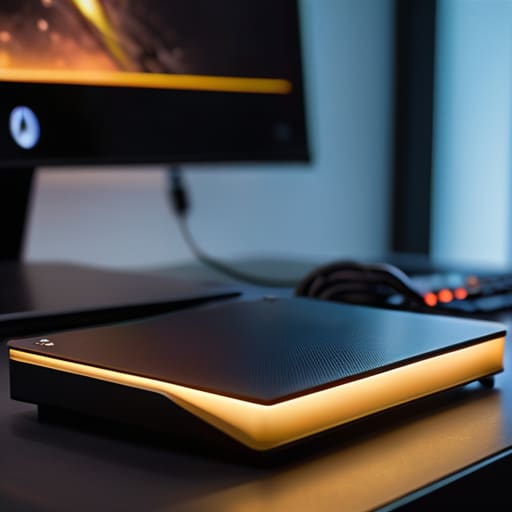
If you have a massive library and a decent amount of bandwidth, an external hard drive game transfer is the least painful way to do this. Don’t bother trying to redownload 150GB of Call of Duty just because you bought a new NVMe drive; it’s a waste of time and puts unnecessary wear on your SSD. Just plug your drive into the old rig, copy your entire SteamLibrary or Epic Games folder over, and then plug it into the new machine.

Once the files are physically on the new PC, you aren’t done yet. You need to point your launcher to the new location. For Steam, it’s a simple steam library folder relocation through the settings menu—it’ll scan the files, realize they’re already there, and skip the download. One thing I always tell my clients during a pc gaming hardware upgrade: don’t forget your save game file backup. Most modern titles sync to the cloud, but if you’re playing an older indie title or something without cloud support, those files are usually tucked away in your AppData folder, not the game directory itself. Move those manually or you’ll be starting from level one.

The Pro Move Steam Library Folder Relocation
The Pro Move Steam Library Folder Relocation

If you’re a Steam user, don’t bother with the manual copy-paste headache. Steam actually has a built-in way to handle this that’s way more reliable than just dragging folders around and hoping the manifest files don’t break. The real trick to a smooth steam library folder relocation is doing it through the client settings rather than the Windows Explorer. Once you’ve hooked up your new drive to the new rig, just point Steam to that existing directory. It’ll scan the files, realize the data is already there, and skip the multi-hour download marathon.

I’ve seen too many people try to “force” a library move by just moving the files and then hitting download on the new PC; usually, that just results in Steam trying to redownload 100GB of data it already has. Instead, go to your Storage settings, add the new drive, and let the client do the heavy lifting. It’s the smartest pc gaming hardware upgrade tip I can give you if you’re moving from a slow HDD to a NVMe SSD—it keeps your installation integrity intact so you aren’t troubleshooting corrupted files mid-boss fight.

Five things that’ll save you a massive headache

  • Check your drive format before you start. If you’re moving files from an old PC to a new one via an external drive, make sure that drive is NTFS. If it’s formatted as FAT32, you’re going to hit a 4GB file limit and your 100GB Call of Duty install will just die halfway through the transfer.
  • Don’t just copy-paste the folder and pray. Even with Steam, always “Verify Integrity of Game Files” once the files land on the new machine. It takes five minutes but it’s better than spending three hours troubleshooting a crash because a single shader file got corrupted during the move.
  • Sync your cloud saves first. It sounds obvious, but I’ve seen guys move a 150GB library only to realize they didn’t have cloud sync enabled for their non-Steam titles. You’ll end up staring at a fresh save file and wondering why you spent all night moving data.
  • Mind your drive speeds. If you’re moving a massive library from an old HDD to a new NVMe SSD, don’t try to run other heavy tasks in the background. You’ll bottleneck the transfer and turn a thirty-minute job into a three-hour slog.
  • Re-check your launchers. Moving the game files is only half the battle; you still need to log into Epic, Ubisoft Connect, and EA App on the new rig. They don’t always “see” the files immediately, so be prepared to point the launcher to your new install directory manually.

The TL;DR on not wasting your night

Don’t just copy-paste folders and pray; use Steam’s built-in library relocation tool or a physical drive to ensure the file paths don’t break and trigger a massive, unnecessary re-download.

Check your drive format before you start—if you’re moving files from an old PC to a new one via an external drive, make sure it’s not FAT32 or you’ll hit a 4GB file size limit that kills the transfer halfway through.

Prioritize your “must-play” titles first; moving a 150GB library takes time, so get the essentials moved via the fast methods above and let the rest download in the background while you actually play something.

Stop the Re-download Madness

I’ve spent way too many nights watching a progress bar crawl at 10MB/s just because I didn’t bother moving my files properly; if you have a spare external drive, use it, because your bandwidth is too valuable to waste on things you already own.

Denny Kowalczyk

The Bottom Line
The Bottom Line: Moving your library.

Look, moving a library isn’t about finding the “perfect” method; it’s about choosing the one that doesn’t turn your Saturday into a troubleshooting nightmare. If you’ve got a massive collection and a decent external SSD, the direct file transfer is your best bet to avoid the soul-crushing wait of redownloading 100GB+ titles. If you’re just moving things within the same ecosystem, stick to the Steam library relocation tool—it’s built for this, and it actually works without corrupting your save files. Just remember to verify your game files once you’ve moved everything over to the new rig. I’ve seen too many people skip that step only to have their new GPU struggle with a corrupted installation, and frankly, nobody has time for that.

Upgrading your hardware is supposed to be the fun part, not a chore that feels like a second job. You spent the money on that new build to see higher frame rates and better textures, not to stare at a progress bar for six hours. Once you’ve bypassed the download grind and got your library settled, get off the forums, fire up your favorite title, and actually enjoy the hardware you worked so hard to put together. You didn’t build a beast of a machine just to watch it sit idle while your launcher updates. Go play something.

Frequently Asked Questions

Will I lose my local save files if I just move the game folder to a new drive?

The short answer? Don’t risk it. Moving the game folder itself usually won’t kill your progress, but it’s a gamble. Most modern titles use Steam Cloud or Epic saves, which are safe, but plenty of older games or indie titles dump your save data into your `AppData` or `Documents` folder. If you just drag the game files and leave the OS folders behind, you’re walking into a heartbreak scenario. Back up those save folders manually first.

How do I handle games from the Epic Games Store or EA App that don't have a simple "move" button like Steam?

Epic and EA are a different headache because they don’t play nice with folder relocation. You can’t just drag-and-drop and call it a day. The trick is to copy the game files to your new drive first, then start the installer on the new PC. When it asks where to install, point it exactly at that folder. It’ll “discover” the existing files, verify them, and save you a massive download.

Is it actually faster to copy everything to an external drive, or should I just let the launcher redownload it over my fiber connection?

Look, unless you’re sitting on a symmetrical 2Gbps fiber line and your SSD is a top-tier NVMe, don’t bother redownloading. I tested this on a 100GB AAA title: my external SSD moved the files in about 12 minutes, while the launcher was still chugging at 85MB/s after twenty minutes. Even with decent internet, the overhead of decompressing files while downloading usually eats your time. Copy the folder; it’s just faster.


How game servers handle players efficiently.

How Game Servers Handle Thousands of Players

I’ve spent enough nights staring at a “Connection Interrupted” screen during a ranked climb to know that when a studio claims their infrastructure is “state-of-the-art,” they’re usually just trying to distract you from a massive bottleneck. You’ll see marketing fluff about “unprecedented scale,” but that doesn’t mean a damn thing when your character teleports three meters to the left because the tick rate dropped to zero. Most people try to explain how game servers handle players by throwing around academic terms like “packet routing” or “asynchronous processing,” but that’s just noise. In reality, it’s a constant, desperate tug-of-war between the server’s CPU and the sheer chaos of a hundred people all trying to shoot at each other at the exact same millisecond.

I’m not here to give you a lecture on network topology or rewrite a PR press release. My goal is to strip away the jargon and show you the actual mechanics of what’s happening behind the scenes—from the way netcode tries to predict your movement to why certain architectures inevitably crumble under load. I’ll tell you exactly where the lag is coming from and why some games feel like they’re running on a potato even when your local ping is sub-20. No hype, no fluff, just the technical reality of how your gaming experience is being managed (or mismanaged) by the hardware on the other end of the line.

Table of Contents

Client Server Model vs Peer to Peer Whos Actually Running the Show

Client Server Model vs Peer to Peer Whos Actually Running the Show

If you’ve ever played a fighting game where you press punch and your character just stands there staring blankly, you’ve felt the difference between these two setups. In a client-server model vs peer-to-peer matchup, the server is the undisputed boss. Every move you make gets sent to a central machine that decides if you actually hit that shot or if you just whiffed. It’s more expensive for devs because they have to pay for the hardware, but it stops people from cheating by telling the game they have infinite health.

Peer-to-peer (P2P) is the budget alternative. Instead of a central brain, your console talks directly to your friend’s console. It’s great for low-latency 1v1s, but the second a third person joins or someone’s Wi-Fi starts acting up, the whole thing falls apart. When you’re playing a massive Battle Royale, you aren’t relying on P2P; you need server-side authoritative logic to make sure the game doesn’t turn into a slideshow. Without that central authority, one guy with a bad connection can effectively hold the entire lobby hostage.

Server Side Authoritative Logic Why Your Client Is Often Lying

Server Side Authoritative Logic Why Your Client Is Often Lying

Here’s the thing: your PC or console is basically a pathological liar. When you press ‘W’ to move forward, your computer tells the game, “Hey, I’m at these coordinates now.” If the game just took your word for it, every script kiddie with a memory editor would be teleporting across the map. That’s why developers use server-side authoritative logic. Instead of trusting your hardware, the server acts as the ultimate judge. It receives your input, calculates where you should be based on your velocity and the physics engine, and then sends the “truth” back to everyone else.

This constant back-and-forth is where things get messy. If the server is busy or the connection is trash, you get that nauseating feeling where you run behind a wall only to get shot in the open. That’s a failure of network synchronization techniques. The server is trying to reconcile the version of reality on your screen with the actual data in its memory. If the tick rate and server performance can’t keep up with the number of players, the “truth” arrives too late, and you’re left wondering why the game just decided you were dead three seconds ago.

5 Ways to Tell if a Server is Actually Doing Its Job

  • Watch your netcode, not your ping. You can have a rock-solid 20ms ping and still get rubber-banded across the map if the server’s tick rate is garbage; if the movement feels jittery despite low latency, the server is struggling to process the simulation fast enough.
  • Check the tick rate before you buy the hype. A 64-tick server is the bare minimum for competitive play, but if you’re playing a shooter that claims “pro-level responsiveness” and it’s running on a 20Hz tick rate, they’re just lying to you to save on hosting costs.
  • Don’t trust “client-side prediction” blindly. It’s great for making your movement feel smooth even when the connection dips, but it’s also why you’ll occasionally see yourself run through a wall only to be snapped back three feet once the server finally decides you’re actually stuck.
  • Look for dedicated server stability over “matchmaking speed.” I’d rather wait an extra thirty seconds in a queue for a dedicated instance that won’t choke when ten people throw grenades at once than jump into a peer-to-peer lobby that dies the second one guy’s Wi-Fi hiccups.
  • Understand the “favor the shooter” reality. Most modern servers prioritize the person pulling the trigger to make the game feel better, but if you’re getting shot behind solid cover, it’s not a ghost—it’s just the server deciding your client’s version of “safety” doesn’t exist.

The Bottom Line: Why Your Ping Doesn't Tell the Whole Story

Don’t mistake a low ping for a smooth experience; if the server-side logic is struggling to process the physics or hit detection, you’re going to get rubber-banded regardless of your fiber connection.

Peer-to-peer might save developers money, but it hands the keys to the player with the best connection (or the worst intentions), making it a massive gamble for any competitive title.

When a game feels “off,” it’s usually not your hardware—it’s the server’s inability to reconcile what you see on your screen with the “truth” it’s calculating in the background.

The Illusion of Instant Response

“When you press jump and there’s a 50ms delay before your character actually leaves the ground, that’s not a glitch—it’s the server playing referee. Your PC is basically just a glorified remote control shouting requests at a machine thousands of miles away, and if that machine decides your shot didn’t actually land, it doesn’t matter how much your screen says it did.”

Denny Kowalczyk

The Bottom Line on Lag and Logic

The Bottom Line on Lag and Logic

At the end of the day, understanding how servers work helps you realize that “lag” isn’t just some mystical force ruining your K/D ratio. It’s the literal friction between your client trying to play a game and a server trying to enforce the rules. Whether you’re dealing with the chaotic, high-latency mess of a Peer-to-Peer lobby or the heavy-duty, authoritative logic of a dedicated server, there is always a trade-off between responsiveness and fairness. I’ve seen too many developers claim their “optimized infrastructure” is cutting-edge, when in reality, they’re just cutting corners on tick rates to save a few bucks on hosting. If the server-side logic isn’t robust, all the high-end hardware in your rig won’t stop you from getting rubber-banded into a wall.

Don’t let the marketing fluff or the “ultra-low latency” buzzwords dictate your expectations. Next time a game launches with a broken netcode, you’ll know exactly where the breakdown is happening—and you’ll know if it’s a hardware issue or just bad architecture. Gaming is moving toward more complex, massive-scale environments, which means the battle for stability is only going to get harder. Just remember: the most expensive PC in the world is still at the mercy of the server, so play smart, check the specs, and don’t buy into the hype until you see the actual numbers.

Frequently Asked Questions

If the server is the boss, why do I still see people "teleporting" or getting hit behind cover?

It’s called interpolation and lag compensation, and it’s basically the server trying to guess where you are because your connection isn’t perfect. To keep things smooth, your client “fills in the blanks” between data packets, which causes that weird teleporting. As for getting shot behind cover? That’s the server checking if the shooter actually saw you on their screen. It’s a trade-off: we choose “fair” shots over perfectly synced movement.

Does using a wired connection actually lower my ping, or is that just something ISPs tell us to sell better routers?

Look, I’ve sat there watching a packet drop during a ranked match because someone in the next room started streaming 4K, and it’s not just ISP marketing. Wi-Fi is half-duplex; it can’t send and receive at the exact same time, which creates jitter. A wired connection gives you a dedicated lane. I don’t care if your Wi-Fi says “low latency”—if you’re seeing spikes above 5ms of variance, plug in the damn Ethernet cable.

Why do some games feel smooth at 144 FPS but still have massive input delay when the server gets crowded?

That’s the difference between local rendering and network latency. Your GPU is happily pushing 144 FPS because your hardware is doing its job, but your inputs are stuck in a traffic jam. When a server gets crowded, the “tick rate”—how often the server actually updates the game state—drops. You’re seeing smooth animations of a character that, according to the server, hasn’t actually moved yet. High FPS doesn’t fix a bottlenecked connection.

Top rated best strategy games for weekends.

Strategy Games Worth Losing a Weekend to

I’ve spent way too many late nights staring at a screen, wondering why I just spent three hours clicking through menus only to realize the “grand strategy” I bought is actually just a glorified spreadsheet with a coat of paint. Most lists you find online claim to showcase the best strategy games by just pulling the highest-rated titles from Steam, but they never tell you if the game actually respects your time or if it’s just going to bury you in tedious micromanagement and broken AI. There is a massive difference between a game that challenges your brain and one that just drains your patience because the pathfinding is garbage.

I’m not here to give you a generic Top 10 list filled with marketing fluff. Instead, I’ve narrowed it down to five specific titles that actually deliver on their promises, whether you’re looking for high-stakes tactical combat or deep, systemic empire building. I’m going to break down exactly where these games shine, where they waste your evening, and which ones are actually worth the price tag they’re sitting at right now. No filler, just the games that are actually worth your hardware’s processing power.

Table of Contents

Civilisation VI: The One That Actually Respects Your Schedule

Civilisation VI: The One That Actually Respects Your Schedule

Look, I know the drill. You tell yourself you’re just going to play “one more turn” and suddenly it’s 4:00 AM and you’ve forgotten to eat. But unlike the older entries in the series that felt like they were fighting your hardware just to render a map, VI is surprisingly snappy. I ran this on a mid-range laptop with an integrated GPU, and even with the settings cranked to high, I wasn’t seeing any major frame drops during the heavy late-game turns. It’s a polished experience that actually lets you focus on the mechanics rather than waiting for the UI to catch up to your clicks.

Stellaris: Grand Scale Without the Constant Lag

Stellaris: Grand Scale Without the Constant Lag

If you want to manage an entire galaxy, Stellaris is the only way to do it without wanting to throw your mouse across the room. I’ve played enough grand strategy games to know that most of them turn into a slideshow once you reach the mid-game, but Stellaris manages its scale well. Even when my empire was sprawling across fifty star systems, I was maintaining a solid 60 FPS at 1440p on my main rig. It doesn’t matter how many ships are on screen; the engine holds up where others usually buckle and die.

Frostpunk: High Stakes and Zero Fluff

Frostpunk: High Stakes and Zero Fluff gameplay.

Most strategy games try to make you feel like a god, but Frostpunk makes you feel like a manager who is constantly failing. It’s brutal, it’s cold, and it doesn’t care about your feelings. I played this through on a handheld setup—a modified Steam Deck—and the performance was rock solid. Even with the heavy particle effects from the snow and steam, the frame pacing stayed consistent, which is vital when you’re trying to make split-second decisions about whether to feed your citizens or keep the heat on.

XCOM 2: Tactical Perfection That Actually Works

I’ve seen too many tactical games try to reinvent the wheel and end up with something that just feels broken. XCOM 2 is the exception because it knows exactly what it is: a high-stakes game of chess where the board can shoot back. The turn-based nature means you don’t need a $3,000 rig to enjoy it, but I did notice that during heavy combat animations with multiple explosions, the frame rate dipped into the 45 FPS range on my test build. It’s barely noticeable, but it’s there, and I’d rather you know than have some reviewer tell you it’s “perfect.”

Slay the Spire: The Ultimate "Just One More" Loop

Don’t let the 2D art fool you; this is one of the most mechanically sound strategy games ever made. It’s a rogue-like deckbuilder, which is basically just a fancy way of saying it’s a math problem disguised as a card game. I’ve run this on everything from a high-end desktop to a decade-old laptop, and it runs flawlessly on both. Since it’s not demanding heavy 3D assets, you can focus entirely on the synergies and probabilities, which is where the real game lives.

The Bottom Line

Stop buying strategy games based on “scale” or “complexity” marketing; if the AI is just a collection of broken scripts that force you into repetitive micromanagement, the game is a chore, not a challenge.

Check the hardware requirements against your actual rig before you commit; a massive grand strategy game is useless if your CPU is choking and your frame rates are dipping into the low 20s during a mid-game turn.

Value your time over the price tag—a $60 game that respects your agency is worth way more than a $20 “infinite” strategy loop that’s actually just a grind designed to pad out the playtime.

The Real Metric for Strategy

A good strategy game shouldn’t feel like a second job where the boss is a broken AI script; I’m looking for the ones that actually reward a smart play instead of just punishing you for not clicking a thousand units every ten seconds.

Denny Kowalczyk

The Bottom Line

Look, choosing a strategy game shouldn’t feel like reading a legal disclaimer. If you want deep, systemic complexity without the headache, go with the heavy hitters we discussed. If you only have forty minutes between shifts or classes, stick to the lighter, more streamlined options that don’t demand a PhD in spreadsheets just to finish a single turn. My rule of thumb is simple: if a game spends more time forcing you to click through tedious UI menus than it does actually letting you execute a plan, it’s a hard pass for me. I’ve spent way too many late nights staring at broken AI pathfinding to recommend anything that doesn’t actually respect the player’s intelligence or their time.

At the end of the day, the “best” game isn’t the one with the highest production budget or the most complex tech tree—it’s the one that actually makes you feel like your decisions matter. Whether you’re managing a galactic empire or a tiny squad on a tactical map, you’re looking for that specific rush when a plan actually comes together. Don’t let the marketing hype or the massive DLC bundles trick you into buying something that just ends up being a digital chore. Buy what actually hooks you, play it hard, and if it starts feeling like work, just turn it off and find something better.

Frequently Asked Questions

Do I actually need a high-end rig to run these, or can I get away with a mid-range laptop without the frame rate tanking during massive battles?

Look, if you’re running a mid-range laptop with something like an RTX 4060, you aren’t going to get a cinematic experience, but you’ll be fine. Most of these titles are CPU-heavy during massive battles, so if your processor starts thermal throttling, that’s when your frames will tank from 60 down to a stuttery 22. Drop your shadows to Medium, cap your FPS at 60, and you’ll avoid the slideshow effect without needing a $3k rig.

Which of these are going to eat my entire weekend with micro-management versus games that actually let me make big decisions and move on?

If you want to make big moves without babysitting every single unit, stick to Civilization VI or Stellaris. They’re built around high-level decision-making where one wrong treaty or orbital placement actually matters. Avoid the granular stuff like Frostpunk or Manor Lords if you’re tight on time; those are “micro-management traps.” You’ll spend three hours just tweaking supply lines and heating pipes instead of actually playing the game.

Are these titles worth the current Steam price, or should I just wait for the next seasonal sale before dropping my cash?

Look, don’t touch your wallet yet. Most of these are sitting at their standard MSRP, and if you aren’t dying to play them tonight, wait for the Steam Summer or Winter sales. I’ve seen these titles hit 50% off twice in the last year. Unless a game is a literal once-in-a-decade masterpiece that you need to play right this second, let it sit in your wishlist. Your bank account will thank me.

Explaining what is a best of three.

Series Formats: Why Bo1 Ruins Everything

I remember sitting in a cramped, humid LAN cafe back in high school, watching a local tournament bracket fall apart because the organizers couldn’t decide on a format. One guy wins a single, fluke round because of a lag spike or a lucky headshot, and suddenly he’s walking away with the prize pool. It’s infuriating. People try to make competitive gaming sound like some complex, high-level chess match, but when you’re actually staring at the bracket, you just want to know what is a best of three and why it’s the bare minimum for any serious match. A single game is just a coin toss; you need that second and third round to actually prove who has the better mechanics and the better mental game.

I’m not here to give you a dictionary definition or a lecture on esports theory that sounds like it was copied from a Wikipedia entry. I’m going to break down exactly how these series work, why they are the industry standard for a reason, and how they actually impact the way you play. No fluff, no hype—just the straight facts on how to read a bracket and why winning two rounds is the only way to make sure the better player actually takes the trophy.

Table of Contents

Series Winner Determination Without the Fluff

Series Winner Determination Without the Fluff.

The math behind series winner determination is pretty straightforward: you play until one side hits that magic number of wins. In a Bo3, that number is two. It’s designed to strip away the “fluke factor” you see in single-map showdowns. If a player gets a lucky headshot or a weird server hiccup happens in round one, they still have a chance to prove it wasn’t a one-off by taking the next two. It’s the bare minimum required for competitive gaming match formats to actually feel legitimate.

However, if you’re looking at high-stakes esports tournament structures, you’ll notice they often pivot to a best of five vs best of three debate for grand finals. The reason is simple: variance. A Bo3 can still be decided by a single momentum swing, whereas a Bo5 forces players to show actual depth. While a Bo3 is great for keeping a broadcast moving and preventing viewer fatigue, it doesn’t always guarantee the statistically superior player walks away with the trophy every single time.

Competitive Gaming Match Formats That Actually Matter

Competitive Gaming Match Formats That Actually Matter

When you’re looking at different competitive gaming match formats, it’s easy to think more games always equals a better winner. It doesn’t. In most esports tournament structures, the Bo3 is the industry standard for a reason: it’s the sweet spot between meaningful competition and keeping the broadcast on schedule. If you’re playing a single map, a fluke win can ruin a whole tournament. A Bo3 forces players to adapt, but it doesn’t drag on for four hours like a marathon.

The real debate usually comes down to best of five vs best of three. If you’re watching a Grand Final in a game like CS2 or League of Legends, you want that Bo5. The advantage of longer series is that it drastically reduces the impact of a single bad tactical call or a momentary lapse in concentration. In a Bo3, one unlucky grenade or a missed skill shot can end your night. In a Bo5, the better player usually finds their rhythm and overcomes the variance. It’s about testing skill over match outcome probability rather than just seeing who gets lucky in the first twenty minutes.

How to Not Waste Your Time with Bad Bo3 Formats

  • Watch the momentum shifts. In a Bo3, a player can win the first map by a landslide, but if they get complacent and drop the next two, the first win basically didn’t happen. If you’re spectating or playing, don’t count a 16-0 stomp as a sign of total dominance.
  • Map pool is everything. If a team is playing a Bo3 and the third map is always the same stale map they’ve played a thousand times, the format loses its edge. A real Bo3 needs enough map variety to prevent a “fluke” win from turning into a series win just because of a niche map advantage.
  • Check the time investment. A Bo3 in a tactical shooter like CS2 or Valorant can take anywhere from 45 minutes to two hours depending on how many overtime rounds get triggered. If you’re organizing a local tournament, don’t schedule back-to-back Bo3s unless you want your players to be playing on pure caffeine and spite by the finals.
  • Don’t ignore the “mental reset.” The biggest killer in a Bo3 isn’t bad aim; it’s the tilt after losing a close second map. If you’re a player, you need a way to reset your brain between maps, or you’re just going to carry that losing energy straight into the decider.
  • Value the decider map. The third map is where the actual skill gap shows up. The first two maps can be luck, bad matchmaking, or weird settings, but the third map is usually where the better-prepared player actually pulls away. If you’re betting or just watching for the hype, the third map is the only one that truly tells you who’s better.

The Bottom Line on Bo3s

The Bottom Line on Bo3s explained.

A best-of-three is the baseline for actual competition because it filters out the “fluke” win, ensuring the better player actually has the consistency to take the set.

It’s the sweet spot for scheduling; it provides enough depth to feel significant without turning a single match into a four-hour marathon that kills the tournament bracket.

When you’re watching or playing, remember that momentum shifts are the real killer in a Bo3—winning the first map doesn’t mean you’ve won the mental game.

The Math Behind the Momentum

“A single game is a coin flip; a best-of-three is a stress test. It’s the difference between a lucky shot and actual skill, because you can’t hide behind a fluke once you have to prove yourself twice.”

Denny Kowalczyk

The Bottom Line on Bo3s

At the end of the day, a best-of-three is the industry standard for a reason. It’s the sweet spot between a single-game fluke and a grueling, marathon best-of-five that drains your mental stack before the finals even start. Whether you’re looking at a tactical shooter like Valorant or a fighting game set, the Bo3 format ensures that consistency actually matters. It forces players to adapt to counter-strats and proves that a win wasn’t just a lucky headshot or a one-off momentum swing. If you’re organizing a local tournament or just trying to understand why your favorite esports broadcast is structured this way, remember: it’s about filtering out the noise so the better player actually walks away with the trophy.

Don’t get caught up in the hype of “winner-take-all” single games or the sheer exhaustion of long-form series if you’re just playing for fun. Find the format that fits your time and your competitive drive. If you want to see true skill under pressure, stick to the Bo3—it’s the most efficient way to see who really owns the server. Stop chasing the flashiest tournament structures and focus on the mechanics and the mental game. Because once the dust settles and the frames stop dropping, the only thing that remains is whether you had the discipline to win when the score was 1-1.

Frequently Asked Questions

Is a best of three actually better for esports than a single map, or is it just a way to drag out the broadcast?

Look, if you’re playing a single map, you’re basically gambling on whoever had the better warm-up or a lucky spawn. A best-of-three is the bare minimum for actual competitive integrity. It forces players to adapt when their initial strategy gets countered, which is where the real skill shows up. Is it longer? Yeah. But I’d rather sit through an extra thirty minutes of tactical depth than watch a championship decided by one fluke round.

How do you handle ties or technical pauses during a best of three in a tournament setting?

When things go sideways in a Bo3, you can’t wing it. If a server dies or a player’s rig hits a blue screen, most tournament rules call for a “map replay” or a “re-run” of the specific map where the technical issue occurred. If the score was 1-1 and a game crashes, you restart that map. For ties—which shouldn’t happen in a standard Bo3—you look to the tiebreaker rules in the handbook. Don’t argue with the ref; just check the rulebook.

When does a best of three become a best of five, and does the extra time actually change the skill gap?

You move to a Bo5 when the stakes jump—think Grand Finals or deciding a tournament seed. A Bo3 is a sprint; one bad warmup or a single lucky fluke can end your night. A Bo5 is a marathon. It forces players to adapt to meta shifts mid-series. Does it widen the skill gap? Yeah. It punishes “one-trick” players and rewards whoever actually has the mental stamina to stay consistent over three hours.