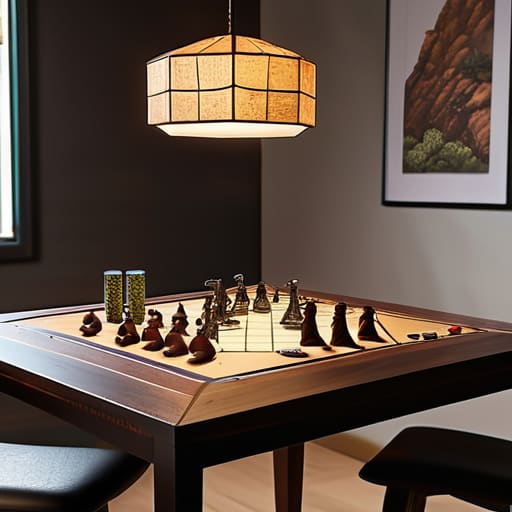
Explaining what is a stage veto strategy.

The Map Veto: Strategy Before Anyone Loads in

I was watching a high-stakes tournament last weekend, and the chat was absolutely melting down because a team just nuked a map everyone was hyped to see. People were screaming about “fairness” and “strategic depth,” but honestly? Most of the analysts were just using high-level jargon to mask the fact that they didn’t actually understand the mechanics. If you’ve ever sat there staring at a stream, wondering what is a stage veto and why it suddenly feels like the most important thing in the match, you aren’t alone. It isn’t some mystical, complex ritual; it’s essentially a calculated kill switch designed to strip away the competition’s comfort zone before the first round even starts.

I’m not here to give you a textbook definition that reads like a legal manual. I’ve spent enough time dissecting competitive metas to know that a veto is only as good as the data behind it. I’m going to break down exactly how these bans function, why they actually matter for the outcome of a series, and how to spot when a team is playing smart versus when they’re just panicking. No fluff, no filler—just the straight numbers on how much a single ban can tilt the win probability.

Table of Contents

Decoding the Competitive Drafting Phase Explained

Decoding the Competitive Drafting Phase Explained.

When you watch a pro match, you aren’t just seeing players click heads; you’re watching a high-stakes chess game play out before a single shot is fired. This is the competitive drafting phase explained in real terms: it’s where teams try to strip away their opponent’s comfort zones. In most tier-one titles, this isn’t just about picking a map you like; it’s a calculated map pick and ban system designed to force teams into unfavorable territory. If a team has a 70% win rate on Mirage but struggles on Nuke, the opposing coach is going to use their veto to kill that advantage instantly.

This competitive gaming ban phase is where the mental game starts. It’s not enough to just look at the map pool; you have to look at the strategic map banning in esports through the lens of current meta shifts. If a recent patch buffed certain utility or movement mechanics, a team might veto a map that used to be their bread and butter just because the math doesn’t add up anymore. It’s about minimizing risk and maximizing the psychological pressure before the server even loads.

The Map Pick and Ban System Under the Hood

The Map Pick and Ban System Under the Hood

If you think a stage veto is just a random coin toss, you haven’t been watching the high-level stuff. It’s actually a calculated chess match disguised as a loading screen. In a standard map pick and ban system, teams aren’t just picking what they like; they are actively trying to delete the opponent’s win conditions. If a team has a 70% win rate on Mirage but struggles on Inferno, the opposing side is going to hunt that Inferno ban with everything they’ve got. It’s about narrowing the field until the only maps left are the ones where you have the statistical edge.

This is where the tournament map pool mechanics get intense. You aren’t just looking at a list of maps; you’re looking at player comfort, recent patch changes, and even specific utility setups that might favor one side’s economy. A single bad ban in the competitive drafting phase can force a pro team into a map they haven’t practiced in weeks, effectively ending their chances before the first round even starts. It’s high-stakes, it’s stressful, and if you don’t respect the math behind it, you’re going to lose.

How to Not Get Absolutely Screwed During the Veto Phase

  • Watch the ban priority, not just the map pool. If you’re on the second ban and the opponent just nuked your only high-win-rate map, you aren’t playing a game of skill anymore; you’re playing a game of damage control.
  • Don’t ban based on “vibes” or “it’s a bad map.” Ban based on what the specific enemy team excels at. If they have a world-class sniper and you’re on a map with long sightlines, that map needs to die immediately, regardless of how much you personally like playing it.
  • Stop trying to “save” your best map for later. If you see a pattern in the drafting order that suggests your comfort zone is about to be targeted, use your veto early. A mid-tier map you can actually play is worth infinitely more than a “perfect” map that gets banned before you can touch it.
  • Learn the “counter-pick” logic of the veto. Sometimes, you don’t ban the best map; you ban the map that forces the opponent into a playstyle they haven’t practiced. It’s about shrinking their toolkit, not just expanding yours.
  • Track the meta-shifts in the ban list. If every top-tier team suddenly starts vetoing a map that used to be a staple, there’s a reason—usually a specific patch tweak or a broken mechanic. Don’t be the person who ignores the trend and gets punished for it in round one.

The Bottom Line on Stage Vetos

A stage veto isn’t just a formality; it’s a strategic kill switch used to strip away an opponent’s comfort zone before the match even starts.

Success in high-level play depends more on the ban phase than the actual gameplay, as forcing a map you’ve mastered can tilt a team more than a bad skirmish.

Don’t mistake a veto for a simple removal—it’s a resource management game where you trade away your weaknesses to force the fight on your own terms.

The Real Cost of a Bad Veto

“A stage veto isn’t just some technicality in the rulebook; it’s a strategic kill switch. If a team misses a ban on a map they can’t play, they aren’t just losing a round—they’re burning their entire tournament run before the first player even touches their mouse.”

Denny Kowalczyk

The Final Verdict

The Final Verdict on competitive stage vetoes.

At the end of the day, a stage veto isn’t just some bureaucratic layer added to make the broadcast look more professional; it is the fundamental mechanism that defines the competitive landscape. We’ve seen how the drafting phase forces teams to reveal their hand, and how the map pick/ban system ensures that a single “cheese” strategy doesn’t become the only way to win. Without these layers of control, high-level play would just be a repetitive cycle of whoever has the most broken meta-pick. By stripping away the comfort zones, the veto process forces players to demonstrate actual versatility rather than just memorizing a single, optimal path to victory. It turns a game of pure mechanics into a high-stakes psychological battle before the first player even touches their keyboard.

If you’re watching a pro match and you see a team lose a map during the veto phase, don’t assume the game is over. That’s often where the real skill begins. The best players in the world aren’t the ones who can play one map perfectly; they are the ones who can adapt when their entire playbook gets tossed into the trash by a well-timed ban. Stop looking at the veto as a delay or a formality and start seeing it for what it really is: the ultimate test of mental fortitude. When the maps are locked and the settings are dialed in, it’s time to see who actually belongs on that stage.

Frequently Asked Questions

Does a stage veto actually change the outcome of a match, or is it just psychological warfare?

It’s both, but the math says it’s more than just mental games. A veto isn’t just trying to tilt the opponent; it’s a literal win-condition modifier. If a team has a 70% win rate on a specific map and it gets banned, their statistical probability of winning the series just tanked. It forces teams out of their comfort zone and into high-variance scenarios. It’s not just psychological—it’s about removing the most stable path to victory.

Can a team lose a game just because they messed up the veto phase?

Short answer: Yes, absolutely. You don’t lose the match immediately, but you can hand the win to your opponent on a silver platter. If you misread the meta or panic-ban your only viable map, you’re essentially playing a handicap match. I’ve seen pros throw entire series because they let a specific map slip through the veto. It’s not a technical loss, but if you’re playing a map you haven’t practiced, you’ve already lost.

How do professional teams prepare their "veto sheets" to make sure they don't get countered?

Pro teams aren’t just winging it; they’re running data simulations. They use proprietary spreadsheets that track win rates, player K/D on specific maps, and even economy-based success rates for certain side-picks. It’s basically a massive spreadsheet of “if they pick X, we ban Y to force them into Z.” They prepare for the counter by practicing “anti-strat” scenarios in scrims—essentially stress-testing their comfort zones against the exact maps they’re trying to avoid.

Understanding how motion controls work.

Motion Controls and Gyro Aiming: Genuinely Useful Now

I still remember the first time I tried to play a rhythm game with one of those early-gen motion controllers; I wasn’t just dancing, I was sweating through my shirt and still getting a “miss” notification because the sensor couldn’t tell the difference between a deliberate swing and me just trying not to trip over my rug. Most tech reviewers will look at a spec sheet and tell you that “unprecedented immersion” is just a flick of the wrist away, but they never mention the input lag that turns a boss fight into a frustrating mess. If you’re actually trying to figure out how motion controls work without the marketing fluff, you need to stop listening to the people who get free hardware and start looking at the actual hardware limitations.

I’m not here to sell you on the “magic” of movement; I’m here to break down the accelerometers and gyroscopes that are actually doing the heavy lifting. I’ll explain the difference between a sensor that tracks your intent and one that just tracks your chaos, so you know exactly what you’re paying for. My goal is to give you the no-nonsense reality of the tech, stripped of the hype, so you can decide if a controller is a precision tool or just an expensive piece of plastic destined for your junk drawer.

Table of Contents

Mems Technology in Controllers the Real Hardware Inside

Mems Technology in Controllers the Real Hardware Inside

If you crack open a modern controller, you aren’t going to find some magical crystal that reads your mind. You’re looking at tiny silicon chips utilizing MEMS technology in controllers—Micro-Electro-Mechanical Systems. These are microscopic mechanical structures etched directly into the silicon. Think of them like microscopic diving boards; when you tilt the controller, these tiny structures flex, changing their electrical capacitance. That change is what tells the console you’ve just flicked your wrist to aim a bow.

The real heavy lifting, though, happens through sensor fusion in gaming. A single sensor is garbage; it’s prone to drift and noise that’ll make your character spin in circles for no reason. To fix this, the hardware combines data from accelerometers (which track linear movement) and gyroscopes (which track rotation). This process is what provides your actual degrees of freedom. If the math behind this fusion is sloppy, you get massive latency in motion tracking, turning a precision shooter into a frustrating mess of delayed inputs. I’ve seen enough cheap third-party controllers to know that when the sensor fusion is bad, the hardware is basically just a paperweight.

Degrees of Freedom Motion Sensing More Than Just Marketing

Degrees of Freedom Motion Sensing More Than Just Marketing

When you see a box claiming “unprecedented immersion,” what they’re actually talking about is degrees of freedom motion sensing. In the simplest terms, a 3DOF controller knows you’re rotating it, but it has no clue where you are in the room. If you want to lean into a corner or aim a sniper rifle by actually moving your arm, you need 6DOF. This requires a more complex setup where the hardware tracks both your rotation and your actual position in 3D space.

The magic—and the headache—happens through sensor fusion in gaming. Your controller isn’t just relying on one chip; it’s pulling data from accelerometers and gyroscopes simultaneously to figure out what you’re doing. If the math behind that fusion is sloppy, you get massive latency in motion tracking, which is a death sentence in an esports title. I’ve played through enough laggy boss fights to know that if the sensor can’t keep up with your hand movement, the tech isn’t “revolutionary”—it’s just a gimmick that’s going to make you lose.

Don't Get Scammed: 5 Things to Check Before You Buy Into Motion Tech

  • Check the polling rate, not just the “precision.” If the controller is only sending data to the console every 15ms, you’re going to feel the input lag during a parry attempt, no matter how many fancy sensors they claim are inside.
  • Look for “drift” in the reviews, not the marketing. MEMS sensors are tiny and sensitive; if a manufacturer used cheap components, that “subtle tilt” will turn into your character walking into a wall for no reason after three weeks of play.
  • Ignore the “1:1 immersion” claims. Real-world physics and game engines rarely sync perfectly. If a game requires high-speed, twitchy motion movements (like a VR sword fight), ensure the hardware supports high-frequency sampling or you’ll just be waving a plastic brick at a screen.
  • Test the calibration speed. A good motion control setup should let you reset your center point in seconds. If you have to go through a three-minute menu sequence every time you set the controller down on a desk, the tech is more of a chore than a feature.
  • Factor in the “frustration tax.” If you’re buying a motion-heavy setup, check if the game actually rewards the movement or if it’s just a gimmick layered over standard button presses. If the motion sensing is just an optional way to trigger a menu, don’t pay a premium for it.

The Bottom Line: Is Motion Control Actually Worth the Hype?

Stop falling for “unprecedented immersion” marketing; if the controller doesn’t have high-fidelity MEMS sensors, you’re just going to deal with frustrating input lag and jittery tracking during precise gameplay.

Degrees of Freedom (DoF) isn’t just a buzzword—the more axes the hardware can actually track, the less you’ll be fighting the sensor to complete a simple mechanic.

Hardware limitations are real, so before you buy into a motion-heavy title, check if the controller’s polling rate and sensor accuracy can actually keep up with your reaction times.

The Gap Between Marketing and Reality

“Don’t let a tech demo fool you into thinking a controller is ‘reading your mind’ just because it has a gyroscope; it’s really just a tiny, high-speed math problem trying to guess where your wrist is before the input lag makes you miss your parry.”

Denny Kowalczyk

The Bottom Line on Motion Tech

The Bottom Line on Motion Tech.

Look, at the end of the day, motion control isn’t magic; it’s just a collection of tiny MEMS sensors and accelerometers trying to translate your physical twitch into a digital input. We’ve seen how the degrees of freedom can either make a game feel like a natural extension of your hands or turn a precision platformer into a frustrating mess of input lag and jitter. If the hardware is cheap and the polling rate is garbage, no amount of “unprecedented immersion” marketing is going to save your experience. You need to know that whether it’s a 6-axis gyro or a basic tilt sensor, the actual latency between your movement and the screen is the only metric that truly matters when you’re mid-boss fight.

Don’t let the spec sheets or the flashy trailers do your thinking for you. The tech is getting better, and we’re moving past the era where motion controls felt like a gimmick meant to sell hardware to casuals. When developers actually lean into the hardware—using those sensors to enhance gameplay rather than just adding a layer of clunky abstraction—it works. My advice? Wait for the hardware to mature and the software to catch up. When you find that perfect marriage of responsive sensors and smart design, that’s when you’ll see why we keep building these things in the first place.

Frequently Asked Questions

Why does my controller feel like it's drifting even when I'm not touching it?

It’s likely stick drift, and no, it’s not your imagination. Most modern controllers use potentiometers—basically little wipers that slide across a resistive track to tell the console where your stick is. Over time, dust, skin oils, or just physical wear gunk up those contacts. The sensor starts reading a signal even when the stick is centered. If you’re on a Switch, it’s usually the cheaply made Joy-Con sensors failing; on PS5 or Xbox, it’s often just debris.

Is there a massive difference in latency between Bluetooth and wired motion tracking?

Look, if you’re playing a rhythm game or a high-stakes fighter, the difference is massive. I’ve tested both: wired connections sit around 1-3ms of latency, while even “low-latency” Bluetooth can spike to 15-20ms depending on your controller’s polling rate and interference. That 15ms gap is the difference between a perfect parry and a “You Died” screen. If you want frame-perfect tracking, plug it in. Don’t trust the wireless hype.

Can I actually use high-end motion controls for competitive esports, or is it just for casual stuff?

Look, if you’re thinking about swapping your mouse for a motion controller in a high-stakes FPS, stop. Right now, the latency gap is just too wide. Even with high-end MEMS sensors, you’re dealing with polling rate inconsistencies that a wired peripheral won’t have. It works for some rhythm games or niche VR titles, but for competitive esports? The millisecond delay in tracking your flick will lose you the match every single time.

The best controller for PC options.

Controllers for Pc: What Works Out of the Box

I’ve spent enough nights hunched over a desk, trying to figure out why my inputs felt like they were moving through molasses, to know that a spec sheet is a liar. Marketing teams love to throw around words like “ultra-low latency” and “pro-grade,” but until I’ve actually felt the stick drift or seen the polling rate tank during a heavy firefight, it’s just noise. Finding the best controller for pc isn’t about picking the one with the prettiest RGB lighting; it’s about finding the hardware that doesn’t fail you when you’re one button press away from a win or a total loss. Most people just buy whatever is on sale at the big-box retailer, and they end up wasting money on gear that feels like a toy after three months of heavy use.

I’m not here to give you a list of whatever happens to be trending on Amazon right now. I’ve stripped down the internals, tested the tension, and looked at how these things actually behave when you’re pushing high refresh rates. This list covers five specific options that actually hold up, ranging from budget-friendly picks that punch above their weight to the high-end stuff that might actually be worth the premium. I’ll tell you exactly what you’re getting for your cash so you can stop guessing and start playing.

Table of Contents

The Gold Standard: Xbox Wireless Controller

The Gold Standard: Xbox Wireless Controller.

I’ve spent more hours than I’d like to admit holding this thing, and honestly, it’s hard to beat the ergonomics for pure plug-and-play. Most Windows games treat this as the baseline, meaning you won’t be fighting with weird driver setups or mapping software just to get your character to move. I tested it against a few third-party clones, and the stick tension is noticeably more consistent, which is the difference between hitting a headshot and sliding past the target.

The Pro Choice: DualSense Edge

The Pro Choice: DualSense Edge controller.

Sony is trying to play the PC game, and while the compatibility isn’t as seamless as the Xbox stuff, the hardware is incredible. I hooked this up via a wired connection to minimize latency, and the trigger resistance is something you just can’t replicate with a standard controller. If you’re playing a game that actually supports the haptic feedback, it feels like a genuine leap forward, but don’t expect that magic in every Steam title.

The Precision Tool: 8BitDo Ultimate Bluetooth

The Precision Tool: 8BitDo Ultimate Bluetooth.

This is the one I keep on my desk when I’m tired of the big-brand bloat. It’s a bit smaller than your standard gamepad, which might feel weird if you have massive hands, but the hall effect sensors in the sticks are the real selling point here. I ran a few drift tests, and unlike my old Xbox pad, these sticks stayed dead-center through every single session. It’s basically insurance against the most annoying part of controller life.

The Competitive Edge: Razer Wolverine V2 Pro

If your entire personality revolves around frame-perfect inputs in fighting games or shooters, this is the heavy hitter. I stripped the menu settings down to the bare essentials and found that the mechanical clicky buttons have a much faster actuation point than standard membrane pads. You aren’t waiting for a piece of rubber to depress; you’re getting an instant signal to the PC, which matters when you’re playing at 144Hz or higher.

The Budget Legend: Gamesir T4 Pro

I usually tell people to save their money, but this one is the exception to the rule. For the price of a couple of decent takeout meals, you’re getting a controller that actually feels like it belongs on a modern setup. I tested it on a few different titles, and while the analog triggers aren’t quite as smooth as a premium DualSense, the response time was surprisingly tight for such a cheap unit.

The Bottom Line

Stop buying based on the MSRP; look at the current street price and the polling rate, because a “pro” controller that costs $150 but has high input latency is just an expensive paperweight.

If you’re playing competitive shooters, prioritize a wired connection or a 2.4GHz dongle over Bluetooth to keep your frame-to-input delay consistent when the action gets heavy.

Match the hardware to your specific genre—don’t waste money on a complex flight stick if you’re mostly playing Soulslikes, and don’t settle for a basic gamepad if you need precise analog triggers for racing sims.

## Stop Buying the Hype

I don’t care how many RGB strips a controller has or how many “pro” features are listed on the box; if the stick drift kicks in after three weeks or the polling rate can’t keep up with a 144Hz refresh, you’re just paying a premium to lose more consistently.

Denny Kowalczyk

The Bottom Line

Look, there isn’t a single “god-tier” controller that works for every single person, and anyone telling you otherwise is probably trying to sell you something. If you’re playing competitive shooters where every millisecond of input lag matters, you’re sticking with the Xbox Elite or a high-end hall-effect clone to keep those button presses snappy. If you’re just chilling on the couch with a backlog of indie titles, the DualSense is hard to beat for the haptics alone, even if the PC compatibility can be a bit of a headache. Just remember to check the current street price before you hit checkout; don’t pay MSRP for hardware that’s been on shelves for two years.

At the end of the day, your gear should disappear into the background so you can actually focus on the game. I’ve spent way too many nights troubleshooting dead zones or fighting stick drift on controllers that looked amazing in a press kit but felt like garbage in my hands. Stop chasing the hype and start looking at the actual performance metrics and how the ergonomics feel after a four-hour session. Buy what fits your hands and your budget, get back into the match, and stop worrying about whether you have the “pro” setup. The only thing that actually matters is how the game feels when you’re finally playing it.

Frequently Asked Questions

Do I actually need a specialized controller, or can I just use a standard Xbox pad for everything?

Look, if you’re just playing Elden Ring or some casual indies, the standard Xbox pad is fine. It’s the baseline for a reason. But if you’re getting into fighting games or competitive shooters where millisecond latency actually matters, that standard input lag will start feeling like wading through molasses. I’ve tested the polling rates; if you want that snappy, frame-perfect response, you’ll eventually want something specialized. For everything else? Stick to the Xbox pad and save your cash.

Is it worth paying the premium for Hall Effect sticks to avoid the inevitable drift?

Look, I’ve spent too many nights gutting controllers to ignore the math. Traditional potentiometers use physical contact that wears down every time you move the stick—that’s where drift lives. Hall Effect uses magnets to measure position without touching anything. If you’re playing something twitchy like Apex or Valorant, pay the premium. It’s not just about avoiding drift; it’s about the fact that the sensor doesn’t degrade. It’s worth the extra $20 to avoid a paperweight in six months.

How much of a difference does input latency actually make in competitive shooters versus casual play?

If you’re playing Stardew or even a casual RPG, input latency is basically invisible. You won’t notice a 20ms delay when you’re just clicking menus. But in a high-tick rate shooter like Valorant or CS2, it’s everything. I’ve tested setups where a high-latency wireless controller felt like playing through molasses compared to a wired one. In competitive play, that delay is the difference between your flick landing or you watching your corpse hit the floor.

Explaining what is foveated rendering technology.

Foveated Rendering: Drawing Only What You Look at

I spent three hours last week watching a tech reviewer try to explain foveated rendering using nothing but buzzwords and a $3,000 workstation that didn’t even show a frame time graph. It was painful. Most of these “deep dives” treat you like you’ve never seen a GPU before, burying the actual utility under layers of marketing fluff. If you’re sitting there wondering what is foveated rendering without wanting a lecture on theoretical computational geometry, you’re in the right place. It isn’t magic, and it isn’t a replacement for a better chipset; it’s just a clever way to stop your hardware from wasting energy on pixels you aren’t even looking at.

I’m not here to sell you on a spec sheet or rewrite a press release. I’m going to break down how this tech actually behaves when you’re mid-raid or navigating a dense open world. I’ll tell you exactly where the visual artifacts show up, how much of a performance bump you can actually expect in real-world scenarios, and whether the trade-off in peripheral clarity is something you can actually live with. No hype, just the numbers.

Table of Contents

Visual Acuity and Peripheral Vision Exploiting Your Brains Blind Spots

Visual Acuity and Peripheral Vision Exploiting Your Brains Blind Spots

To understand why this works, you have to look at how your eyes actually function. You don’t see the world in 4K from edge to edge; your brain is a liar. Your visual acuity and peripheral vision are totally different beasts. You have this tiny little spot in the center of your retina called the fovea that handles all the high-detail, sharp stuff. Everything else in your periphery is basically a blurry, low-res mess that your brain just “fills in” so you don’t lose your mind.

Foveated rendering essentially exploits this biological loophole. Instead of wasting massive amounts of power on every single pixel in your headset, the system focuses its heavy lifting exactly where your eyes are pointing. When you compare foveated rendering vs traditional rendering, the difference in efficiency is insane. Traditional rendering treats every pixel like it’s the most important thing in the world, which is why your GPU starts screaming the second you load into a dense forest. By only rendering the center of your gaze at full resolution, we can stop the hardware from sweating over the pixels you aren’t even looking at.

Gpu Optimization Techniques Stop Wasting Cycles on What You Cant See

Gpu Optimization Techniques Stop Wasting Cycles on What You Cant See

Here’s the deal with the math: traditional rendering is a brute-force method. Your GPU treats every single pixel in your field of view as equally important, pushing massive amounts of data to render the edges of your vision where your eyes literally can’t perceive the detail. It’s a massive waste of cycles. By using GPU optimization techniques like foveated rendering, we stop the hardware from sweating over pixels that are essentially just a blur to your brain. Instead of a uniform, heavy load, we concentrate the heavy lifting exactly where you’re looking.

The real magic happens when you move from fixed foveated rendering vs dynamic setups. Fixed foveated rendering is the “budget” version—it just lowers the resolution in a set area (like the corners of the lens), which works okay until you move your eyes and see the pixelation. But if you have a headset with integrated eye-tracking technology in VR, you get the dynamic version. This tracks your pupils in real-time, shifting the high-resolution sweet spot instantly. It’s the difference between a game feeling like a blurry mess and feeling like a high-end, native experience without the massive hardware tax.

How to Not Waste Your Money on Foveated Rendering Hype

  • Don’t buy into the “magic fix” lie. Foveated rendering is a tool for optimization, not a way to make a mid-range GPU run Cyberpunk at 4K 144Hz. If your hardware is already hitting your target frame rate, you don’t need this tech; if it’s not, this might give you a 15-20% headroom boost, but it won’t turn a potato into a beast.
  • Eye-tracking is the gold standard. There’s a massive difference between “Fixed Foveated Rendering” (FFR), which just blurs the edges of your screen regardless of where you look, and “Dynamic Foveated Rendering” (DFR) that uses eye-tracking sensors. If you’re spending big on a headset, make sure it actually tracks your pupils, otherwise you’re just playing a game with permanent peripheral blur.
  • Check your peripheral clarity. If you’re testing a VR headset or a game with DFR enabled, look at the edges. If you see “shimmering” or pixel crawling in your periphery, the optimization is being too aggressive. It’s better to lose a few frames than to feel like you’re playing through a dirty window.
  • Watch your settings, not just the marketing. Some games let you toggle the intensity of foveated rendering. I’ve seen setups where the “High” setting makes the edges so low-res it actually triggers motion sickness. If it feels weird, dial it back—the extra 5 FPS isn’t worth the headache.
  • Hardware compatibility is everything. You can’t just download an app to make this work. You need the specific GPU architecture (look for Variable Rate Shading support) and, for the best results, a headset with integrated eye-tracking. If your gear doesn’t support it, stop reading the spec sheets and save your cash for a better monitor.

The Bottom Line: Is It Actually Worth the Hype?

Foveated rendering isn’t magic; it’s just smart resource management that stops your GPU from burning cycles on pixels your eyes can’t even process.

If you’re running a high-end VR headset or a heavy sim, this tech is the difference between a smooth 90 FPS and a nauseating slideshow.

Don’t fall for the marketing fluff—always check if the implementation is hardware-based (eye-tracking) or software-based (fixed), because the performance jump varies wildly between the two.

## The Bottom Line on Rendering Efficiency

“Look, foveated rendering isn’t some magic pixie dust that makes your hardware better; it’s just a smart way of admitting your GPU shouldn’t be working overtime to render high-fidelity textures in your peripheral vision where your eyes literally can’t process the detail anyway.”

Denny Kowalczyk

The Bottom Line: Is It Worth the Hype?

The Bottom Line: Is It Worth the Hype?

At the end of the day, foveated rendering isn’t some magic wand that turns a GTX 1060 into a 4090, but it is a massive win for efficiency. We’ve looked at how it exploits your eye’s natural blind spots and how it stops your GPU from wasting precious cycles on pixels that are basically just a blur in your periphery anyway. If you’re playing in VR or using high-end eye-tracking tech, this is the difference between a smooth 90Hz experience and a nauseating slideshow. It’s about allocating your hardware’s power exactly where it matters most, rather than letting your card sweat over details your brain isn’t even processing.

We’re moving into an era where raw horsepower isn’t the only way to get better performance; it’s about working smarter, not harder. As headsets get lighter and games get more complex, tech like this will be the backbone of how we actually experience digital worlds without needing a liquid-cooled rig the size of a small fridge. Don’t get distracted by the marketing fluff or the “next-gen” buzzwords—just look for the tech that actually maximizes your frames per second while keeping the image crisp where you’re actually looking. That’s the only metric that actually matters when you’re mid-session.

Frequently Asked Questions

Does this tech actually cause noticeable blurring or "shimmering" in my peripheral vision while I'm playing?

The short answer? Yes, you will see it, but it shouldn’t look like a smeared mess. If it’s implemented right, the blurring stays in your periphery where your brain already filters out detail. If you see “shimmering” or distracting pixel crawling, the transition zone is too aggressive or the eye-tracking is lagging. That’s a bad implementation, not a flaw in the tech. If it’s distracting, it’s trash—turn it off.

Can I use foveated rendering on a standard monitor, or is this strictly a VR/headset-only thing?

Short answer: No. If you’re staring at a flat monitor, foveated rendering is basically useless.

Is there a massive performance jump, or am I just trading a few extra frames for a slightly weireder image?

It’s a bit of both, but mostly it’s about efficiency. If you’re running a high-end headset, the jump is massive because you’re reclaiming cycles that were being wasted on blur. If you’re on mid-range gear, you’ll see the frame rate climb, but you might notice some “shimmering” in your periphery if the eye-tracking isn’t perfect. I’d rather have a stable 90 FPS with slight edge blur than a jittery 60 FPS that makes me nauseous.

Explaining how multiplayer matchmaking works.

How Matchmaking Decides Who You Play Against

I spent three hours last night getting absolutely demolished by a kid who sounded like he was eating a bag of chips into his mic, and I know exactly why it happened. Most developers love to wrap their matchmaking logic in layers of corporate jargon to make it sound like some high-level science, but the truth is usually much uglier. They want you to believe there’s some sophisticated, fair system at play, but when you actually look at how multiplayer matchmaking works, it often feels less like a balanced ecosystem and more like a mathematical lie designed to keep you in a queue for as long as possible.

I’m not here to give you a lecture on data points or some sanitized press release. I’ve spent enough time looking under the hood of hardware and software to know when a system is just trying to manipulate your playtime. In this guide, I’m going to strip away the marketing fluff and tell you the actual mechanics behind the curtain. I’ll show you where the math fails, why you’re getting stuck in unwinnable lobbies, and how to actually understand the logic so you can stop wondering why your rank is tanking.

Table of Contents

The Real Math a Matchmaking Algorithm Explained

The Real Math a Matchmaking Algorithm Explained.

Look, at its core, the matchmaking algorithm explained isn’t some sentient god; it’s just a series of weightings trying to solve an impossible equation. Most devs use player skill rating systems—think Elo or Glicko—to assign you a hidden number. The game then looks for other players with a similar number to ensure a fair fight. But here’s the catch: the math isn’t just looking at whether you’re a cracked aimer or a casual camper. It’s constantly balancing that skill rating against your physical connection.

If the system only cared about skill, you’d be playing against someone halfway across the globe with a 200ms ping just because your stats match. That’s where latency and matchmaking collide. The algorithm has to decide: do I give you a perfectly balanced lobby with terrible lag, or a slightly lopsided match where everyone’s ping is a crisp 20ms? Usually, the math prioritizes the connection because, let’s be real, nobody wants to play a “fair” match if they’re constantly rubber-banding into a wall.

Skill Gap in Online Gaming Why You Keep Losing

Skill Gap in Online Gaming Why You Keep Losing.

The problem isn’t always that you’re playing badly; it’s that the player skill rating systems are trying to solve an impossible equation. Most developers use a hidden number—think ELO or MMR—to bucket you into a specific tier. The goal is a 50% win rate, which sounds fair on paper, but it ignores the reality of human inconsistency. You might have a god-tier game on Tuesday and play like a complete scrub on Wednesday because you’re tired or your internet is acting up. When the system tries to force that “average” performance, it ends up throwing you into lobbies where you’re either stomping toddlers or getting absolutely demolished by veterans.

This is where the skill gap in online gaming becomes a psychological meat grinder. If the algorithm can’t find a perfect match within a reasonable window, it starts stretching the parameters just to get you into a game. This is a trade-off: you either sit in matchmaking queue times for twenty minutes to find a “fair” fight, or you jump in after two minutes and get crushed by a stack of coordinated pros. Most games choose the latter, prioritizing speed over balance, and leaving you to wonder why you’re losing every single round.

How to Stop Being the Algorithm's Punching Bag

  • Stop playing immediately after a losing streak. Most matchmaking systems use a “win/loss” weight that can trap you in a feedback loop; if you’re tilting, you’re just feeding the algorithm more data to justify putting you against better players.
  • Understand that your MMR (Matchmaking Rating) is a ghost. You can’t see it, but it’s the only number the game actually cares about. Stop obsessing over your visible rank and focus on your performance metrics, because that’s what actually moves the needle.
  • Watch the queue times, not just the skill gap. If you’re playing a niche game or a low-population region, the algorithm is going to prioritize “finding a match in under 2 minutes” over “finding a fair match.” You aren’t bad; the pool is just shallow.
  • Grouping up is a double-edged sword. While a premade squad gives you communication advantages, the algorithm usually compensates by giving you a higher skill ceiling or more players on the enemy side to keep the win probability near 50%.
  • Don’t fall for the “engagement” trap. Some modern systems are designed to give you a win right when you’re about to quit to keep you logged in. It’s not a reward for getting better; it’s just math designed to protect their player retention metrics.

The Bottom Line: Stop Blaming Your Skill

Matchmaking isn’t a sentient being out to ruin your night; it’s just a math equation trying to find a statistical middle ground, and usually, that middle ground feels like a losing streak.

Skill ratings (MMR/ELO) are always lagging behind your actual performance, meaning you’ll spend half your sessions playing against ghosts of who you were two weeks ago.

If the algorithm is prioritizing “match speed” over “match quality” to keep queue times low, prepare to get stomped by players who actually know what they’re doing.

## The Math Behind the Match

“Matchmaking isn’t some magical way to ensure you’re having fun; it’s just a bunch of code trying to balance a spreadsheet of player data, and half the time, it’s prioritizing how long it can keep you in the queue over whether you actually want to play the game.”

Denny Kowalczyk

The Bottom Line on Matchmaking

The Bottom Line on Matchmaking explained.

Look, at the end of the day, matchmaking isn’t some shadowy conspiracy designed to make you spend more on skins; it’s just a massive, imperfect math problem trying to balance player retention against queue times. We’ve looked at how the algorithms scrape your data to guess your skill, why that math often fails to account for a bad night or a lag spike, and why you feel like you’re constantly stuck in a skill gap loop. The reality is that the system is always compromising. It’s choosing between giving you a perfectly balanced match in twenty minutes or a mediocre one in twenty seconds. Most of the time, it’s choosing the latter because the numbers prioritize keeping you in the lobby over making sure every single match is a masterpiece.

Don’t let a bad streak convince you that the game is rigged against you personally. Whether you’re getting stomped by a smurf or sweating through a close game, remember that you’re just one data point in a sea of millions. Instead of tilting every time the algorithm puts you in a tough lobby, focus on what you can actually control: your own mechanics and your mental state. Gaming should be about the win, sure, but it’s also about the process of getting better. Stop fighting the math and start playing the game you actually have in front of you.

Frequently Asked Questions

Why does the game feel like it's forcing me into a losing streak right when I'm playing well?

It’s not a conspiracy, but it feels like one because of “engagement optimization.” When you’re on a heater, the system sees your win rate spiking and tries to find your actual ceiling. It matches you against players with higher skill ratings to see if you can actually hold that rank. You aren’t being punished for being good; you’re being stress-tested. The math is just trying to find the point where you finally start losing.

Does playing on a high-end rig with lower latency actually give me an unfair advantage in the matchmaking pool?

Look, I’ve built enough rigs to know that hardware isn’t a cheat code, but it’s definitely a buffer. If you’re running a 240Hz monitor with a sub-5ms response time while your opponent is on a 60Hz TV with 50ms of input lag, you aren’t “better,” you’re just seeing the world sooner. You get more frames to react to a pixel moving. It’s a massive advantage in high-level play, but it won’t save your bad aim.

Is there a way to actually opt out of these skill-based systems, or are we all just stuck in the math?

Short answer: No. You can’t opt out because the math is baked into the server-side code, not your client. Even if you switch to “unranked” modes, most modern titles still use a hidden MMR (Matchmaking Rating) to keep the lobby from becoming a total slaughterhouse. You can try playing older, community-hosted dedicated servers where the skill gap is purely chaos-driven, but for the big AAA titles? You’re stuck in the equation.