I was halfway through a ranked match in Apex last Tuesday when my character decided to start walking left for no reason, even though my thumb was nowhere near the stick. It’s that specific, soul-crushing moment where you realize your hardware is failing you, and you’re stuck wondering how to fix controller drift before you lose your entire rank. Most people will tell you that your controller is a paperweight and you need to drop another seventy bucks on a replacement, but I’ve spent too many nights hunched over a desk with a precision screwdriver to believe that. Usually, it’s not a total hardware death sentence; it’s just a bit of debris or a sensor that needs a serious cleaning.
I’m not going to waste your time with “pro tips” that involve blowing into the stick like it’s an old Nintendo cartridge. Instead, I’m going to walk you through the actual, mechanical reality of what’s happening inside that shell. We’ll cover everything from the quick isopropyl alcohol fix to the more invasive job of cleaning the potentiometer contacts. I’ll tell you exactly when a DIY fix is worth your afternoon and when you should finally admit defeat and buy a new unit.
Table of Contents
- Step-by-Step Instructions
- Cleaning Analog Sticks With Isopropyl Alcohol or Replacing Modules
- Software vs Hardware Stick Drift Where the Real Problem Lies
- Five things to do before you bin the controller
- The Bottom Line on Fixing Your Drift
- ## The Cost of a Drifting Stick
- The Verdict on Your Drift
- Frequently Asked Questions
Guide Overview
Tools & Supplies
- Isopropyl Alcohol (90% or higher for cleaning)
- Cotton Swabs (for precise application)
- Compressed Air (to blow out debris)
- Contact Cleaner (optional spray for deeper cleaning)
- Microfiber Cloth (to wipe excess residue)
Step-by-Step Instructions
- 1. Grab a can of compressed air—not that cheap stuff that freezes your fingers, but something with decent pressure—and start with the low-effort approach. Tilt your analog stick to one side to expose the gap in the housing and blast it with short, controlled bursts. You aren’t trying to vacuum the whole controller; you’re just trying to dislodge the microscopic skin flakes and dust that have settled into the sensor housing.
- 2. If the air didn’t do the trick, it’s time to get a bit more surgical with some 90% or higher isopropyl alcohol and a Q-tip. Don’t use the drugstore stuff that’s mostly water; it won’t evaporate fast enough and you’ll end up with a sticky mess. Dip the swab, run it around the base of the thumbstick, and then rotate the stick vigorously for about thirty seconds to let the alcohol seep down into the potentiometer.
- 3. For those of you who aren’t afraid of a screwdriver, it’s time to actually open the shell. I’ve cracked open enough DualShocks and Xbox controllers to know that the internal layout is usually pretty predictable, but don’t force anything. Once you’re inside, look for the analog module—the little component the stick sits on—and look for any visible debris or dark, oily residue around the green or blue plastic gears.
- 4. This is where most people get scared, but if you want to save eighty bucks, you have to be brave. Use a tiny drop of contact cleaner—specifically DeoxIT or a similar electronic cleaner—directly onto the potentiometer’s internal components. Avoid using WD-40 unless you want to permanently ruin your hardware by turning your controller into a greasy paperweight.
- 5. If the drift is being caused by a physical misalignment of the sensor, you might need to perform a software recalibration. If you’re on PC, plug the controller in and use the calibration tools in Steam or a third-party driver to reset the “deadzone.” It’s not a permanent mechanical fix, but if your drift is only within a few pixels of center, setting a slightly larger deadzone is a smarter move than spending money on parts you don’t need.
- 6. If you’ve done all of this and your character is still walking into walls, the hardware is likely physically worn down. The carbon tracks inside the sensor have probably been scraped away by friction. At this point, you aren’t looking at a “fix” anymore; you’re looking at a soldering job or a full replacement. If you aren’t comfortable with a soldering iron, this is the exact moment you stop and decide if you’d rather buy a new unit or learn to solder on YouTube.
Cleaning Analog Sticks With Isopropyl Alcohol or Replacing Modules
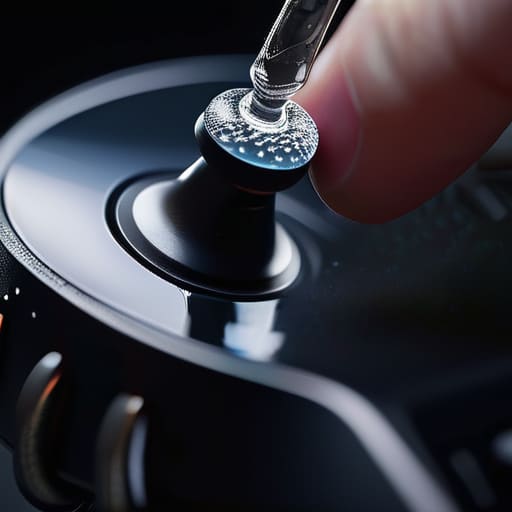
If the compressed air didn’t do the trick, you’re likely looking at physical debris or worn-down components inside the housing. Cleaning analog sticks with isopropyl alcohol is your next logical move, but don’t just douse the stick and hope for the best. You need 90% or higher concentration—anything less just leaves a conductive film behind that’ll make things worse. Use a Q-tip to work the liquid into the base of the thumbstick, rotating it constantly to let the alcohol break down the grime sitting on the sensor plates. It’s a solid bit of gaming controller maintenance that solves about 60% of my “phantom input” cases without needing a soldering iron.
However, if the alcohol fails, you’ve hit the wall of software vs hardware stick drift. If your deadzone settings in-game are maxed out and you’re still pulling a hard left in Apex, the hardware is physically dying. At that point, you’re looking at replacing joystick modules entirely. This isn’t a “beginner” job; you’ll need a steady hand and a decent soldering station to perform a proper controller potentiometer replacement. It’s a pain, but it beats dropping another seventy bucks on a brand-new DualSense.
Software vs Hardware Stick Drift Where the Real Problem Lies
Before you start tearing things apart, you need to figure out if you’re dealing with a software glitch or a physical failure. I’ve seen plenty of cases where a “drifting” character was actually just a deadzone issue in the game’s settings or a weird calibration error in the OS. If your stick feels physically loose or makes a grinding sound, that’s a hardware problem. But if the input is just slightly off-center, try adjusting your deadzone settings in your game’s menu first. If you increase the deadzone enough to ignore that tiny bit of phantom input, you might save yourself a whole afternoon of soldering.
If the software tweaks don’t work, you’re officially in the realm of software vs hardware stick drift where the physical components have actually failed. Usually, this means the carbon tracks inside the sensor are worn down or contaminated. At this point, you’re looking at either cleaning analog sticks with isopropyl alcohol to clear out the gunk, or the more permanent route of replacing the entire module. If the alcohol doesn’t stabilize the signal, the sensor is likely shot, and you’ll need to move on to a full hardware swap.
Five things to do before you bin the controller
- Check your deadzone settings first. If you’re playing competitive shooters, don’t assume the hardware is dead; go into your game’s controller settings and bump the deadzone up by 2-3%. It’s a digital band-aid, but if it stops your character from walking into walls, you just saved yourself fifty bucks.
- Stop using cheap, off-brand charging cables. I’ve seen enough controllers get “ghost inputs” that look like drift but are actually just unstable power delivery from a shitty third-party USB cable. Stick to the official one or a high-quality braided cable to rule out electrical noise.
- Give the sticks a “dry” cleaning before you go the heavy route. Use a can of compressed air or even a soft-bristled toothbrush to clear the gunk out from the base of the ball joint. A lot of the time, it’s just a buildup of skin cells and dust interfering with the sensor, not a broken potentiometer.
- Don’t abuse the tension. If you’re a heavy-handed player, stop slamming the sticks back to center. You’re physically wearing down the plastic housing and the spring mechanism, which is exactly what causes that permanent tilt. Treat them like precision tools, not fidget spinners.
- Calibrate via your PC. If you’re on Windows, plug the controller in and use the calibration tool in the Game Controllers settings. It won’t fix a physically broken sensor, but it can reset the center point so your software actually knows where “neutral” is supposed to be.
The Bottom Line on Fixing Your Drift
Check your deadzones first; if it’s a software issue, you can save a screwdriver and a trip to the repair shop just by tweaking your game settings.
Don’t go straight to a soldering iron; 90% of the time, a heavy dose of high-percentage isopropyl alcohol and some actual cleaning will stop the phantom inputs.
Know when to cut your losses; if you’ve cleaned the sensor and the module is still jumping around, stop wasting your time and just replace the hardware before you lose your mind.
## The Cost of a Drifting Stick
“Don’t let a $70 ‘solution’ from a manufacturer trick you into thinking a bit of grit in the potentiometer is a death sentence for your hardware; half the time, you’re one can of contact cleaner away from saving your money and your sanity.”
Denny Kowalczyk
The Verdict on Your Drift
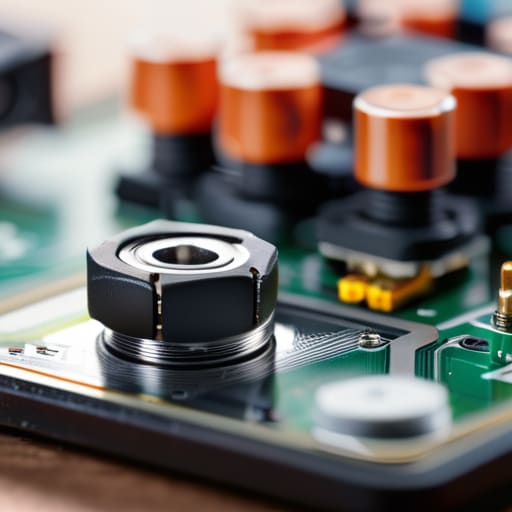
Look, if you’ve tried the software recalibrations and the isopropyl alcohol soak and your character is still walking into walls, you’re likely looking at a hardware failure. There isn’t much point in pretending a bit of compressed air is going to fix a worn-down potentiometer. You’ve basically reached the fork in the road: you either commit to the soldering iron and a replacement module—which is a cheap fix if you have the steady hands for it—or you accept that the controller has reached its expiration date. I’ve seen too many people waste hours on “magic” software fixes that do nothing because the physical components are literally grinding themselves into dust.
At the end of the day, don’t let a faulty stick ruin the actual game you spent your hard-earned money on. Whether you decide to tear the shell open and swap the internals or just head to the shop for a new unit, don’t settle for mediocre inputs. Gaming is about precision, and fighting your hardware is a massive waste of your time. Fix it, replace it, and get back to the actual gameplay. You didn’t buy a high-refresh-rate monitor and a decent rig just to lose a match because your thumbstick has a mind of its own.
Frequently Asked Questions
If I clean the module with isopropyl alcohol and the drift comes back a week later, is it time to just give up and buy a new one?
If the alcohol trick only buys you a week, the sensor is physically shot. You’ve likely got worn-down carbon tracks or a literal piece of grit lodged deep in the potentiometer that a surface clean can’t touch. Don’t waste more money on canned air or more 99% ISO. At that point, you’re looking at either a full module replacement with a soldering iron or just biting the bullet and buying a new controller.
Can I actually recalibrate the deadzones in my game settings to mask the drift, or am I just putting a band-aid on a broken controller?
Look, you can definitely bump up your deadzone settings to mask the drift, but let’s call it what it is: a band-aid. If you’re playing a casual platformer, a wider deadzone is fine. But if you’re in a high-stakes FPS and you need precise micro-adjustments, you’re going to feel that “dead” space every single time you try to aim. It stops the ghost movement, but it kills your muscle memory. Fix the hardware; don’t just hide the symptoms.
Is there a way to know if the drift is caused by a worn-out potentiometer or if it's just a software calibration error before I start opening the shell?
Before you start cracking the shell, check your deadzones. If you can fix the drift by just bumping the deadzone slider up in your game settings or on a tool like Steam Input, it’s a software calibration issue. But if you find yourself needing a massive deadzone just to stop your character from walking into walls, that’s a hardware red flag. It means the potentiometer is physically failing and can’t report a true zero anymore.
