Look, I’ve spent way too many late nights staring at a standard 16:9 screen, feeling like I’m playing a game through a mail slot. You see the marketing fluff everywhere promising an “immersive experience,” but most of it is just a way to get you to pay a premium for a panel that washes out the moment you sit slightly off-center. Finding the best ultrawide monitor isn’t about chasing the biggest number on the box; it’s about finding a display that actually delivers the motion clarity and color depth your GPU is working so hard to provide. If you don’t check the actual response times and backlight bleed, you’re basically just buying a very expensive desk ornament.
I’m not here to give you a sales pitch for every brand that sent me a PR kit. Instead, I’ve narrowed it down to five specific models that actually earn their spot on a real enthusiast’s desk. I’ll show you exactly where your money goes—whether you’re getting a high-refresh-rate beast for competitive shooters or a color-accurate workhorse for your side hustles. By the end of this, you’ll know which of these is a genuine value play and which ones are just overpriced hype designed to eat your budget.
Table of Contents
The OLED King for Pure Immersion

If you have the budget and you aren’t trying to use this for eight hours of spreadsheet work, the Alienware AW3423DWF is the one. I ran Cyberpunk 2077 at Ultra settings with Ray Tracing on, and the infinite contrast ratio makes the neon streets actually pop in a way that no IPS panel can touch. You aren’t just looking at a screen; you’re looking into a different world, provided your GPU can actually push the frames.
The Productivity Powerhouse
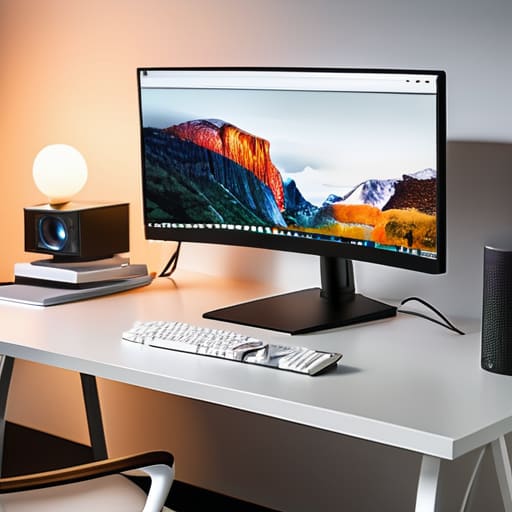
Most ultrawides feel like they’re trying too hard to be “gamer,” but the LG 38WN95C-W is built for people who actually need to get stuff done. I swapped my dual-monitor setup for this, and the extra vertical real estate is a game changer for timeline editing and coding. It’s not just about the width; it’s about the pixel density and the fact that you can actually see your tools without constant scrolling.
The Budget Entry Point
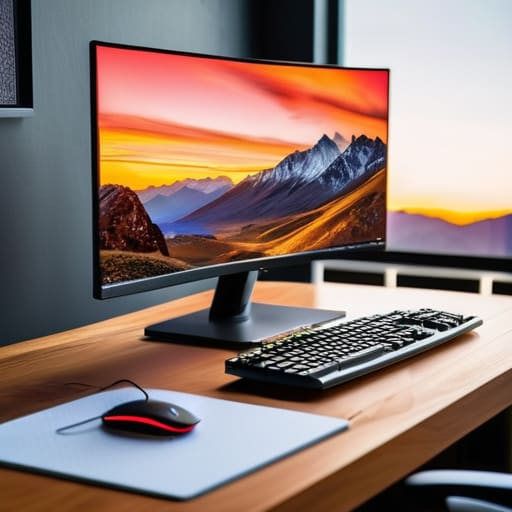
Look, not everyone is dropping a grand on a single display, and the Gigabyte M34WQ is the best way to dip your toes into ultrawide without feeling like you’ve been robbed. It uses an IPS panel, so you aren’t getting those perfect blacks you’d find on an OLED, but you’re getting a massive jump in field of view compared to a standard 16:9 screen. It’s the “no-nonsense” pick for anyone building a mid-range rig.
The High-Refresh Speed Demon
If your entire personality revolves around being the first person to click a head in Valorant, the Samsung Odyssey G8 is your target. This thing is built for speed, pushing refresh rates that make standard monitors look like they’re running on a slideshow. It’s aggressive, it’s curved, and it definitely wants you to know it’s a gaming-first device.
The Massive Scale Option
Sometimes “ultrawide” isn’t enough, and you need to go full “super ultrawide” with something like the Dell UltraSharp 49. This is essentially two 27-inch monitors fused into one seamless piece of glass. It’s overkill for most people, but if you’re a flight sim enthusiast or a trader, it’s basically a command center for your desk.
The Bottom Line
Stop chasing the highest refresh rate if the panel is trash; a 144Hz monitor with terrible motion blur compensation is just a high-speed way to see a blurry mess.
Check the current street price, not the MSRP, because if that “deal” is only $20 cheaper than last month’s price, you’re just getting fleeced by a marketing cycle.
Match the curve to your desk depth; if you buy a massive 49-inch super-ultrawide and it doesn’t fit your field of view, you’re paying for a lot of expensive dead space.
Stop Chasing the Megahertz
I’ve seen too many people drop a grand on a massive ultrawide just to realize they’re staring at a panel with terrible motion blur and a refresh rate that’s basically a lie. If you aren’t checking the actual response times and the price-per-frame at your native resolution, you aren’t buying a monitor—you’re buying an expensive way to see ghosting in high definition.
Denny Kowalczyk
The Bottom Line
Look, there is no single “perfect” ultrawide, only the one that doesn’t make you regret your bank statement three months from now. If you’re chasing the highest possible refresh rate for competitive shooters, you’re looking at the high-end IPS panels we discussed. If you just want deep blacks and that massive sense of scale for single-player RPGs, the OLED options are the only way to go, even if the price premium feels steep. Just remember to check your GPU headroom before you pull the trigger; a massive 34-inch canvas is useless if your frame rates are chugging at a stuttery 45 FPS because you ignored your hardware limits.
At the end of the day, stop listening to the marketing departments that claim these screens will “transform your life.” They won’t. They are tools designed to make your games look bigger and your multitasking slightly less painful. But if you find the right balance between panel quality and what you’re actually paying in the current market, it is a massive upgrade to your setup. Don’t buy the most expensive thing on this list just because it has the most zeros in the price tag. Buy the one that matches your specs, fits your desk, and actually delivers the performance it promised on the box.
Frequently Asked Questions
Is an ultrawide actually worth the extra cash if I'm mostly playing competitive shooters like Valorant or CS2?
Short answer: No. If you’re grinding Valorant or CS2, an ultrawide is actually a massive disadvantage. You’re trading peripheral vision for a distorted field of view that makes tracking targets feel like you’re looking through a fish tank. I’ve tested both; on a 24-inch 1080p 240Hz panel, my flick accuracy is consistent. On a 34-inch ultrawide, the extra screen real estate just means more head movement and less focus. Stick to standard aspect ratios for competitive play.
Do I really need a high-end GPU to drive these thing, or can I get away with a mid-range build at 1440p?
Look, if you’re running 1440p ultrawide, a mid-range card like an RTX 4070 or RX 7800 XT is your sweet spot. You aren’t pushing 4K pixels, but that extra horizontal real estate still eats frames for breakfast. If you try to drive these with a budget tier card, you’ll be stuck at 45 FPS on Medium settings just to keep it playable. Get the mid-range silicon, use DLSS or FSR, and save your cash for the actual games.
How much of a difference does panel type actually make—should I be sweating the IPS vs. VA debate for color accuracy?
Look, if you’re just playing Counter-Strike or Valorant, you won’t notice much. But if you’re playing a cinematic RPG or doing any actual color-sensitive work, yeah, sweat it. VA panels have great contrast, but they suffer from “black smearing”—ghostly trails behind dark objects in fast motion. IPS is more consistent for color accuracy and response times. If you want your games to look like the trailers and not a muddy mess, go IPS.
