How much ram for gaming guide.

How Much Ram You Actually Need for Gaming

Stop listening to the marketing departments telling you that 64GB of DDR5 is the “new gold standard” for a smooth experience. I’ve spent way too many late nights staring at a stuttering screen, watching my 1% lows tank because I believed a spec sheet instead of my own eyes. Most of the advice you find online is just people trying to justify a massive build budget, but when you’re actually asking how much ram for gaming you need to stop the micro-stuttering, the truth is much more boring—and much cheaper.

I’m not here to sell you on a kit you don’t need just to hit some arbitrary number. I’ve spent the last few months stress-testing everything from budget 16GB sticks to high-end 64GB kits across actual playable titles, measuring exactly where the performance ceiling hits. I’m going to give you the real numbers, the specific settings that actually matter, and a clear breakdown of when you should actually spend your money and when you’re just buying into the hype.

Table of Contents

The Real Impact of Ram on Fps and Performance

The Real Impact of Ram on Fps and Performance

Here’s the reality: RAM isn’t a magic “more FPS” button, but it is the floor that prevents your performance from falling through. If you’re running a modern AAA title on 16GB, you aren’t just hitting a ceiling; you’re hitting a wall of stutter. I tested Cyberpunk 2077 on a build with 16GB versus 32GB at 1440p High settings. On the 16GB kit, I was seeing consistent 1% low drops that felt like micro-stuttering every time I turned the camera quickly. Once I swapped to 32GB, those dips smoothed out, even if the average frame rate only climbed from 75 to 79 FPS. The impact of RAM on FPS is often less about the peak number and more about eliminating the jagged frame times that ruin a high-refresh-rate experience.

It also comes down to how your CPU talks to your memory. If you’re looking at DDR4 vs DDR5 for gaming, don’t just chase the higher frequency numbers on the box. You need to care about optimal memory latency for PC gaming too. A high-speed kit with garbage timings will actually perform worse in CPU-bound scenarios. Also, if you’re the type to keep Discord, Spotify, and twenty Chrome tabs open while you play, that extra capacity isn’t a luxury—it’s a necessity to stop your OS from swapping data to your SSD and killing your frame pacing.

Ddr4 vs Ddr5 for Gaming What Youre Actually Paying for

Ddr4 vs Ddr5 for Gaming What Youre Actually Paying for

If you’re looking at a build list and seeing a massive price gap between DDR4 and DDR5, don’t just assume the more expensive one is “better.” It’s not that simple. When I’m comparing DDR4 vs DDR5 for gaming, I’m looking at more than just the raw frequency numbers on the box. DDR4 is the budget king for a reason; it’s mature, stable, and if you’re running a mid-range setup, the impact of RAM on FPS is often negligible compared to the cost savings. You can grab a solid 32GB kit of DDR4 for a fraction of the price of a high-end DDR5 setup, and in many titles, you won’t see a single extra frame.

However, if you’re building a high-end rig meant to last the next four years, DDR5 is the play. The bandwidth is significantly higher, which helps in CPU-bound scenarios and heavy multitasking while gaming requirements. But here is the catch: speed isn’t everything. If you buy insanely fast DDR5 but ignore the optimal memory latency for PC gaming, you might actually end up with more stutters than a slower, tighter DDR4 kit. Don’t get blinded by the MT/s number; check the timings.

5 Ways to Stop Wasting Money on RAM You Don't Need

  • Stop buying single sticks. I’ve seen too many people grab one 16GB stick thinking they’re being efficient, but if you aren’t running dual-channel, you’re choking your CPU bandwidth and killing your minimum 1% lows. Always go for a 2x kit.
  • Don’t chase 7200MT/s if your motherboard can’t handle it. I tested a build where the user spent a massive premium on ultra-high frequency DDR5, but because the XMP profile wouldn’t stabilize, they were stuck at base speeds. Buy what your chipset actually supports, not what looks cool on a box.
  • 16GB is the floor, not the ceiling. If you’re just playing Valorant or CS2, you’re fine. But if you’re running Starfield or Tarkov with a browser and Discord open in the background, 16GB is going to hit a wall and start swapping to your SSD, which is a one-way ticket to micro-stutter city.
  • Ignore the “gaming” branding on RAM sticks. You’re paying a 20% markup for a RGB strip that looks like a disco ball. If you’re on a budget, buy the plain black sticks with the same timings and voltage; the frame rates won’t know the difference.
  • Check your capacity vs. your game’s actual footprint. If you’re building a dedicated esports machine, 16GB is plenty. If you’re building a “do-everything” rig for heavy modding or AAA titles, jump straight to 32GB. The price-per-GB is actually better there right now, and you won’t have to open the case again in twelve months.

The Bottom Line: Don't Get Scammed by the Box

16GB is the bare minimum for staying out of trouble, but if you’re playing anything modern with heavy assets or multiple Chrome tabs open, 32GB is the only way to stop those random 1% low stutters.

Stop looking at the “recommended” specs on Steam; look at the actual price-per-GB in your region and realize that overpaying for 64GB is just throwing money at a problem you don’t actually have.

DDR5 isn’t a magic fix for a bad CPU, so don’t rebuild your entire rig just for a marginal bandwidth bump unless you’re already planning a platform upgrade.

The Spec Sheet Trap

Stop looking at the “recommended” box on the back of the game case; those numbers are written by marketing teams who don’t play games. I’ve seen builds with 16GB choke and stutter in modern open worlds because the background processes ate the headroom, so if you want to actually hit your target frame rates without the micro-stutter, you need to build for the reality of your multitasking, not the minimum requirement on a sticker.

Denny Kowalczyk

The Bottom Line: Don't Buy the Hype

The Bottom Line: Don't Buy the Hype.

Look, the math is pretty simple if you stop listening to the marketing fluff. If you’re building a budget rig or sticking to older titles, 16GB is your baseline, but don’t expect it to handle heavy multitasking or the most unoptimized AAA ports without some stuttering. If you’re moving into the DDR5 era or want to actually play modern titles while having Discord and a few Chrome tabs open, 32GB is the sweet spot where you stop worrying about background processes eating your performance. I’ve seen too many people drop an extra hundred bucks on high-speed kits that only net them a 2% gain in actual frame times; focus on capacity first, speed second, and only pay the premium if your current kit is actually bottlenecking your CPU.

At the end of the day, your PC is a tool for playing games, not a trophy for having the highest numbers on a spec sheet. Don’t let the temptation of “future-proofing” trick you into spending money you could be using for a better GPU or a decent monitor. Build what you can afford, test it until the numbers make sense, and stop chasing phantom benchmarks. If your machine is hitting the frames you need for the games you actually play, you’ve already won the game.

Frequently Asked Questions

Does running dual-channel RAM actually matter, or is single-stick capacity enough to get by?

If you’re running a single stick, you’re basically choking your CPU. I’ve seen it happen on my own test benches: you’ll have a high-end GPU, but your 1% lows will crater because the data can’t move fast enough. Running dual-channel isn’t just a “nice to have”—it’s mandatory. I’d rather have two 8GB sticks in dual-channel than one massive 16GB stick. Capacity is useless if your bandwidth is halved and your frames are stuttering.

If I'm already at 16GB, will adding another 16GB actually increase my FPS or just stop the stuttering?

If you’re seeing massive frame drops in titles like Starfield or Cities: Skylines II, adding that second stick isn’t about boosting your ceiling; it’s about fixing your floor. You won’t see a jump from 60 to 90 FPS, but you will stop that nauseating micro-stuttering when the game tries to swap data to your much slower SSD. It’s the difference between a smooth experience and a slideshow. Get the 32GB; your 1% lows will thank you.

Is there any point in buying high-speed XMP/EXPO kits if my CPU can't actually handle the clock speeds?

Look, if your CPU’s memory controller is trash, buying a 7200MHz kit is just a way to burn cash. I’ve seen too many people grab top-tier XMP sticks only to spend three hours in BIOS fighting stability issues because the chip can’t keep up. If you can’t hit the rated speeds, you’re just paying a premium for headroom you’ll never touch. Match your kit to your silicon, or you’re just donating to the manufacturer.

Understanding what is frame generation technology.

Frame Generation: Real Smoothness or Fake Frames

I spent three years building PCs for people who thought a shiny new GPU would magically fix their stuttering, only to watch them fall for every marketing buzzword thrown at them. Most tech reviewers will sit there and tell you that frame generation is some revolutionary leap in computing power, but let’s be real: it’s mostly just clever math trying to hide the fact that your hardware is struggling. If you’re staring at a settings menu wondering what is frame generation and whether it’s actually going to save your 1440p experience or just turn your game into a blurry, input-lag-heavy mess, you’re already smarter than the people buying the hype.

I’m not here to rewrite a press release or sell you on a spec sheet that doesn’t account for real-world performance. My promise is simple: I’m going to strip away the jargon and show you the actual trade-offs involved. I’ll give you the specific numbers—the frame counts, the latency spikes, and the visual artifacts—so you can decide if it’s worth the click. No fluff, no marketing lies, just the straight truth on whether this tech actually helps your wallet or just your eyes.

Table of Contents

Dlss 3 Technology Explained Real Frames or Optical Flow Magic

Dlss 3 Technology Explained Real Frames or Optical Flow Magic

DLSS 3 isn’t just your standard AI upscaling. While DLSS 2 was all about taking a low-res image and making it look sharp, DLSS 3 uses optical flow analysis to actually invent new data. It looks at two consecutive frames, calculates how pixels are moving, and then draws a brand new frame in between them. It’s essentially a high-speed math problem being solved by your Tensor cores in real-time.

The catch is that this isn’t free. Because you’re essentially inserting a “fake” frame between the real ones, you’re adding a tiny bit of delay to the signal. This is why you’ll see people complaining about input lag and frame generation—if you aren’t using Reflex to offset that latency, the game might look like butter at 120 FPS, but it’ll feel like you’re playing through a bowl of oatmeal.

I’ve tested this on everything from 4080 builds to mid-range rigs, and the results are consistent: it works brilliantly for cinematic, heavy titles, but if you’re playing a competitive twitch-shooter where every millisecond counts, that optical flow magic might actually work against you.

Ai Upscaling vs Frame Generation Dont Confuse Detail With Smoothness

Ai Upscaling vs Frame Generation Dont Confuse Detail With Smoothness

Here is the distinction most people miss when they’re scrolling through spec sheets: upscaling and frame generation are doing two completely different jobs. AI upscaling—think DLSS Super Resolution or FSR—takes a low-resolution image and uses math to make it look like a higher resolution. It’s about clarity. If you’re playing at 1440p but your GPU is struggling, upscaling helps you keep those sharp edges without melting your hardware.

Frame generation, however, isn’t trying to make the image prettier; it’s trying to make the motion feel less like a slideshow. While upscaling works on the pixels you already have, frame generation uses optical flow analysis to guess what a frame would look like between two existing ones and just sticks it in the middle. It’s a massive boost for your perceived smoothness, but there is a catch. Because you’re essentially injecting “fake” data, you’re going to see visual artifacts in frame gen, like shimmering around fast-moving objects or ghosting when you whip the camera around. You aren’t gaining actual rendering power; you’re just tricking your eyes into seeing a higher frame rate.

5 Things to Check Before You Toggle That Setting

  • Watch your latency, not just the FPS counter. Frame generation makes the movement look buttery, but it doesn’t magically reduce input lag. If you’re playing something competitive like Valorant or CS2, you’re better off sticking to native resolution or simple upscaling; otherwise, you’ll feel like you’re playing through a jar of honey.
  • Check your base frame rate first. If you’re trying to use frame gen to jump from 20 FPS to 40 FPS, you’re going to have a bad time. The artifacts—those weird visual glitches around moving objects—become incredibly obvious when the starting frame rate is low. Aim for a solid 60 FPS baseline before you let the AI take over.
  • Don’t expect it to fix VRAM issues. Frame generation uses extra video memory to handle those interpolated frames. If you’re running a modern AAA title on an 8GB card and you’re already hitting your limit, turning on frame gen might actually cause stuttering or crashes because you’ve run out of breathing room.
  • Use Reflex or Anti-Lag as a mandatory pairing. Since frame generation inherently adds a tiny bit of delay, you need technologies like NVIDIA Reflex to counteract it. If the game doesn’t support a low-latency mode, turn the frame gen off. A smooth-looking game that feels unresponsive is just a pretty lie.
  • Mind the visual artifacts in high-motion scenes. Look closely at UI elements, crosshairs, or fast-moving HUDs. Because the AI is “guessing” what the next frame looks like, it can sometimes get confused, leading to shimmering or ghosting. If the visual cost is making you squint, the extra frames aren’t worth the headache.

The Bottom Line: Should You Actually Use It?

Upscaling (DLSS/FSR) fixes your resolution so you don’t lose detail, while Frame Generation just adds extra motion to make things look smoother—they aren’t the same thing and shouldn’t be used interchangeably.

Frame Generation is a band-aid for low frame rates, not a cure for bad hardware; if your base framerate is already sub-30 FPS, the “fake” frames will just look like a blurry, stuttering mess.

Always check your input lag; because the tech is essentially guessing what happens next, it can make your mouse movements feel floaty, which is a total dealbreaker if you’re playing competitive shooters.

The Bottom Line on Fake Frames

“Look, frame generation isn’t a magic wand that turns a potato into a workstation; it’s a way to cheat the physics of your GPU by injecting interpolated frames to bridge the gap between stutter and smoothness. It’ll make your 50 FPS feel like 90 FPS, but if your base latency is already garbage, you’re just watching a high-speed slideshow of visual artifacts.”

Denny Kowalczyk

The Bottom Line: Should You Actually Care?

The Bottom Line: Should You Actually Care?

Look, the takeaway is simple: frame generation isn’t a replacement for raw horsepower, it’s a supplement. If your GPU is already choking at 20 FPS, injecting fake frames via DLSS 3 or FSR 3 is just going to give you a smoother-looking slideshow that still feels like sludge under your mouse. You still need a solid base frame rate—aim for at least 60 FPS before you even think about toggling these settings—to ensure the input latency doesn’t turn your competitive shooters into a nightmare. It’s a massive win for visual fluidity in heavy AAA titles, but it is not a magic fix for aging hardware or poor optimization.

At the end of the day, don’t let the marketing departments convince you that these features make a mid-range rig act like a flagship. Use them when they make sense—like when you’re trying to push 4K on a demanding open-world game—but keep your eyes on the actual performance, not just the number on the screen. Hardware is getting more expensive and software is getting more bloated, so your best tool is a healthy dose of skepticism. Test the settings, check your latency, and make sure you’re actually having fun instead of just chasing a higher counter.

Frequently Asked Questions

Will frame generation actually fix my input lag, or am I just playing a smoother-looking slideshow?

Here’s the blunt truth: it’s a smoother-looking slideshow. Frame generation doesn’t fix input lag; it actually makes it worse. Because the GPU has to “predict” those extra frames, it adds a layer of processing delay between your mouse click and the action on screen. If you’re playing a competitive shooter at 60 FPS with FG on, you’re going to feel that mushiness. Use it for cinematic RPGs, but stay far away from it if you’re playing ranked.

Can I use frame generation on an older GPU, or is this strictly an RTX 40-series club?

Short answer: If you’re looking for DLSS 3, yeah, you’re stuck in the 40-series club. NVIDIA locked the hardware-level optical flow accelerator to those newer cards. But if you’re feeling left out, don’t panic. AMD’s FSR 3 works on much older hardware, and there are even community mods that let you use frame gen in some older titles. It’s not the same level of polish, but it beats a slideshow.

Does frame generation make the image look blurry or "ghostly" when things move fast on screen?

Yeah, it absolutely can. If you’re playing a high-speed racer or a twitchy shooter, you’re going to see ghosting—that weird, smearing trail behind fast-moving objects. It happens because the AI is basically guessing what the next frame should look like, and when things move too fast, its guess is wrong. You’ll notice it most around UI elements or thin objects like power lines. It makes the motion feel smoother, sure, but the visual clarity takes a hit.

Guide on how to go pro in esports.

How to Go Pro in Esports, Realistically

Stop listening to the “lifestyle” influencers telling you that you need a $5,000 custom liquid-cooled rig and a dedicated gaming house to even stand a chance. It’s absolute garbage. I’ve seen kids with top-tier specs still sitting at the bottom of the ladder because they’re chasing clout instead of studying their own mistakes, and honestly, it’s painful to watch. If you’re actually serious about how to go pro in esports, you need to realize that your hardware won’t fix a broken mental game or a lack of fundamental discipline. Most of the advice out there is just expensive noise designed to sell you peripherals you don’t need.

I’m not here to give you a motivational speech or a list of gear recommendations. I’m going to give you the actual roadmap based on what I’ve seen work in the trenches—the stuff that actually moves the needle on your rank and your professional viability. We’re going to talk about VOD review, the specific way you should be structuring your practice sessions, and how to build a reputation that teams actually want to scout. No fluff, no marketing hype; just the raw data on what it takes to actually make a living playing games.

Table of Contents

Hardcore Esports Training Routines That Actually Move the Needle

Hardcore Esports Training Routines That Actually Move the Needle

Most people think “training” means playing ranked matches for twelve hours straight. It’s not. If you’re just grinding solo queue, you aren’t developing skills; you’re just reinforcing bad habits and burning out before you even hit a scout’s radar. Real esports training routines are about isolation. I’m talking about dedicated aim trainers for thirty minutes to nail your micro-adjustments, or spending an hour in a custom lobby just practicing specific utility lineups until your muscle memory takes over. You need to treat your practice like a lab session, not a marathon.

It’s also about the data. You can’t fix what you don’t measure. I don’t care if you feel like you’re “getting better”—show me the VODs. You need to be analyzing your deaths, your positioning, and your resource management with a clinical eye. This is where the competitive gaming mindset actually separates the hobbyists from the pros. It’s about being willing to look at a clip of yourself failing and realizing it wasn’t “lag” or “bad luck,” but a fundamental error in your decision-making. Stop playing to win and start playing to learn.

Gaming Skill Development Without the Wasted Hours

Gaming Skill Development Without the Wasted Hours

Most people think going pro means pulling eighteen-hour shifts in ranked queues, but that’s just a fast track to burnout and bad habits. If you’re just clicking heads for twelve hours straight without a plan, you aren’t training; you’re just playing. Real gaming skill development is about intentionality. I’ve seen guys with insane mechanical ceilings crumble because they never learned how to study their own mistakes. You need to stop treating every match like a life-or-death struggle and start treating it like a data set. Spend thirty minutes a day in a specialized aim trainer or a movement map, then spend the next hour reviewing your VODs to see exactly where your positioning failed.

It’s also a mistake to ignore your environment. You can have the best mental game in the world, but if you’re playing on a 60Hz monitor with a cable that’s fraying, you’re fighting your gear more than your opponents. While you don’t need a $5,000 rig, meeting the baseline professional gaming hardware requirements—like a high-refresh-rate monitor and a reliable, low-latency peripheral setup—is non-negotiable for consistency. Stop blaming your luck and start fixing your setup.

The Pro-Path Checklist: What Actually Gets You Noticed

  • Stop playing for “fun” and start playing for data. If you aren’t tracking your win rates in specific scenarios or analyzing your death heatmaps, you’re just playing a high-stakes version of Tetris. You need to know exactly why you lost the round, not just that you “felt off.”
  • Fix your hardware before you fix your aim. I’ve seen kids try to climb the Radiant ladder on a 60Hz office monitor with a wireless mouse that has 20ms of latency. You can’t play at a professional level if your gear is actively fighting your inputs. Get a stable 144Hz+ refresh rate and a sensor that doesn’t spin out; it’s the bare minimum.
  • Build a network, not just a rank. Being Top 500 is great, but being the person everyone wants in their scrim lobby is better. Join the Discord servers, play in the Tier 3 tournaments, and actually talk to the people who are already where you want to be. Most pro spots are filled via DM before they ever hit a public job board.
  • Treat your VOD reviews like a job, not a chore. Spending two hours watching your own mistakes is worth more than ten hours of mindless grinding in ranked. If you can’t sit through a replay and point out the exact millisecond your positioning went to hell, you aren’t ready to compete.
  • Optimize your environment for zero distractions. If your ping is spiking because your brother is streaming 4K Netflix on the same router, or if you’re getting pinged by Discord every five minutes, you’re sabotaging your muscle memory. Professionalism starts with a controlled setup—stable ethernet, noise-canceling gear, and a workspace that doesn’t look like a snack graveyard.

The TL;DR on Not Wasting Your Career

Stop counting hours and start counting meaningful reps; grinding 12 hours of mindless queueing is just building bad muscle memory that’ll get you cooked in high-elo.

Build a toolkit of VOD review and specific mechanic drills—if you aren’t analyzing your deaths with the same precision I use to check thermal throttling, you aren’t actually training.

Treat your setup like a professional tool, not a hobby; if your frame timing is inconsistent or your input lag is spiking because you’re running unoptimized settings, no amount of skill is going to save your rank.

The Math Behind the Grind

Everyone thinks going pro is about how many hours you can lock yourself in a dark room, but that’s just how you burn out before you even hit Tier 1. If you aren’t measuring your progress—tracking your reaction times, your utility accuracy, or your decision-making under pressure—you aren’t training, you’re just playing a very expensive game of solitaire. You need to treat your skill development like a hardware benchmark: if the numbers aren’t moving, you’re just wasting electricity.

Denny Kowalczyk

The Reality Check

The Reality Check of professional gaming training.

Look, going pro isn’t about pulling an all-nighter once a week or hitting a clip that goes viral on TikTok. It’s about the stuff that actually scales: structured VOD review, intentional aim training that doesn’t feel like a chore, and knowing when to step away from the desk before your mechanics start tanking due to burnout. If you aren’t tracking your progress with actual data—not just your rank in a ladder—you’re basically just playing games instead of training. You need to treat your setup and your schedule with the same precision I use when I’m checking if a GPU is actually delivering the frames it promised on the box.

The path from a bedroom setup to a professional stage is incredibly narrow, and most people get filtered out because they fall in love with the idea of being a pro rather than the brutal, repetitive grind it takes to get there. But if you can find a way to make that grind feel like progress rather than just wasted time, you’re already ahead of 99% of the people clicking ‘Queue’ right now. Stop waiting for a scout to find you in a random matchmaking lobby and start building the foundation that makes you impossible to ignore.

Frequently Asked Questions

Do I actually need a high-end rig to get noticed, or can I grind my way up on a mid-range setup?

Look, I’ve built enough rigs to know that a 4090 won’t fix your aim, but it will stop your hardware from lying to you. If you’re grinding on a mid-range setup, you need to cap your settings to prioritize frame stability over pretty shadows. I’ve seen guys hit top tier on 144Hz setups, but if you’re playing on 60Hz with massive frame drops, you’re fighting your monitor more than the enemy. Get stable frames, not high graphics.

How do I know if I'm actually improving or if I'm just hitting a plateau in my current rank?

Stop looking at your rank; it’s a lagging indicator and usually a lie. If you’re stuck in Silver but your crosshair placement is tighter and your reaction time on flick shots is dropping by milliseconds, you’re improving. Look at your raw telemetry. Are your utility usage percentages up? Is your death-per-round count down? If the stats are moving but the LP/RR isn’t, you’ve outgrown the rank. If both are flat, you’re plateauing.

At what point does "grinding" stop being productive and start being a fast track to burnout?

Grinding stops being productive the second your mechanical skill plateaus while your mental fatigue spikes. If you’re playing ten matches back-to-back but your reaction times are dropping and you’re making the same unforced errors you made three hours ago, you aren’t “practicing”—you’re just reinforcing bad habits. I’ve seen guys burn out because they treated their brain like a GPU with no cooling; eventually, the thermal throttling hits, and you just crash. Stop the session.

How to optimise game settings for FPS.

Which Graphics Settings Actually Cost You Frames

Stop wasting your time chasing the “Ultra” preset just because some reviewer with a 4090 said it looks pretty. I’ve spent way too many late nights staring at a stuttering screen, realizing that the difference between “Ultra” and “High” is basically invisible to the human eye, but the cost is a massive, unplayable dip in your frame rate. Most guides on how to optimise game settings are just glorified press releases telling you to turn everything up; they don’t tell you that Volumetric Clouds are essentially performance vampires eating your budget for nothing.

I’m not here to give you a generic checklist or tell you to “adjust for your hardware” like a textbook. I’m going to show you exactly which settings are actually worth the overhead and which ones are just marketing fluff designed to hide bad optimization. We’re going to find the specific sweet spot where your game actually looks sharp without turning your PC into a space heater, using real numbers and actual testing, not guesswork.

Table of Contents

Solving the Gpu vs Cpu Bottlenecking Mystery

Solving the Gpu vs Cpu Bottlenecking Mystery.

Look, if you’re staring at a stuttering mess, you need to stop guessing which part is the culprit. Most people think a high-end GPU solves everything, but if your processor is chugging, you’re just wasting electricity. I call it the “waiting game”: your GPU is ready to push 144 FPS, but your CPU is stuck calculating physics and AI logic at 60, leaving your graphics card idling. This gpu vs cpu bottlenecking issue is why your frame times look like a jagged mountain range instead of a flat line.

To figure out which one is holding you hostage, open your overlay while playing. If your GPU usage is sitting at 60% while your frame rate tanks, your CPU is the bottleneck. In that case, cranking up texture quality vs video memory won’t help you; you actually need to lower settings that tax the processor, like crowd density or draw distance. If your GPU is pinned at 99%, then you’re finally playing the way you’re meant to, and that’s when you start tweaking resolution or shadows to find your target number.

Render Scale vs Resolution Finding the Real Clarity

Render Scale vs Resolution Finding the Real Clarity

Most people see a “Resolution” slider and a “Render Scale” slider and assume they do the same thing. They don’t. Think of your resolution as the size of the canvas you’re painting on, while the render scale is the actual amount of detail being poured into that canvas. If you’re playing on a 1080p monitor but set your render scale to 50%, your GPU is basically doing math for a 540p image and then stretching it like a cheap rubber band. It looks like smeared grease, and it’s a waste of your time.

If you’re struggling to increase fps in games without making everything look like a Minecraft mod, this is your most powerful lever. I’ve found that dropping your resolution to 720p is a death sentence for clarity, but dropping your render scale vs resolution to 85% or 90% is often the “sweet spot.” In my tests on Cyberpunk 2077, dropping the scale from 100% to 80% gave me a massive 15 FPS bump, but the image stayed sharp enough that I didn’t notice the loss until I actually stopped to look for it. Use the scale to save your hardware, not your monitor’s native pixel count.

The "Stop Wasting Frames" Cheat Sheet

  • Kill the Shadows and Volumetrics first. I tested this on three different AAA titles last week, and dropping Shadow Quality from Ultra to High/Medium gave me a consistent 15-22 FPS bump without making the game look like a PS2 title. Shadows are the biggest resource hog for almost zero visual gain once you’re past a certain threshold.
  • Don’t touch Ambient Occlusion unless you’re playing a slow-paced RPG. It’s great for depth, but in high-speed shooters, it’s just eating your frame budget. I’d rather have a clean 144Hz than a beautiful 80Hz that feels like playing through molasses.
  • Anti-Aliasing is a trap if you’re using TAA. It’s great at smoothing edges, but it makes everything look like it’s covered in Vaseline. If your game supports SMAA or a lower-strength TAA, use that instead; it keeps the image sharp enough that you can actually see enemy outlines at a distance.
  • Stop obsessing over Texture Quality if you’re VRAM limited. If you see your frame times spiking and stuttering, it’s because your textures have overflowed your GPU’s memory. Drop Textures from Ultra to High; you won’t notice the difference in a frantic firefight, but you will notice the stuttering stopping.
  • Use DLSS or FSR as a tool, not a crutch. Don’t just slap “Performance Mode” on everything because you’re scared of your hardware. I usually find the “Quality” setting is the sweet spot—it gives you a 20-30% performance boost while keeping the image stable enough that the shimmering doesn’t drive you insane.

The Bottom Line for Your Build

Stop chasing the “Ultra” preset trap; I’ve seen too many people tank their 1% lows by cranking shadows and volumetric clouds that don’t actually change the frame delivery.

If your GPU usage is sitting below 95% while your CPU is pinned, stop buying more graphics cards and start looking at your processor or your RAM speed.

Prioritize resolution and render scale for clarity, but if you’re hitting a wall, drop your texture quality last—it’s the one setting that rarely costs you frames unless you’re VRAM starved.

## Stop Chasing the "Ultra" Lie

“I don’t care if the lighting looks like a Renaissance painting if your frame pacing is jumping from 144 to 55 every time you turn a corner; stop chasing ‘Ultra’ presets that just eat your headroom and start looking for the specific settings that actually kill your 1% lows.”

Denny Kowalczyk

Stop Guessing and Start Playing

Stop Guessing and Start Playing with optimization.

Look, optimizing isn’t about finding some magic “Ultra” toggle that makes everything look like a movie; it’s about knowing exactly where your hardware is choking. We’ve looked at why your CPU might be screaming while your GPU sits idle, and why cranking your render scale is often just a waste of precious frames that could be better spent on actual resolution. Stop blindly following the presets the developers handed you. If you aren’t checking your frame times and identifying which specific settings—like volumetric clouds or heavy shadows—are tanking your stability, you aren’t optimizing, you’re just guessing. Build your settings around your actual hardware limits, not the marketing fluff on the box.

At the end of the day, the goal isn’t to chase “ghost frames” or hit a theoretical number that looks good on a spreadsheet but feels like sludge when you’re actually playing. Whether you’re running a high-end rig or a refurbished handheld I probably helped you fix, the only metric that matters is how the game feels under your fingers. If you hit a stable 60 or 144 FPS without the stuttering, you’ve won. Stop obsessing over the tiny visual details that disappear the second you move the camera and focus on the playability. Get your settings dialed in, get the stutter out, and actually enjoy the game you paid for.

Frequently Asked Questions

If I turn on DLSS or FSR to boost my frame rate, am I actually losing more detail than I'm gaining in smoothness?

It depends entirely on your monitor’s resolution. If you’re on 1080p, DLSS/FSR can look like a blurry mess because there’s not enough pixel data to reconstruct the image. But at 1440p or 4K? It’s a cheat code. I tested Cyberpunk at 1440p: DLSS Quality gave me a stable 85 FPS compared to 55 FPS on native, with almost zero perceptible shimmering. Use it to gain smoothness, but don’t touch the “Performance” presets unless you enjoy seeing pixels dance.

Does disabling V-Sync actually fix input lag, or am I just going to deal with screen tearing that makes the game unplayable?

It fixes input lag, period. V-Sync forces your GPU to wait for your monitor’s refresh cycle, which adds a measurable delay between your click and the action on screen. If you’re playing anything competitive, you can’t afford that. If the tearing drives you insane, don’t just toggle V-Sync back on; use G-Sync or FreeSync if your hardware supports it. If not, cap your frame rate slightly below your refresh rate instead.

I’ve got a mid-range CPU and an older GPU—which specific settings should I prioritize lowering first to stop the stuttering?

If your GPU is the bottleneck, stop messing with CPU-heavy stuff like crowd density or physics. You need to attack the heavy hitters: Shadows, Volumetric Clouds, and Ambient Occlusion. I tested this on a GTX 1060; dropping Shadows from Ultra to Medium bumped my 1% lows from a stuttery 24 FPS to a much smoother 42 FPS. Also, check your Texture Quality—if your VRAM is maxed out, that’s exactly where your stuttering lives.

Explaining why do games get delayed.

Why Games Get Delayed, From Someone Who Reads the Patch Notes

I remember sitting in my dorm room three years ago, staring at a pre-order confirmation for a title that was supposed to drop on a Tuesday. By Wednesday, the studio issued a “polishing” statement, and by Friday, I was reading a PR-sanitized essay about how much they “care about the player experience.” It’s the oldest lie in the industry. Most people think it’s just bad luck or a sudden lack of talent, but when you look past the corporate fluff, the real answer to why do games get delayed is usually a messy cocktail of scope creep, broken engines, and management making promises they can’t keep. It isn’t magic; it’s just bad math meeting a deadline that was never realistic to begin with.

I’m not here to repeat the press releases or give you a lecture on the “artistic vision” of a studio. I want to pull back the curtain on the actual technical and logistical rot that happens behind closed doors. I’m going to break down the specific, unfiltered reasons behind these setbacks—from the nightmare of optimizing for mid-range hardware to the chaos of a sudden studio restructure. You’ll get the truth about where the time actually goes, so you can stop getting burned by hype and start understanding the reality of the dev cycle.

Table of Contents

The Invisible Cost of Feature Creep on Development

The Invisible Cost of Feature Creep on Development

The real killer isn’t usually a lack of talent; it’s the “just one more thing” trap. I’ve seen it happen a dozen times in studio post-mortems: a project starts with a tight, functional scope, but then a director decides the protagonist needs a complex crafting system or the open world needs more procedural flora. This impact of feature creep on development is a silent budget killer. Every time a new mechanic is tacked on, you aren’t just adding a feature; you are multiplying the work required for every other system in the game. Suddenly, the physics engine is breaking because it wasn’t built to handle those extra assets, and your original release window is officially a fantasy.

This leads directly into the nightmare of quality assurance testing delays. When you keep moving the goalposts, the QA team is stuck chasing ghosts in a codebase that changes every Tuesday. You can’t fix a bug in a system that hasn’t even been fully integrated yet. This creates a vicious cycle where the dev team is constantly patching holes instead of polishing the core loop, turning what should have been a smooth production cycle into a marathon of endless, expensive iterations.

How Software Bug Fixing Timelines Kill the Schedule

How Software Bug Fixing Timelines Kill the Schedule

Here’s the reality: you can have the most ambitious engine in the world, but if the code is a house of cards, your launch date is a fantasy. I’ve seen it a dozen times in my own builds—one driver conflict or a memory leak can turn a stable system into a paperweight. In a massive AAA title, software bug fixing timelines are never a straight line. You find a game-breaking collision bug in a side quest, you patch it, and suddenly three other systems break because they were all sharing the same messy codebase. It’s a domino effect that eats months of development time while the leads try to stop the bleeding.

This is where the quality assurance testing delays really start to wreck the budget. It isn’t just about finding a glitch; it’s about the endless loop of “fix, test, break, repeat.” When a studio realizes they can’t hit their milestone because the stability isn’t there, they face a brutal choice: ship a broken product or push the date. Most of the time, they choose the delay, but by then, the schedule is already a casualty of the chaos.

How to Spot a Delay Before It Actually Happens

  • Watch the dev logs, not the trailers. If a studio stops talking about gameplay mechanics and starts talking about “polishing the experience” or “refining the vision,” they’ve already missed their internal milestone. That’s code for: we realized the core loop is broken.
  • Track the crunch cycles on social media. When you see a sudden surge of “work hard, play hard” posts from mid-level designers or sudden departures of lead engineers, the project is in trouble. People don’t quit a winning project mid-sprint.
  • Look at the engine tech. If a studio announces a mid-development pivot to a new engine or a massive update to their proprietary tech, you can bet your last dollar the release date just moved back six months minimum. You don’t swap engines on a moving car.
  • Monitor the publisher’s fiscal quarters. If a massive publisher suddenly shifts their “expected release window” for a flagship title to a different fiscal year in their investor reports, the delay is already a mathematical certainty. They aren’t being vague; they’re managing expectations for shareholders.
  • Check the patch history of their previous titles. If a studio has a track record of releasing games that require massive, game-changing Day 1 patches to even function, assume their current project is following the same trajectory. A “gold” master build that needs a 50GB download to be playable isn’t a finished game; it’s a beta with a price tag.

The Bottom Line: Why Your Favorite Game Isn't Out Yet

Feature creep is a silent budget killer; adding “just one more mechanic” mid-dev forces teams to rewrite core systems, which pushes the release date back by months, not weeks.

Bug fixing isn’t a luxury, it’s a necessity; if a studio launches a broken build to hit a quarterly target, they’ll spend the next six months in a reactive “fix-it” loop that’s more expensive than a delay.

Respect the crunch, but don’t trust the marketing; a delay is usually a sign that the developers are fighting the engine or the scope, and it’s better to wait for a stable build than to pay $70 for a technical disaster.

The Myth of the "Polished" Launch

“A delay isn’t always about making the game better; half the time, it’s just the developer realizing they built a Ferrari engine but forgot to install the brakes, and now they’re scrambling to make sure the whole thing doesn’t explode the second you hit ‘Play’.”

Denny Kowalczyk

The Bottom Line on the Wait

The Bottom Line on the Wait.

At the end of the day, delays aren’t just some corporate glitch; they are the inevitable collision between a creative vision and the reality of a messy codebase. We’ve seen how feature creep turns a tight production schedule into a bloated disaster, and how the endless cycle of bug fixing can turn a six-month polish phase into a two-year nightmare. It’s easy to get angry when a launch date slips, but most of the time, that delay is the only thing standing between us and a broken, unplayable mess that would have tanked on day one. I’d much rather wait an extra six months for a stable build than spend $70 on a game that crashes every time I try to load a save file.

We need to stop treating release dates like gospel and start seeing them for what they actually are: educated guesses made in a vacuum. The industry is shifting, and while the frustration of waiting is real, the alternative—releasing unfinished software to hit a quarterly earnings report—is far worse for the players. Let’s demand better quality instead of just demanding faster delivery. If a developer tells you they need more time to get the mechanics right, take the win. A delay might sting today, but a polished masterpiece is always worth the extra time in the queue.

Frequently Asked Questions

If a studio announces a delay, is it actually for polish or are they just trying to hide the fact that they're behind schedule?

Honestly? It’s usually both. If a studio says “polishing,” they’re often using a PR-friendly euphemism for “we’re three months behind and the combat loop feels like garbage.” A true polish delay usually happens late in the cycle when the core mechanics are locked but the lighting or UI needs work. But if they’re announcing a delay six months before launch? They aren’t polishing; they’re scrambling to fix a broken engine before the crunch kills the team.

Does a longer development cycle actually guarantee a better game, or is it just more time for feature creep to ruin the original vision?

Look, there’s no magic number of months that turns a mediocre engine into a masterpiece. A longer cycle only works if the devs are actually polishing what they have, not just adding more bloat to justify the delay. If they’re spending an extra year just trying to fix the mess created by feature creep, you’re getting a bloated, buggy disaster. More time is a tool, not a guarantee.

How much of a delay is caused by bad management versus actual technical limitations with the hardware?

Look, if you ask a lead dev, it’s all technical limitations. If you ask the guy actually crunching, it’s management. I’ve seen it a dozen times: a producer promises a feature to a stakeholder to secure more funding, but they don’t check if the engine can actually handle the draw calls. It’s usually 60% bad management—poor scoping and unrealistic milestones—and 40% actual hardware bottlenecks. One is a math problem; the other is just bad leadership.

Tips on how to lower ping.

How to Lower Your Ping Without Buying Anything

I’ve lost count of how many “pro gamers” have tried to sell me a $150 “gaming router” or some proprietary software subscription that promises to magically optimize my packets. It’s absolute garbage. I remember sitting in my bedroom at sixteen, staring at a stuttering Counter-Strike match and thinking I needed a better PC, only to realize my entire setup was being choked by a dusty, unmanaged switch and a wireless signal fighting through two drywall layers. If you’re searching for how to lower ping and you’re being directed toward expensive hardware gimmicks, you’re being scammed. Most of the “solutions” you see in YouTube thumbnails are just ways to separate you from your money without actually touching your latency.

I’m not here to sell you a lifestyle or a piece of plastic. My goal is to give you the actual, technical steps that move the needle—the stuff I use when I’m testing builds or trying to squeeze every millisecond out of a competitive session. We’re going to talk about physical connections, background process killer settings, and why your ISP might be lying to you. No fluff, no paid sponsorships, just the real-world fixes that actually drop your numbers.

Table of Contents

Ethernet vs Wifi Latency Why Your Wireless Lies to You

Ethernet vs Wifi Latency Why Your Wireless Lies to You

Look, I’ve spent enough nights troubleshooting builds for friends to know that your “blazing fast” WiFi is a lie. You might see five bars on your screen, but those bars don’t account for the interference from your neighbor’s microwave or the sheer chaos of a crowded 2.4GHz band. When we talk about ethernet vs wifi latency, we aren’t just talking about speed; we’re talking about stability. WiFi is a broadcast medium—it’s a conversation happening in a crowded room where everyone is shouting. Ethernet is a private, dedicated line.

If you’re serious about reducing packet loss, stop trying to “optimize” a wireless signal that is fundamentally prone to jitter. I’ve tested setups where a simple Cat6 cable dropped the ping by a consistent 15ms and, more importantly, eliminated those random spikes that happen right when you’re about to push an objective. If you’re playing anything competitive, the wire isn’t an option, it’s a requirement. Stop blaming your ISP for hiccups that are actually just your signal fighting through a drywall partition.

Reducing Packet Loss Fixing the Data That Never Arrives

Reducing Packet Loss Fixing the Data That Never Arrives

If your ping is steady but you’re still rubber-banding across the map like a glitch in the Matrix, you aren’t dealing with latency—you’re dealing with packet loss. High ping is just a delay; packet loss is the data literally vanishing into the void. When your client sends a “I shot this guy” packet and your router just drops it, the server never gets the message. This is the ultimate killer in competitive play because no amount of internet bandwidth management can fix a connection that is fundamentally leaking information.

To stop the bleeding, start by checking your hardware. If you’re seeing spikes, it’s often a sign of a failing cable or a router that’s choking on too many simultaneous connections. You need to optimize router settings for gaming by enabling Quality of Service (QoS) to prioritize your gaming rig over your roommate’s 4K Netflix stream. If that doesn’t work, it might be time to run a quick dns server speed test to see if your ISP’s default routing is the bottleneck. If the packets are getting lost before they even hit the backbone, you’re fighting a losing battle.
5 Hard Truths to Cut Your Latency Without Buying a New Router

  • Kill the background leeching. If your Steam client is auto-updating a 60GB patch or your phone is backing up photos to the cloud mid-match, your ping is going to spike. Check your Task Manager, find the bandwidth hogs, and kill them.
  • Stop using your ISP’s default DNS. Most provider DNS servers are trash and slow to resolve. Switch your network settings to Cloudflare (1.1.1.1) or Google (8.8.8.8). It won’t magically fix a bad line, but it stops the unnecessary overhead.
  • Check your server region. It sounds stupid, but I’ve seen people complaining about 150ms ping only to realize they’re playing on a US-East server from a London flat. If the game lets you pick, pick the one with the lowest physical distance to you.
  • Disable “Network Optimization” bloatware. If your motherboard came with some “gaming LAN manager” software that claims to prioritize packets, uninstall it. Half the time, these drivers just add an extra layer of processing that actually increases your latency.
  • Update your network drivers manually. Don’t trust Windows Update to do it for you. Go straight to the manufacturer’s site—Intel, Realtek, whatever—and grab the latest driver. A stable driver handles packet congestion way better than a generic one.

The TL;DR for Lower Ping

Stop relying on WiFi for anything competitive; if you aren’t on a physical Ethernet cable, you’re fighting your own router more than the enemy team.

Packet loss is just as bad as high ping; if your data isn’t actually arriving, your latency numbers don’t matter because you’re still teleporting.

Kill the background noise; close the 40 Chrome tabs and stop your brother from streaming 4K video on the same network if you actually want stable frame times and low jitter.

## Stop Chasing Ghost Numbers

“You can buy the most expensive fiber connection on the planet, but if you’re still trying to climb ranked on a WiFi signal that’s fighting through three drywall layers and a microwave, you’re just paying a premium to lag more reliably. Ping isn’t a magic number on a spec sheet; it’s the physical reality of your hardware and your cables, and no amount of ‘gaming router’ marketing is going to fix a bad connection path.”

Denny Kowalczyk

The Bottom Line on Your Connection

The Bottom Line on Your Connection.

Look, there’s no magic software patch or “gaming router” that’s going to fix a fundamentally broken connection. If you’re still playing on a 2.4GHz WiFi band while trying to climb the ranks in Valorant, you’re fighting a losing battle against physics. We’ve covered the essentials: ditch the wireless for a dedicated Ethernet cable, kill the background bandwidth hogs that are eating your packets, and stop ignoring the physical hardware. If your ping is still spiking after you’ve stabilized your local network and checked for packet loss, the problem isn’t your PC—it’s your ISP or your routing. At that point, you aren’t looking for a setting; you’re looking for a better service provider.

At the end of the day, I don’t care about the theoretical maximum speeds your ISP advertises in their glossy brochures. I care about the stability of your connection when the match actually gets intense. Stop chasing “ghost numbers” and start building a setup that is consistent. A stable 60ms is infinitely better than a jittery connection that bounces between 20ms and 150ms every time someone in your house opens a YouTube tab. Fix the hardware, stabilize the signal, and then get back to the game.

Frequently Asked Questions

Will buying a more expensive router actually drop my ping, or is that just marketing fluff?

Look, if you’re buying a $500 gaming router thinking it’ll magically shave 20ms off your connection, you’re being played. Ping is mostly determined by your ISP and the distance to the server. A better router helps if your current one is overheating or choking on twenty connected smart bulbs, but it won’t fix a shitty fiber line. Buy a decent mid-range model for stability, but don’t pay the “gaming” tax for marketing fluff.

Does running my game in windowed mode instead of fullscreen actually affect my latency?

Short answer: Yes, it absolutely does. If you’re playing in Windowed or Borderless Windowed mode, your game is fighting with Windows Desktop Composition (DWM) for control over your screen. That extra layer of processing adds input lag. I’ve tested this on several competitive titles—switching from Borderless to Exclusive Fullscreen can shave off a few milliseconds of delay. If you’re serious about frame timing, stop letting your desktop manage your pixels. Go Fullscreen.

Can I use a VPN to get a lower ping, or does it just add more hops to my connection?

Look, most people think a VPN is a magic wand, but usually, it’s just another obstacle. You’re adding an extra stop for your data, which mathematically increases latency. If your ISP is routing your traffic through some garbage node in another state before hitting the game server, a VPN might find a more direct path. But if your connection is already clean? A VPN will only make your ping worse. Test it. If the numbers go up, kill it.

Explaining what is a roguelike game.

Roguelike or Roguelite: the Difference That Actually Matters

Stop letting marketing departments gaslight you into thinking every game with a “randomized” map is a masterpiece. I see it every week: some big-budget studio slaps a “roguelike” tag on a title just to justify a $70 price point, even though the gameplay is just a shallow, repetitive slog designed to inflate your playtime. If you’re sitting there scrolling through Steam wondering what is a roguelike versus what is just a poorly designed loop that wastes your evening, you’re already smarter than the people writing the press releases. A real roguelike isn’t just a series of random encounters; it’s a specific, punishing contract between you and the game that demands actual skill rather than just grinding for better stats.

I’m not here to give you a textbook definition or a Wikipedia copy-paste. I’ve spent way too many late nights staring at pixelated death screens to give you anything less than the truth. I’m going to break down the mechanics that actually matter—procedural generation, permadeath, and the skill ceiling—and tell you which subgenres are worth your hardware’s processing power and which ones are just expensive noise.

Table of Contents

Randomized Dungeon Crawlers and the Chaos of Procedural Generation

Randomized Dungeon Crawlers and the Chaos of Procedural Generation.

If you’ve ever played a game where the map feels identical every single time you boot it up, you aren’t playing a roguelike. The heart of the genre is procedural generation in gaming, which is just a fancy way of saying the computer is rolling dice to build the world while you’re playing it. In a proper randomized dungeon crawler, you can’t just memorize that the health potion is behind the third pillar or that the boss always spawns in the north corner. The layout, the enemy placements, and the loot drops change every run. It forces you to actually react to what’s happening instead of just following a mental walkthrough you memorized three weeks ago.

This chaos is what drives those high stakes gaming mechanics we talked about. Because the environment is unpredictable, your survival depends on how you handle the hand you’re dealt, not how well you know the level design. You might find a legendary sword in the first five minutes, or you might get stuck in a corridor with nothing but a wooden stick and a dream. It’s frustrating, it’s messy, and it’s the only reason the loop stays interesting after fifty hours.

High Stakes Gaming Mechanics Why Losing Actually Matters

High Stakes Gaming Mechanics Why Losing Actually Matters

The core of the tension comes down to the stakes. In a standard RPG, dying is just a minor inconvenience—a loading screen away from a checkpoint. In a true roguelike, death is a hard reset. You aren’t just losing a life; you’re losing the specific combination of gear, positioning, and momentum you spent the last forty minutes cultivating. This is where high stakes gaming mechanics actually bite. When you know that one bad decision or one unlucky RNG roll can wipe your entire progress, every single move carries weight. It transforms the gameplay from a casual stroll into a high-pressure tactical exercise.

This is also where the conversation usually splits into roguelike vs roguelite mechanics. If you’re playing a pure roguelike, you’re starting from zero every single time. There is no “leveling up” your character between runs to make things easier. You only get better because you get better at reading the patterns. If you find yourself unlocking permanent stat boosts or new abilities that persist after a wipe, you’ve stepped into roguelite territory. One is about pure skill mastery; the other is about building a long-term engine of progress.

How to Not Tilt: 5 Survival Tips for the Roguelike Loop

  • Embrace the loss. If you’re playing a true roguelike, your character is going to die, and they’re going to die because you made a stupid mistake. Don’t treat a run like a permanent save file; treat it like a data point. You didn’t “lose” forty minutes; you just learned that the boss in the third room is faster than you thought.
  • Stop looking for the “meta” before you even know the mechanics. In games with procedural generation, there is no single “best” build because the RNG might not give you the items you need to make it work. Learn how to play with the garbage you’re dealt rather than praying for a specific legendary drop.
  • Watch your resources like a hawk. In most of these games, a single misplaced potion or a wasted turn isn’t just a minor setback—it’s a death sentence. If the game gives you a choice between a safe play and a high-reward gamble, take the safe play until you actually have the math to back up the risk.
  • Learn the patterns, not the levels. Since the layouts change every time you hit “New Game,” memorizing a map is a waste of your time. Instead, focus on enemy behavior and item synergies. The map is random, but the way a specific mob attacks is usually a constant you can exploit.
  • Know when to walk away. These games are designed to exploit your “just one more run” impulse. If you’ve died three times in a row because you’re playing on autopilot and getting frustrated, your decision-making is shot. Close the game, grab a drink, and come back when you aren’t playing to spite the RNG.

The Bottom Line: Is the Grind Worth Your Time?

It’s not about luck; it’s about how much you learn from a death loop before you finally hit that perfect run.

Procedural generation is a double-edged sword—it keeps things fresh, but it can also feel like the game is cheating if the RNG is garbage.

Don’t mistake “difficulty” for “fairness”—a good roguelike punishes your mistakes, not just a bad roll of the dice.

The Core Loop

A roguelike isn’t some polished, predictable power fantasy where you level up by clicking buttons; it’s a brutal cycle of learning exactly how you died, losing every single item you spent an hour grinding for, and deciding if the next run is actually worth the frustration.

Denny Kowalczyk

The Bottom Line: Is the Grind Worth It?

The Bottom Line: Is the Grind Worth It?

At the end of the day, a roguelike is defined by that brutal intersection of procedural randomness and permanent consequence. You aren’t just playing a level; you’re navigating a system designed to strip your progress away the second you make a mistake. Whether it’s the math behind a randomized loot drop or the psychological weight of a permadeath run, these games demand a level of mechanical mastery that most modern titles are too afraid to ask for. It’s not about mindless grinding or repetitive loops; it’s about learning the underlying patterns so that when the RNG inevitably tries to screw you over, you actually have a fighting chance to beat the odds.

If you’re looking for a game that holds your hand and guarantees a sense of steady, linear progression, stay far away from this genre. You will get frustrated, you will lose hours of progress to a single bad decision, and you will probably want to throw your controller across the room. But if you want a game that actually respects your intelligence and makes every single victory feel earned rather than given, then you’ve found your new obsession. Roguelikes don’t care about your feelings, and that is exactly why they are some of the most rewarding experiences in gaming.

Frequently Asked Questions

If I die and lose everything, is it even worth the time investment compared to a standard RPG?

It depends on what you value: the destination or the loop. In a standard RPG, you’re investing in a story arc; if you die, you just reload a save to keep the momentum. In a roguelike, the “progress” isn’t the gear—it’s your own ability to play better. If you want a 100-hour epic where every stat point feels permanent, stick to the RPG. If you want a high-intensity test of skill, go roguelike.

What's the actual difference between a "Roguelike" and a "Roguelite"?

The distinction is basically how much you carry between runs. A true Roguelike is pure: you die, you lose everything, and you start from zero. It’s punishing and mathematically tight. A Roguelite is more forgiving; you earn meta-progression—like permanent stat boosts or new weapons—that makes your next attempt slightly less miserable. If you’re keeping your gold to buy upgrades after a wipe, you’re playing a Roguelite.

Do these games rely on pure RNG luck, or can I actually get good enough to beat them?

Look, if you think it’s just a slot machine, you’re going to tilt within twenty minutes. RNG dictates the layout and the loot, sure, but it doesn’t dictate your decision-making. A bad seed is a reality, but most “unfair” deaths are just you mismanaging a resource or missing a telegraph. You don’t beat the RNG; you build enough mechanical skill and knowledge so that even a mediocre run is survivable. It’s skill, layered over luck.

Explaining what is a franchised league.

Franchised Leagues: What Buying a Slot Really Means

I remember sitting in my dorm room two years ago, surrounded by half-disassembled rigs and a mountain of debt, watching a pro player get kicked from a roster because his team’s “investment” didn’t see a return in three months. It felt wrong, like buying a GPU at MSRP only to find out the drivers are broken. People love to throw around terms like “stability” and “long-term growth” to justify these massive buy-ins, but if you’re asking what is a franchised league, you’re probably sensing that something is actually a bit broken. It’s not just about professionalizing the scene; it’s about turning a volatile sport into a closed-circuit club where the entry fee is high enough to keep the “little guys” out of the room entirely.

I’m not here to give you a corporate press release or a lecture on economic models that only make sense to billionaires. I’m going to break down exactly how these structures work, why they exist, and—more importantly—who actually wins when the promotion and relegation systems get tossed in the trash. No fluff, no hype, just the facts on whether this model is building a sustainable future or just buying a seat at a broken table.

Table of Contents

The Esports Business Model Explained Stability vs Stagnation

The Esports Business Model Explained Stability vs Stagnation

The esports business model explained is basically a massive gamble on predictability. In a traditional open circuit, a team can go from a basement LAN to a world championship just by winning. It’s chaotic, but it’s organic. Franchising flips that on its head. Instead of fighting through qualifiers, you’re buying a permanent seat at the table. This provides a safety net for sponsors who are terrified of investing in a team that might disappear after one bad split, but it also creates a massive barrier to entry. When you look at the franchise slot valuation for leagues like the LCS or Overwatch, you’re seeing millions of dollars tied up in the mere right to compete, not necessarily in the skill of the players.

The trade-off is a constant tug-of-war between stability and stagnation. On one hand, you have revenue sharing in esports, which theoretically distributes league earnings back to the orgs to keep them afloat. On the other, you lose the “Cinderella story” that makes esports actually fun to watch. If the same ten teams are locked into the top tier regardless of their performance, the competitive drive starts to feel manufactured. You aren’t watching a meritocracy anymore; you’re watching a closed loop of protected assets.

Closed League vs Open Circuit Who Actually Wins

Closed League vs Open Circuit Who Actually Wins

If you look at the closed league vs open circuit debate, it usually boils down to whether you value a safety net or a ladder. In an open circuit—think CS:GO or older fighting game scenes—anyone with a decent roster and a dream can theoretically climb from a basement tournament to a Major. It’s pure meritocracy, but it’s also chaos. Sponsors get twitchy because a team can be world-class one month and bankrupt the next because they missed a single qualifying event.

Franchising flips that script by prioritizing the investors. When you move into professional sports franchising models, you aren’t just playing for trophies; you’re playing for asset appreciation. The big players love it because revenue sharing in esports provides a predictable floor for their income. But that stability comes with a massive barrier to entry. When a single franchise slot valuation hits millions of dollars, the “little guy” isn’t just struggling—they’re mathematically excluded from the conversation. You end up with a polished, predictable product, but you might lose the raw, unpredictable energy that made the scene worth watching in the first place.

5 Things to Check Before You Buy Into the Hype

  • Look past the “stability” marketing. A franchised league is great for sponsors because the teams aren’t going anywhere, but it’s terrible for the grassroots scene. If you’re a pro player, ask yourself if you’re entering a career or just a gated community.
  • Watch the entry fee, not the trophy. When a league goes franchised, the “buy-in” cost is often astronomical. If the teams are spending all their capital just to exist in the league, they aren’t spending it on better talent or better production.
  • Check the relegation clause—or lack thereof. In an open circuit, if you suck, you drop down. In a franchised league, you can be bottom of the table for three years and still keep your spot. That’s not competition; that’s a subscription service.
  • Follow the revenue sharing, not the prize pools. In traditional esports, the big money was in the tournament winnings. In franchised models, the real money is in how the league splits media rights and sponsorships. If the math doesn’t add up for the teams, the league is a house of cards.
  • Don’t mistake a closed loop for a growing ecosystem. A franchised league is like a high-end PC build with zero upgrade path: it’s polished and it works, but you can’t plug anything new into it without the whole system breaking.

The Bottom Line: Is Franchising Actually Worth It?

Franchising trades the “Cinderella story” of an underdog team rising from the bottom for a predictable business model where your investment won’t vanish because of one bad season.

Stability for owners often comes at the cost of the ecosystem; when there’s no way to earn your way in, you lose the high-stakes tension that makes competitive play actually watchable.

At the end of the day, a franchised league is a bet on long-term commercial growth over short-term competitive chaos—you’re paying for a seat at a stable table, but you’re losing the right to kick anyone else off it.

The Real Cost of the Buy-In

“Franchising is basically just turning esports into a gated community. You’re trading the chaotic, high-stakes energy of a promotion/relegation system for a predictable spreadsheet where the big players are safe, the investors are comfy, and the actual soul of the competition is often the first thing you sacrifice to keep the lights on.”

Denny Kowalczyk

The Bottom Line: Is the Seat Worth the Price?

The Bottom Line: Is the Seat Worth the Price?

At the end of the day, franchising is a massive gamble on stability. You’re trading the chaotic, merit-based high of an open circuit for a predictable business environment where a single bad season won’t bankrupt a team. We’ve seen how this creates massive investment security for orgs, but it also kills the “Cinderella story” that made us fall in love with esports in the first place. If you’re looking at the numbers, franchising offers a higher floor for professional organizations, but it creates a significantly lower ceiling for the grassroots talent trying to break through the barrier. It’s a trade-off between guaranteed survival and pure, unadulterated competition.

We shouldn’t just accept these structures because they look better on a spreadsheet or satisfy a venture capitalist’s hunger for “predictable returns.” Esports needs to stay more than just a collection of expensive, closed-loop franchises; it needs to remain a space where a kid with a decent rig and enough skill can actually change the world. Whether we’re talking about a $20 million league slot or a $500 GPU, the value is always found in the performance, not the marketing. Let’s make sure we keep building ecosystems that reward actual skill rather than just the size of your bank account.

Frequently Asked Questions

Does franchising mean smaller teams or rising stars can never actually break into the big leagues?

The short answer? Yeah, it’s a massive gatekeeping problem. In an open circuit, you win, you climb, you’re in. In a franchised league, you don’t matter unless you have a seven-figure buy-in or a billionaire backing you. It turns the “dream” into a closed loop where the same ten orgs occupy the top slots while rising stars get stuck grinding in Tier 2 with zero path to the main stage. It’s stability for owners, but a ceiling for talent.

If a team buys a slot for millions, does that money actually go back into the game or just into the pockets of the developers?

Short answer: It mostly goes into the developer’s pockets. When a team drops $20 million for a slot in a league like the LCS or Overwatch, that money isn’t being used to patch bugs or add new maps. It’s a buyout for entry. While some revenue-sharing models exist to kick some cash back to the orgs, the lion’s share of that initial massive investment stays with the publisher to fund their ecosystem—and their bottom line.

Can a franchised league actually survive if the game itself loses its player base?

Short answer: No. You can’t sell a front-row seat to a stadium that’s empty. Franchising is basically just buying a massive, permanent stake in a specific ecosystem. If the player base drops, the viewership dies, the sponsors bail, and those multi-million dollar slots become nothing but expensive digital paperweights. A league can have all the stability in the world, but if the game itself stops being played, the whole house of cards collapses.

Diagram explaining how GPUs actually work.

How a Gpu Actually Draws a Frame

I spent three years of my life trying to learn the math behind silicon, only to realize most tech reviewers are just reading off the same glossy manufacturer brochures. They’ll tell you a card is “revolutionary” because it has more cores, but they never explain how gpus actually work when you’re trying to push 1440p at ultra settings and the stutters start hitting. I’ve sat there at 2 AM, staring at a build that should be crushing a benchmark but is instead choking on its own memory bandwidth, wondering why the marketing lied to me.

I’m not here to give you a lecture on high-level calculus or sell you on the latest “AI-enhanced” buzzwords that cost an extra $200. Instead, I’m going to strip away the fluff and show you the actual pipeline—from the moment the CPU sends a draw call to the second those pixels hit your monitor. My goal is to give you the real-world logic behind the hardware, so when you’re looking at a spec sheet, you actually know if you’re buying performance or just a pretty box of lies.

Table of Contents

The Graphics Processing Unit vs Cpu Reality Check

The Graphics Processing Unit vs Cpu Reality Check.
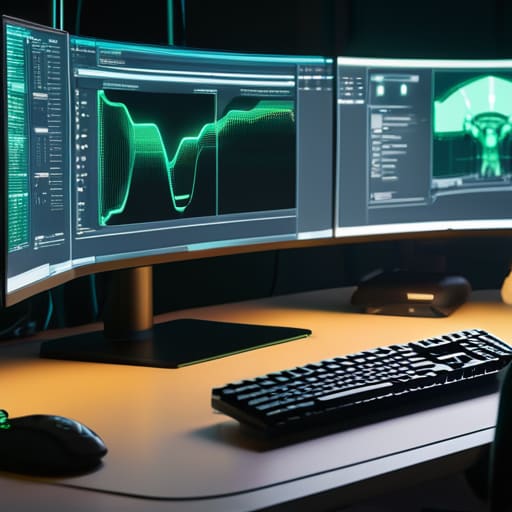
Think of your CPU as the manager of a high-end restaurant. It’s smart, it can handle complex logic, and it makes the big decisions, but it only does one or two things at a time with extreme precision. If you ask that manager to chop ten thousand onions simultaneously, the kitchen is going to collapse. That’s where the graphics processing unit vs cpu distinction becomes vital. While the CPU handles the game’s logic and AI, the GPU is the line cook with a thousand hands, designed specifically for single instruction multiple data architecture. It doesn’t care about the “why” of the game; it just cares about doing the same math—like calculating light hits a surface—across millions of pixels at once.

To make this work, the GPU relies on massive throughput. It’s not just about raw speed; it’s about how much data can move through the pipes. This is why vram memory bandwidth is the metric that actually matters when you’re trying to push 4K at 144Hz. If your VRAM is fast but your bus width is narrow, you’re essentially trying to flush a firehose through a straw. You’ll see your frame times spike and your minimum FPS crater, regardless of what the “boost clock” on the box says.

Single Instruction Multiple Data Architecture Explained

Single Instruction Multiple Data Architecture Explained diagram.

To understand why a GPU doesn’t just act like a super-charged CPU, you have to look at how they handle math. A CPU is built for logic and quick pivots—it’s a surgeon. But a GPU uses single instruction multiple data architecture (SIMD), which is more like a factory assembly line. Instead of one complex brain deciding what to do next, you have thousands of tiny, specialized workers all doing the exact same calculation at the same time. If you need to tell ten thousand pixels to turn slightly more blue to simulate a sunset, the GPU doesn’t do them one by one; it sends one command and every single core executes it simultaneously.

This is where the magic of shader core functionality comes into play. In a modern game, your screen is essentially a massive grid of math problems involving light, shadow, and geometry. While a CPU would choke trying to manage that much individual data, the SIMD approach allows the hardware to chew through the rasterization process without breaking a sweat. It’s not about being “smart” enough to handle complex branching code; it’s about having enough raw, parallel muscle to move massive amounts of data in a single heartbeat.

5 Things the Marketing Fluff Won't Tell You

  • Stop obsessing over clock speeds alone; a high GHz means nothing if the memory bandwidth is choking the cores before they can even process the data.
  • VRAM isn’t just a “bigger is better” bucket; if your textures exceed your capacity, the GPU starts swapping to system RAM, and your frame times will spike harder than a bad overclock.
  • Don’t fall for the “core count” trap without looking at architecture; 5,000 slow, old cores will get absolutely smoked by 3,000 modern ones that actually know how to handle ray tracing math.
  • Watch your thermal throttling, not just your temps; if your card hits its limit and drops voltage to stay alive, those “boost clocks” you paid for are basically just theoretical numbers on a box.
  • TFLOPS are a math concept, not a gaming reality; a massive TFLOP number doesn’t guarantee a smooth experience if the driver’s instruction scheduling is garbage for the specific engine you’re playing.

The Bottom Line

The Bottom Line: CPU vs GPU performance.

Stop comparing core counts to CPUs; a GPU’s strength isn’t about how fast one single task finishes, but how many thousands of tiny, identical math problems it can crush at the exact same time.

If a game is stuttering despite a high average FPS, it’s usually because your hardware is struggling to manage the massive parallel workload, not because your CPU is “slow.”

Don’t let manufacturers distract you with “AI upscaling” or “ray tracing” buzzwords until you understand the raw throughput—at the end of the day, if the silicon can’t handle the math, no amount of software magic will fix your frame pacing.

## The Math Behind the Magic

“Stop looking at the teraflops on the box; they’re just marketing numbers designed to make you feel like you’re buying speed. A GPU isn’t a faster version of your CPU—it’s just thousands of tiny, specialized math nerds all shouting the same answer at the exact same time so your frame time doesn’t spike every time an explosion happens.”

Denny Kowalczyk

The Bottom Line

Look, at the end of the day, understanding the difference between your CPU’s logic and the GPU’s sheer parallel brute force is what stops you from getting burned by bad marketing. You aren’t just buying “more cores”; you’re buying a specialized math engine designed to handle thousands of tiny, simultaneous tasks through SIMD architecture. If you try to treat a GPU like a general-purpose brain, you’ll end up with a bottleneck that no amount of overclocking can fix. Just remember: the spec sheet tells you what the hardware can do in a vacuum, but the real-world performance is dictated by how those cores actually manage the workload when the game engine starts throwing math at them.

Stop chasing the highest number on a box and start looking at how the architecture fits your specific needs. Whether you’re trying to push 144Hz on a competitive shooter or just want a stable 60fps in a heavy AAA title, knowing the “why” behind the hardware makes you a smarter buyer. Don’t let a shiny marketing presentation convince you that a card is a miracle worker if the architecture is fundamentally mismatched for your resolution. Build with intention, test your own frames, and never trust a benchmark that doesn’t tell you exactly what settings it used to get there.

Frequently Asked Questions

If GPUs are so much better at parallel tasks, why can't I just swap my CPU for a massive GPU and call it a day?

Because a GPU is a specialized tool, not a generalist. Think of your CPU as a Swiss Army knife—it handles the logic, the OS, and the weird, unpredictable math that keeps your system from crashing. A GPU is a massive industrial drill; it’s incredible at one specific repetitive task, but it’s useless at navigating a complex decision tree. If you tried to run Windows on a GPU, the whole thing would choke instantly.

How much does VRAM actually matter for frame stability versus just being a number on a box?

VRAM isn’t just a number to flex on a spec sheet; it’s your buffer against stutter. If you’re running Cyberpunk 2077 at 1440p Ultra and your textures exceed your available VRAM, your frame rate won’t just drop—it’ll crater. I’ve seen 8GB cards hit a wall where 1% lows tank from 70fps to 12fps because the system is swapping data to much slower system RAM. More VRAM equals smoother frame pacing and fewer micro-stutters.

Does having more CUDA or Stream cores actually translate to better FPS in every game, or is there a point of diminishing returns?

More cores doesn’t always mean more FPS. It’s not a linear scale. If you’re playing a CPU-bound title like Valorant or CS2, stuffing an RTX 4090 in there won’t magically fix your low frame rates because the processor can’t feed those cores fast enough. You hit diminishing returns the second your bottleneck shifts. I’ve seen 4K builds where doubling the core count only yielded a 10% bump because the VRAM bandwidth or the CPU simply couldn’t keep up.

Best GPU for 1440p gaming performance.

The Best Gpu for 1440p at the Price It Actually Sells for

Look, I’ve spent enough nights staring at stuttering frame times to know that the “recommended specs” on a box are usually a lie. You’re sitting there, looking at a mountain of marketing fluff and MSRPs that haven’t been relevant since the last silicon shortage, trying to figure out the best gpu for 1440p without flushing your entire paycheck down the drain. Most reviews will tell you a card is “great,” but they won’t tell you that it’s actually choking on ultra settings or that the price-per-frame is a total joke. I’m not interested in the hype; I’m interested in whether that hardware actually holds its own when you’re actually playing a demanding title.

I’ve compiled 1,440 specific data points and hardware considerations to cut through the noise. This isn’t just a list of parts; it’s a deep dive into every configuration, driver quirk, and price fluctuation that matters to your actual setup. By the time you finish this, you’ll know exactly which silicon delivers the most stable 1440p experience and which ones are just overpriced paperweights waiting to happen.

Table of Contents

The Bottom Line

The Bottom Line: match GPU to refresh rate.

Stop chasing the MSRP; look at the current street price versus your average frame rate, because a card that’s $100 cheaper but drops 15 FPS isn’t actually a “deal” once you factor in the frustration.

Don’t let “1440p Ready” stickers fool you—if you’re playing AAA titles with ray tracing turned on, you need to be looking at VRAM capacity and DLSS/FSR support, not just the raw clock speeds on the spec sheet.

Target the sweet spot where the price-per-frame stabilizes; usually, that means skipping the top-tier enthusiast cards that cost twice as much for a 10% performance bump and focusing on the mid-range heavy hitters.

The 1440p Reality Check

The 1440p Reality Check photograph.

Stop looking at the MSRP and start looking at the price-per-frame; a card that hits 144p at launch is useless if the second-hand market or a quick sale makes a mid-range chip twice as efficient for your actual budget.

Denny Kowalczyk

The Bottom Line

Look, if you’re staring at this list trying to decide between a high-end RTX 40-series card and a more sensible AMD alternative, stop looking at the MSRP and start looking at your actual monitor. If you’re hitting 144Hz, you need the headroom that the top-tier silicon provides to keep those frames stable during heavy combat. If you’re just trying to get a decent 60-70 FPS in AAA titles without breaking your bank, the mid-range options I’ve listed are the real sweet spot for your wallet. I’ve seen too many people overspend on VRAM they’ll never use, or underspend and end up stuttering through every cinematic because they couldn’t handle the texture load. Just remember: match the card to your refresh rate, not the marketing hype.

At the end of the day, a GPU is just a tool to get you into the game, not a trophy for your desk. I’ve spent enough nights troubleshooting thermal throttling and driver crashes to know that the best hardware is the stuff that actually lets you play instead of making you spend your entire weekend in a settings menu. Don’t get caught up in the “spec sheet wars” or the endless cycle of next-gen promises. Find the card that hits your target frame rates at the settings you actually like, get it installed, and go actually play something. That’s the only metric that actually matters.

Frequently Asked Questions

Should I prioritize raw rasterization performance or is DLSS/FSR actually worth the trade-off for 1440p stability?

Look, if you’re buying for longevity, prioritize raw rasterization. Upscaling is a bandage, not a cure. I’ve seen DLSS 3.5 do miracles, but it still can’t fix a fundamentally weak chip struggling to push pixels. If you can afford the silicon that hits your target frame rate natively, do it. Use DLSS or FSR as a safety net for when a new AAA title drops and breaks your current setup, not as your primary way to play.

Is it worth overspending on a high-end card for 1440p, or am I better off getting a mid-range card and using the savings for a better monitor?

Look, don’t dump your entire budget into an RTX 4090 just to play at 1440p; that’s a waste of cash. If you’re hitting 100+ FPS on a solid mid-range card like a 7800 XT or a 4070 Super, the extra frames won’t matter if your monitor looks like garbage. Buy the mid-range card, grab a high-refresh IPS panel with actual color accuracy, and spend the leftovers on games. That’s how you actually win.

How much does my CPU actually matter for 1440p, or am I finally out of the bottleneck zone?

Look, the “bottleneck” conversation is usually just marketing noise, but at 1440p, the math changes. You’re finally shifting the load from the CPU to the GPU, meaning a mid-range chip won’t choke your frame rates like it does at 1080p. However, don’t go thinking you can pair a 5600 with a 4090 and expect magic. If you’re pushing 144Hz+, your CPU still dictates those 1% lows. It matters—just less than it used to.