I still remember the look on my buddy’s face when he dropped two grand on an RTX 4080, only to realize his five-year-old quad-core CPU was choking the life out of it. He was staring at a stuttering mess in Cyberpunk 2077, wondering why his “beast” was hitting a measly 45 FPS at 1440p High settings. That’s the industry’s biggest scam: selling you the dream of a high-end GPU without mentioning that if your processor can’t keep up, you’re essentially buying a Ferrari to drive in a school zone. If you’re sitting there wondering what is bottlenecking and why your expensive hardware feels like it’s running through molasses, you aren’t crazy—you’ve just been lied to by a spec sheet.
I’m not here to give you a textbook definition or some vague “it depends” nonsense that wastes your time. I’m going to strip this down to the actual math and the real-world impact on your frames. I’ll show you how to spot the choke points in your own rig, how to read your usage stats like a pro, and—most importantly—how to spend your money on the parts that actually move the needle. No fluff, no hype, just the numbers.
Table of Contents
How to Identify Hardware Bottlenecks Before You Waste Cash
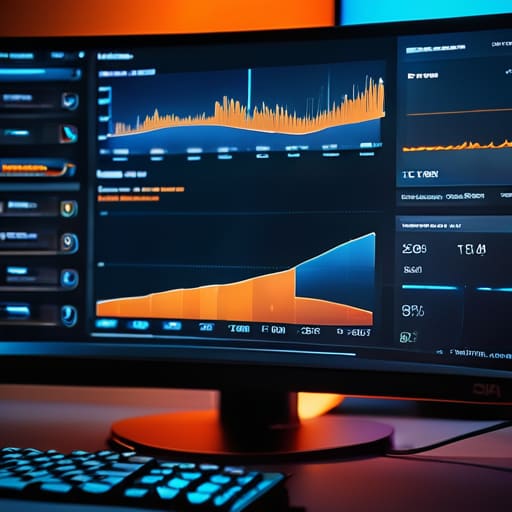
You don’t need a degree in computer science to spot a system component imbalance; you just need to look at your telemetry while you’re actually playing. If you’re running a heavy title like Cyberpunk 2077 at 1440p High settings and your GPU usage is hovering around 60% while your CPU is pinned at 95%, you aren’t getting the performance you paid for. That gap is your smoking gun. I always keep MSI Afterburner running in the background because seeing those real-time graphs is the only way to truly understand how to identify hardware bottlenecks without guessing.
If you notice sudden, stuttery frame rate drops causes that feel like your game is tripping over its own feet, stop looking at your cooling and start looking at your parts. A high-end RTX 4080 is basically a paperweight if it’s being fed data by a budget CPU that can’t keep up. To stop wasting cash, you have to check the utilization percentages of every single part during a heavy combat scene or a dense city traversal. If one part is screaming and the others are chilling, you’ve found your culprit.
System Component Imbalance When Your Parts Stop Talking
Think of your PC like a relay race. If you hand an Olympic baton to a toddler, it doesn’t matter how fast the first runner was; the race is going to stall. That’s basically what system component imbalance looks like in practice. You can drop $1,200 on an RTX 4080 Super, but if you’re pairing it with a four-year-old budget CPU, that GPU is essentially just an expensive paperweight waiting for instructions that never come fast enough. I’ve seen it a dozen times in builds I’ve helped friends put together: the GPU sits at 40% utilization while the CPU is screaming at 100%, and suddenly your smooth 144Hz experience turns into a stuttering mess.
This lack of PC component synergy is the primary driver behind those sudden, unexplainable frame rate drops causes that drive gamers insane. It isn’t always a software bug or a bad driver; often, it’s just your hardware failing to communicate. When one part hits its ceiling, the entire pipeline chokes. You aren’t just losing average frames; you’re losing the consistency required for competitive play.
5 Ways to Stop Leaving Performance on the Table
- Stop trusting the “bottleneck calculators” online. Most of those sites are just glorified math equations that don’t account for how your specific Windows install or background apps actually behave. If you want the truth, open MSI Afterburner, run your heaviest game at 1440p High settings, and look at your GPU usage. If that number is sitting at 60% while your CPU is screaming at 95%, you’ve found your problem.
- Match your resolution to your hardware. If you’re trying to play Cyberpunk 2077 at 1080p on a top-tier RTX 4090, you aren’t actually testing the GPU; you’re just testing how fast your CPU can feed it instructions. Moving up to 1440p or 4K shifts the workload back onto the graphics card where it belongs, which is usually the part you actually spent the most money on.
- Watch your 1% lows, not just the average FPS. A game might average 100 FPS, but if your CPU is struggling to keep up with the game logic, you’ll see those massive, immersion-breaking stutters where the frame rate drops to 15 for a split second. That’s the classic symptom of a CPU bottleneck that an “average FPS” number will happily hide from you.
- Don’t ignore your RAM speed and latency. You can have a beast of a CPU, but if you’re running single-channel memory or some budget sticks with garbage timings, you’re essentially putting a speed limiter on your processor. I’ve seen builds where upgrading from 2133MHz to 3600MHz RAM gave a better stability boost than swapping the actual CPU.
- Check your thermal throttling before you blame your specs. If your CPU or GPU hits its thermal limit and starts downclocking to save itself from melting, it’s going to act like a massive bottleneck. If your frame rates start tanking twenty minutes into a session, it’s probably not a component imbalance—it’s just that your case airflow is trash or your thermal paste is a decade old.
The Bottom Line on Avoiding the Bottleneck Trap
Stop chasing “best in class” parts without checking the math; a top-tier GPU paired with a budget CPU is just an expensive paperweight that spends half its time waiting for instructions.
Use real-world monitoring tools like MSI Afterburner to check your actual usage percentages—if your GPU is sitting at 60% while your CPU is pinned at 100%, you’ve found your culprit.
Prioritize balance over peak specs, because a well-rounded mid-range build will almost always deliver a more consistent frame time than an unbalanced rig with one overkill component.
## The Real Cost of Imbalance
“Bottlenecking isn’t some mysterious math equation; it’s just your expensive GPU sitting there at 40% utilization, waiting on a CPU that can’t feed it fast enough. You aren’t paying for high-end performance if you’re buying a Ferrari engine and pairing it with a lawnmower transmission.”
Denny Kowalczyk
Stop Chasing Ghost Specs
At the end of the day, avoiding a bottleneck isn’t about buying the most expensive part on the shelf; it’s about making sure your components actually work as a team. I’ve seen too many people drop an extra $300 on a top-tier GPU only to realize their five-year-old CPU is pinning at 100% usage while the graphics card is just idling at 40%. You aren’t getting more frames; you’re just getting a more expensive paperweight. Check your usage stats, look at your 1% lows, and stop believing the marketing hype that says a higher number on a box automatically equals a better experience. If your CPU is choking, a better GPU won’t save your frame rate, no matter how much you want it to.
Building a PC should be about getting the most value out of every single dollar you’ve scraped together. Don’t let the “spec sheet lie” dictate your budget. Instead, aim for a balanced ecosystem where every part is pulling its weight. Whether you’re chasing 144Hz for esports or just want a smooth 60FPS in a massive RPG, the goal is consistency, not just peak numbers that disappear the moment a heavy scene hits the screen. Build smart, test your actual numbers, and don’t pay for performance you can’t actually use.
Frequently Asked Questions
If I see my CPU usage hitting 100% while my GPU is idling at 40%, is that a guaranteed bottleneck or just a poorly optimized game?
It’s a massive red flag, but not a 100% guarantee. If your CPU is pinned at 100% while the GPU is chilling at 40%, your processor is definitely struggling to feed instructions to the graphics card. That’s a bottleneck. However, if it’s a single-threaded mess—like an unoptimized port where one core is screaming and the others are asleep—it might just be bad code. Check your per-core usage; if one core is maxed, it’s the game’s fault.
Can I actually fix a bottleneck with software settings, or am I stuck buying new hardware to see any real FPS gains?
Look, you can’t software-patch a hardware limitation, but you can shift the weight. If your CPU is hitting 100% while your GPU sits at 40%, you’re CPU-bound. Crank your resolution or graphical settings higher; it sounds counterintuitive, but it forces the GPU to work harder and can actually smooth out those stuttery frame times. If you’re GPU-bound, then yeah, you’re stuck. Lowering settings helps, but it won’t fix a fundamentally mismatched rig.
Does a bottleneck matter as much in esports titles like Valorant or CS2, or is it only a problem when I'm trying to run AAA cinematic games?
It actually matters more in esports. In a cinematic AAA game, your GPU is doing the heavy lifting to make things look pretty, so a slight CPU drag might go unnoticed. But in Valorant or CS2, you aren’t chasing graphics; you’re chasing frame times and low latency. If your CPU is choking, your 1% lows will tank, causing those micro-stutters that ruin a clutch. If you’re aiming for 400Hz, your CPU is the bottleneck.
