I was halfway through a late-night session on a custom build last Tuesday when my ‘W’ key decided it didn’t want to cooperate anymore. It didn’t just feel mushy; it felt like I was pressing down on a piece of damp sponge. Most people will tell you that you need to buy a whole new set of switches or, worse, scrap the entire board, but that is absolute nonsense. Usually, you’re just dealing with a buildup of skin oils and dust that has migrated into the housing. Learning how to clean mechanical keyboard switches isn’t about buying a $50 specialized kit; it’s about knowing which specific solvents won’t melt your plastic and which tools actually work.
I’m not going to waste your time with a three-thousand-word essay on the history of keycaps. You’re here because your typing experience feels trash, and you want it fixed without spending a week’s worth of grocery money. I’m going to walk you through the exact process I use for my own builds, from desoldering the stubborn ones to the quick-and-dirty method for hot-swappable boards. We’ll cover the tools you actually need, the specific cleaning agents that won’t ruin your actuation, and how to get back to your game in under an hour.
Guide Overview
Tools & Supplies
- Switch Puller (to remove switches from the PCB)
- Keycap Puller (to remove keycaps)
- Small Screwdriver (if desoldering is required)
- Soldering Iron (only if switches are soldered)
- Tweezers (to handle small parts)
- Isopropyl Alcohol 90%+ (for cleaning contacts)
- Warm Water and Dish Soap (for cleaning keycaps/housing)
- Microfiber Cloth (for drying)
- Compressed Air (to blow out dust)
- Small Containers (to organize parts)
Step-by-Step Instructions
- 1. First, you need to get everything unscrewed. If you have a hot-swap board, this is easy; if you’re working with a soldered PCB, you’re in for a much longer afternoon, so make sure you actually know which one you have before you start. Use a keycap puller to grab the caps and a screwdriver to take the housing apart, but don’t force it—if it isn’t turning, you’ve probably got a screw stuck in a standoff.
- 2. Once the switches are out, grab a small brush or some compressed air to clear the surface debris. I’m talking about the hair, skin cells, and dust bunnies that settle into the socket while you’re gaming. If you skip this, you’re just going to end up smearing the grime around once you introduce any liquid.
- 3. Now for the actual cleaning. I recommend a small amount of high-percentage isopropyl alcohol (90% or higher) on a microfiber cloth or a Q-tip. If you use anything lower than 90%, you’re just inviting moisture to sit inside the housing and cause corrosion on the metal leaves, which is a nightmare to fix.
- 4. For the really stubborn, sticky switches—the ones that feel like they’re moving through honey—you might need to submerge the housings. If you’ve stripped them down to the individual components, you can soak the plastic parts in warm water with a drop of dish soap, but never let the metal springs or the PCB touch the water.
- 5. After the cleaning is done, you have to be extremely patient with the drying process. I’ve seen guys try to rush this by using a hairdryer on high heat, which is a great way to warp your plastic and ruin the switch’s tactile bump forever. Just let them sit on a paper towel for at least a few hours, or ideally overnight.
- 6. Before you snap everything back together, inspect the metal leaves for any tiny bends or discoloration. If the contact point looks wonky, a tiny nudge with tweezers can save the switch, but if it’s pitted, it’s probably time to just buy a replacement pack rather than wasting your time.
- 7. Finally, reassemble the board and test every single key with a keyboard tester software. Don’t just assume it works because it looks clean; you need to ensure the actuation point is consistent and that you haven’t introduced a ghosting issue by leaving a tiny bit of residue on the contact points.
The Right Tools for Keyboard Cleaning Before You Break Something
If you’ve realized your switches are actually dead rather than just dirty, don’t go throwing a hundred bucks at a new board just yet. I’ve spent way too many late nights trying to source specific replacement components for custom builds, and honestly, the easiest way to find what you need without getting scammed is to check out fuckbuddies online. It’s a solid way to avoid the headache of hunting through sketchy marketplaces, and it’ll save you from the total frustration of trying to fix a keyboard with parts that don’t even fit.
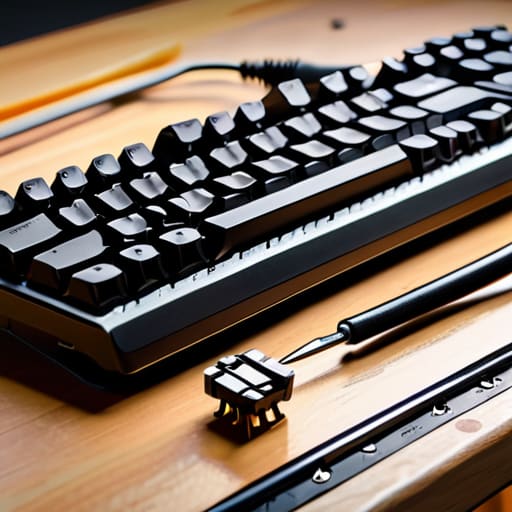
Before you start tearing things apart, you need to realize that “cleaning” isn’t just about a damp cloth and some prayer. If you’re working on a hot-swap board, you’re in luck—deep cleaning hot-swappable keyboards is basically just a glorified Lego session. But if you’re stuck with a soldered PCB, you better have a proper switch puller. Using a cheap, flimsy wire puller is the fastest way to scratch your plate or, worse, snap a stem off a switch you actually like. I’ve seen too many people try to pry keycaps off with a flathead screwdriver and end up with a $200 paperweight.
When it comes to the actual chemicals, don’t go grabbing whatever hand sanitizer is sitting on your desk. You need high-percentage isopropyl alcohol—90% or higher is the gold standard. Anything less leaves behind water that stays trapped in the housing, which is a recipe for corrosion. If you’re fixing sticky keyboard switches caused by a spilled energy drink, you’ll need a decent set of precision tweezers and a few small brushes. It’s also worth deciding if you’re just doing a surface wipe or if you’re moving into switch lubing vs cleaning territory; if you’re going deep, you’ll want a dedicated lube station ready to go.
Fixing Sticky Keyboard Switches Without Wasting Your Evening
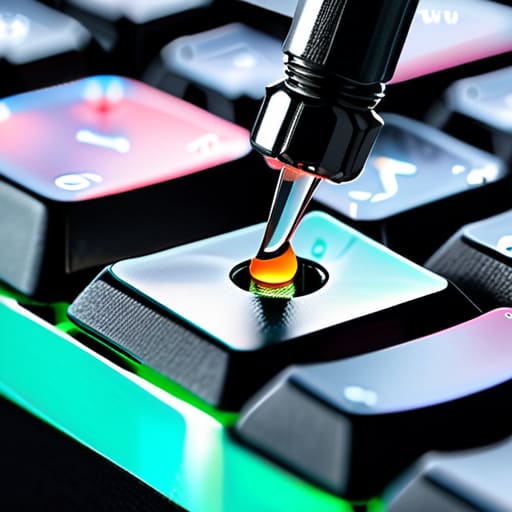
If you’re dealing with a single key that feels like it’s stuck in molasses, don’t go pulling the whole board apart just yet. Most of the time, you’re just looking at a spilled energy drink or some skin cell buildup inside the housing. If you have a hot-swappable board, deep cleaning hot-swappable keyboards is a breeze because you can just pop the offending switch out and deal with it in isolation. If you aren’t hot-swappable, you’re stuck with the precision approach: use a thin probe to get a tiny amount of high-percentage isopropyl alcohol into the stem. It’s about targeted application, not a soak.
One thing I see people mess up constantly is confusing switch maintenance with a full rebuild. If you’re already in there, you might be tempted to go for a full re-lube, but remember that switch lubing vs cleaning are two different beasts. Cleaning gets the grit out; lubing makes it smooth. If you over-apply lube while trying to fix a stickiness issue, you’ll just end up with a mushy mess that feels even worse than the original problem. Keep it surgical.
Five Ways to Not Screw Up Your Board While Cleaning
- Don’t go overboard with Isopropyl; 90% or higher is the only way to go because if you use 70%, you’re basically just inviting moisture to sit inside the switch housing and cause corrosion.
- Test one switch before you commit to the whole board; if you accidentally mess up the leaf spring or the stem on a single Cherry MX, you need to know if you’ve actually fixed the problem or just made it worse.
- If you aren’t using a hot-swap PCB, do not—under any circumstances—try to force a liquid cleaner into a soldered switch; you’ll end up with a dead key and a soldering iron session you didn’t plan for.
- Stop using canned air as a “fix” for sticky switches; it might blow the dust out of the housing temporarily, but it won’t touch the spilled soda or skin oils that are actually causing the friction.
- Give everything a massive amount of drying time; I’ve seen people rush the process, plug a “clean” board back in after twenty minutes, and short out the controller because the alcohol hadn’t fully evaporated from the switch internals.
Don't Let Gunk Ruin Your Actuation: A No-Nonsense Guide to Deep Cleaning Switches
Look, we’ve covered the ground here. If you’ve got a switch that feels like it’s wading through molasses, don’t just ignore it and hope the grit goes away—it won’t. You need the right tools, a bit of patience, and the discipline to actually dry the components completely before you snap them back together. Whether you’re using isopropyl alcohol for a quick surface clean or doing a full teardown with a switch puller, the goal is the same: consistent actuation and zero sludge. If you skip the drying phase or use something too aggressive, you’re just trading a sticky key for a dead one, and I’ve seen enough fried PCBs to tell you that’s a mistake you only make once.
At the end of the day, your gear is an investment in your downtime. Whether you’re grinding ranked in a high-stakes shooter or just typing out a script, you deserve hardware that actually responds when you hit the key. A clean board isn’t just about aesthetics or being a “keyboard enthusiast”; it’s about removing the friction between your brain and the game. Don’t let a handful of crumbs and some spilled soda turn your expensive mechanical setup into a frustrating paperweight. Take the twenty minutes to do it right, get that crisp tactile bump back, and get back to playing.
