I spent three hours last week watching a tech reviewer try to explain foveated rendering using nothing but buzzwords and a $3,000 workstation that didn’t even show a frame time graph. It was painful. Most of these “deep dives” treat you like you’ve never seen a GPU before, burying the actual utility under layers of marketing fluff. If you’re sitting there wondering what is foveated rendering without wanting a lecture on theoretical computational geometry, you’re in the right place. It isn’t magic, and it isn’t a replacement for a better chipset; it’s just a clever way to stop your hardware from wasting energy on pixels you aren’t even looking at.
I’m not here to sell you on a spec sheet or rewrite a press release. I’m going to break down how this tech actually behaves when you’re mid-raid or navigating a dense open world. I’ll tell you exactly where the visual artifacts show up, how much of a performance bump you can actually expect in real-world scenarios, and whether the trade-off in peripheral clarity is something you can actually live with. No hype, just the numbers.
Table of Contents
- Visual Acuity and Peripheral Vision Exploiting Your Brains Blind Spots
- Gpu Optimization Techniques Stop Wasting Cycles on What You Cant See
- How to Not Waste Your Money on Foveated Rendering Hype
- The Bottom Line: Is It Actually Worth the Hype?
- ## The Bottom Line on Rendering Efficiency
- The Bottom Line: Is It Worth the Hype?
- Frequently Asked Questions
Visual Acuity and Peripheral Vision Exploiting Your Brains Blind Spots
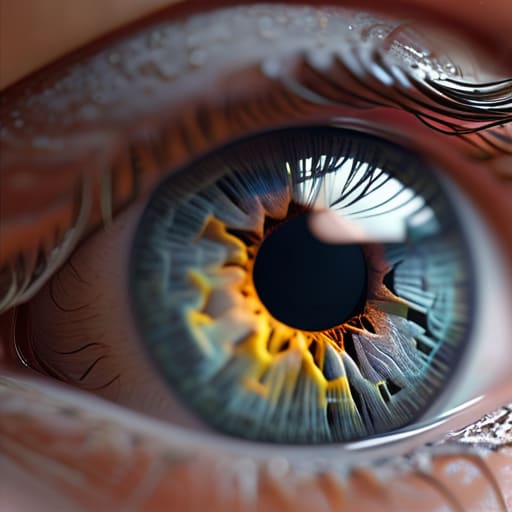
To understand why this works, you have to look at how your eyes actually function. You don’t see the world in 4K from edge to edge; your brain is a liar. Your visual acuity and peripheral vision are totally different beasts. You have this tiny little spot in the center of your retina called the fovea that handles all the high-detail, sharp stuff. Everything else in your periphery is basically a blurry, low-res mess that your brain just “fills in” so you don’t lose your mind.
Foveated rendering essentially exploits this biological loophole. Instead of wasting massive amounts of power on every single pixel in your headset, the system focuses its heavy lifting exactly where your eyes are pointing. When you compare foveated rendering vs traditional rendering, the difference in efficiency is insane. Traditional rendering treats every pixel like it’s the most important thing in the world, which is why your GPU starts screaming the second you load into a dense forest. By only rendering the center of your gaze at full resolution, we can stop the hardware from sweating over the pixels you aren’t even looking at.
Gpu Optimization Techniques Stop Wasting Cycles on What You Cant See

Here’s the deal with the math: traditional rendering is a brute-force method. Your GPU treats every single pixel in your field of view as equally important, pushing massive amounts of data to render the edges of your vision where your eyes literally can’t perceive the detail. It’s a massive waste of cycles. By using GPU optimization techniques like foveated rendering, we stop the hardware from sweating over pixels that are essentially just a blur to your brain. Instead of a uniform, heavy load, we concentrate the heavy lifting exactly where you’re looking.
The real magic happens when you move from fixed foveated rendering vs dynamic setups. Fixed foveated rendering is the “budget” version—it just lowers the resolution in a set area (like the corners of the lens), which works okay until you move your eyes and see the pixelation. But if you have a headset with integrated eye-tracking technology in VR, you get the dynamic version. This tracks your pupils in real-time, shifting the high-resolution sweet spot instantly. It’s the difference between a game feeling like a blurry mess and feeling like a high-end, native experience without the massive hardware tax.
How to Not Waste Your Money on Foveated Rendering Hype
- Don’t buy into the “magic fix” lie. Foveated rendering is a tool for optimization, not a way to make a mid-range GPU run Cyberpunk at 4K 144Hz. If your hardware is already hitting your target frame rate, you don’t need this tech; if it’s not, this might give you a 15-20% headroom boost, but it won’t turn a potato into a beast.
- Eye-tracking is the gold standard. There’s a massive difference between “Fixed Foveated Rendering” (FFR), which just blurs the edges of your screen regardless of where you look, and “Dynamic Foveated Rendering” (DFR) that uses eye-tracking sensors. If you’re spending big on a headset, make sure it actually tracks your pupils, otherwise you’re just playing a game with permanent peripheral blur.
- Check your peripheral clarity. If you’re testing a VR headset or a game with DFR enabled, look at the edges. If you see “shimmering” or pixel crawling in your periphery, the optimization is being too aggressive. It’s better to lose a few frames than to feel like you’re playing through a dirty window.
- Watch your settings, not just the marketing. Some games let you toggle the intensity of foveated rendering. I’ve seen setups where the “High” setting makes the edges so low-res it actually triggers motion sickness. If it feels weird, dial it back—the extra 5 FPS isn’t worth the headache.
- Hardware compatibility is everything. You can’t just download an app to make this work. You need the specific GPU architecture (look for Variable Rate Shading support) and, for the best results, a headset with integrated eye-tracking. If your gear doesn’t support it, stop reading the spec sheets and save your cash for a better monitor.
The Bottom Line: Is It Actually Worth the Hype?
Foveated rendering isn’t magic; it’s just smart resource management that stops your GPU from burning cycles on pixels your eyes can’t even process.
If you’re running a high-end VR headset or a heavy sim, this tech is the difference between a smooth 90 FPS and a nauseating slideshow.
Don’t fall for the marketing fluff—always check if the implementation is hardware-based (eye-tracking) or software-based (fixed), because the performance jump varies wildly between the two.
## The Bottom Line on Rendering Efficiency
“Look, foveated rendering isn’t some magic pixie dust that makes your hardware better; it’s just a smart way of admitting your GPU shouldn’t be working overtime to render high-fidelity textures in your peripheral vision where your eyes literally can’t process the detail anyway.”
Denny Kowalczyk
The Bottom Line: Is It Worth the Hype?

At the end of the day, foveated rendering isn’t some magic wand that turns a GTX 1060 into a 4090, but it is a massive win for efficiency. We’ve looked at how it exploits your eye’s natural blind spots and how it stops your GPU from wasting precious cycles on pixels that are basically just a blur in your periphery anyway. If you’re playing in VR or using high-end eye-tracking tech, this is the difference between a smooth 90Hz experience and a nauseating slideshow. It’s about allocating your hardware’s power exactly where it matters most, rather than letting your card sweat over details your brain isn’t even processing.
We’re moving into an era where raw horsepower isn’t the only way to get better performance; it’s about working smarter, not harder. As headsets get lighter and games get more complex, tech like this will be the backbone of how we actually experience digital worlds without needing a liquid-cooled rig the size of a small fridge. Don’t get distracted by the marketing fluff or the “next-gen” buzzwords—just look for the tech that actually maximizes your frames per second while keeping the image crisp where you’re actually looking. That’s the only metric that actually matters when you’re mid-session.
Frequently Asked Questions
Does this tech actually cause noticeable blurring or "shimmering" in my peripheral vision while I'm playing?
The short answer? Yes, you will see it, but it shouldn’t look like a smeared mess. If it’s implemented right, the blurring stays in your periphery where your brain already filters out detail. If you see “shimmering” or distracting pixel crawling, the transition zone is too aggressive or the eye-tracking is lagging. That’s a bad implementation, not a flaw in the tech. If it’s distracting, it’s trash—turn it off.
Can I use foveated rendering on a standard monitor, or is this strictly a VR/headset-only thing?
Short answer: No. If you’re staring at a flat monitor, foveated rendering is basically useless.
Is there a massive performance jump, or am I just trading a few extra frames for a slightly weireder image?
It’s a bit of both, but mostly it’s about efficiency. If you’re running a high-end headset, the jump is massive because you’re reclaiming cycles that were being wasted on blur. If you’re on mid-range gear, you’ll see the frame rate climb, but you might notice some “shimmering” in your periphery if the eye-tracking isn’t perfect. I’d rather have a stable 90 FPS with slight edge blur than a jittery 60 FPS that makes me nauseous.
