I spent three hours last night staring at a “next-gen” ray tracing demo, watching my RTX 4080 struggle to maintain even a stable 45 FPS because the devs thought every single pebble needed a bounce light calculation. It’s the same old story: marketing departments scream about revolutionary tech, but when you actually look at how lighting is rendered in a real-world environment, most of it is just expensive, unoptimized fluff designed to sell more hardware. They want you to believe that more math equals more immersion, but usually, it just means your fans are screaming and your frame times are a complete mess.
I’m not here to repeat the glossy press releases or explain the math like a textbook. I’m going to strip away the buzzwords and show you what’s actually happening under the hood, from baked shadows to real-time global illumination. My goal is to give you the unfiltered truth about which lighting techniques actually make a game look incredible and which ones are just wasting your GPU cycles. No hype, no fluff—just the reality of what hits your screen.
Table of Contents
- Ray Tracing vs Rasterization Separating Hype From Reality
- Physically Based Rendering Principles You Can Actually Trust
- Stop Buying the Hype: 5 Ways to Spot Real Lighting Performance
- The Bottom Line: Stop Paying for Pixels That Don't Matter
- ## Stop Chasing the Spec Sheet
- Stop Chasing the Spec Sheet
- Frequently Asked Questions
Ray Tracing vs Rasterization Separating Hype From Reality

Look, the marketing departments want you to think ray tracing is magic, but it’s really just a massive tax on your GPU. Most games still rely on rasterization, which is basically a clever way of faking depth by projecting 3D objects onto a 2D plane. It’s fast, and it’s why you can hit 144 FPS in a competitive shooter, but it’s fundamentally a series of illusions. To make things look “real,” devs use shadow mapping algorithms and baked-in textures to trick your eyes into seeing volume where there’s actually just a flat polygon.
When you flip the switch to ray tracing, the engine stops guessing and starts actually simulating the path of light. Instead of using old-school tricks, it follows individual rays to calculate how light bounces off surfaces, which is the core of physically based rendering principles. But here’s the reality check: unless you’re running an RTX 4080 or better, that “realistic” light bounce is going to tank your frame rate from a smooth 90 FPS down to a stuttering 35 FPS. You aren’t just paying for better visuals; you’re paying for the hardware overhead required to stop the engine from lying to you.
Physically Based Rendering Principles You Can Actually Trust

Look, you can ignore the marketing buzzwords, but you can’t ignore the math. When devs talk about physically based rendering principles, they aren’t just trying to sound smart; they’re trying to simulate how light actually bounces off a surface instead of just painting a fake glow on top of it. In the old days, everything looked like plastic because the light didn’t “know” if it was hitting brushed aluminum or a muddy puddle. Now, the engine calculates energy conservation—meaning if a surface is dark, it isn’t reflecting much light back at you. It sounds technical, but it’s the difference between a game looking like a high-res cartoon and actually feeling like you’re standing in a room.
I spent a weekend digging into how different engines handle indirect lighting techniques to fill in those gaps where direct light doesn’t reach. It’s easy to get distracted by the shiny stuff, but the real magic happens in the subtle bounces. If a character walks past a red wall, their white shirt should catch a tiny bit of that red tint. If the engine isn’t calculating those secondary bounces correctly, the whole scene feels “floaty” and disconnected. That’s usually where the immersion breaks for me.
Stop Buying the Hype: 5 Ways to Spot Real Lighting Performance
- Ignore the “Ultra” preset during benchmarks. I’ve seen too many people claim a game looks “next-gen” only to realize they’re running at 45 FPS with heavy TAA blurring. Check the lighting settings specifically; often, turning down global illumination by one notch saves you 15 FPS without actually killing the atmosphere.
- Watch the shadow maps, not the reflections. Devs love to brag about ray-traced reflections because they look shiny in screenshots, but if the shadow maps are low-res and flickering, the whole scene feels cheap. If the shadows look like jagged polygons moving through sludge, no amount of shiny water is going to save it.
- Look for “Light Leaking” to test the engine. If you see light bleeding through the corners of a door or a solid wall, the engine is cutting corners on its occlusion math to save your GPU some work. It’s a dead giveaway that they’ve prioritized a high frame rate over actual spatial consistency.
- Don’t trust “Dynamic Lighting” unless it actually affects the gameplay. If a torch or a muzzle flash doesn’t actually cast light onto the environment or change the way objects look in real-time, it’s just a glorified sprite. Real lighting should change the way you perceive the geometry, not just act as a pretty overlay.
- Check the cost of Volumetric Fog. It’s the easiest way to make a scene look “cinematic,” but it’s also a massive resource hog. I’ve tested builds where turning off volumetric lighting bumped the frame rate from 55 to 72 FPS instantly. If you’re playing on a mid-range card, learn to live without the “god rays” to keep your stability.
The Bottom Line: Stop Paying for Pixels That Don't Matter
Don’t chase ray tracing if your frame rate drops from 90 FPS to 45 FPS just to get slightly better reflections on a puddle; if the gameplay feels like a slideshow, the lighting isn’t “next-gen,” it’s a bottleneck.
PBR (Physically Based Rendering) is the real hero here—it’s the difference between a texture looking like a flat sticker and actually reacting to the light in the room, so prioritize games that nail material properties over those that just throw shiny shaders at the screen.
Always check the actual performance cost of “Global Illumination” settings in your specific build; if a game claims “cinematic lighting” but your GPU fans sound like a jet engine just to maintain 60 FPS at 1440p, it’s a bad optimization job, not a masterpiece.
## Stop Chasing the Spec Sheet
I don’t care how many “teraflops” the marketing slide promises if the global illumination looks like a muddy mess the second you turn the settings down to medium; lighting isn’t about how much power you throw at a scene, it’s about whether the shadows actually feel heavy or if they just look like a cheap texture overlay trying to hide a broken engine.
Denny Kowalczyk
Stop Chasing the Spec Sheet
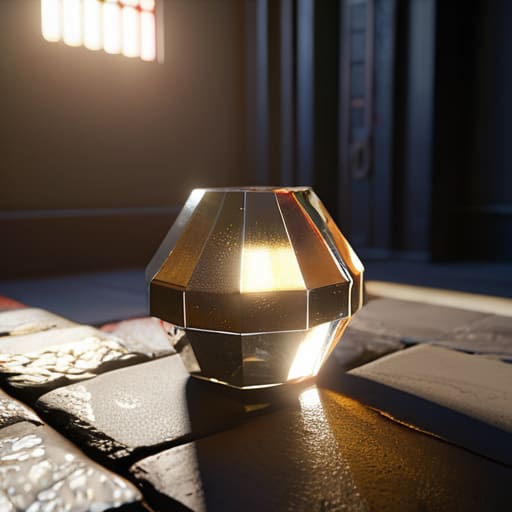
At the end of the day, understanding how lighting works is about knowing when you’re being sold a dream and when you’re actually seeing progress. We’ve looked at how rasterization uses clever math to fake the vibe, how PBR keeps materials from looking like plastic, and why ray tracing is still a massive tax on your GPU that doesn’t always translate to a better experience. If you’re sitting there wondering if you need to drop another $800 on a new card just to see better shadows in a hallway, remember that frame stability matters more than a pretty bounce light. I’d much rather play a game at a locked 60 FPS with decent lighting than watch a slideshow of a masterpiece at 22 FPS because the ray tracing implementation is unoptimized garbage.
Don’t let the marketing departments make you feel like you’re missing out if your rig isn’t pushing every single lighting tech on the menu. The goal isn’t to have the most mathematically perfect light simulation in your living room; the goal is to get lost in the world the devs built. Once you understand the tricks being played on your eyes, you can stop worrying about the “how” and start focusing on the actual atmosphere. Grab your gear, check your settings, and just play the damn game.
Frequently Asked Questions
Is DLSS or FSR actually making my lighting look better, or is it just masking up the artifacts from bad ray tracing?
It’s mostly masking. DLSS and FSR aren’t magic wands that fix broken light math; they’re temporal upscalers. They use data from previous frames to fill in the gaps, which is great for smoothing out the “shimmering” or “boiling” noise you get from low-sample ray tracing. You aren’t getting better lighting; you’re getting a cleaner image of bad lighting. If your native resolution looks like a mess of artifacts, upscaling just makes that mess look high-def.
Does adding more global illumination actually matter if I'm playing on a handheld with a small screen?
Look, if you’re playing on a Steam Deck or an Ally, chasing ultra-high-fidelity global illumination is a waste of your battery life. On a 7-inch screen, those subtle light bounces don’t pop like they do on a 32-inch OLED. I tested Cyberpunk on a handheld; dropping GI settings saved me about 15% frame time without me even noticing the difference in the shadows. If you want stability, prioritize raw FPS over light physics.
At what point does cranking up the lighting settings stop giving me better visuals and just start tanking my 1% lows?
You hit the wall the moment your 1% lows drop more than 15% below your average FPS. If you’re averaging 90 FPS at High but your 1% lows are cratering to 35 during an explosion, you aren’t “seeing” better—you’re just feeling the stutter. I usually cap settings when the frame pacing gets uneven. If the visual jump from Medium to Ultra doesn’t justify a 20% hit to your stability, leave the slider alone.
