I still remember the first time I tried to play a rhythm game with one of those early-gen motion controllers; I wasn’t just dancing, I was sweating through my shirt and still getting a “miss” notification because the sensor couldn’t tell the difference between a deliberate swing and me just trying not to trip over my rug. Most tech reviewers will look at a spec sheet and tell you that “unprecedented immersion” is just a flick of the wrist away, but they never mention the input lag that turns a boss fight into a frustrating mess. If you’re actually trying to figure out how motion controls work without the marketing fluff, you need to stop listening to the people who get free hardware and start looking at the actual hardware limitations.
I’m not here to sell you on the “magic” of movement; I’m here to break down the accelerometers and gyroscopes that are actually doing the heavy lifting. I’ll explain the difference between a sensor that tracks your intent and one that just tracks your chaos, so you know exactly what you’re paying for. My goal is to give you the no-nonsense reality of the tech, stripped of the hype, so you can decide if a controller is a precision tool or just an expensive piece of plastic destined for your junk drawer.
Table of Contents
- Mems Technology in Controllers the Real Hardware Inside
- Degrees of Freedom Motion Sensing More Than Just Marketing
- Don't Get Scammed: 5 Things to Check Before You Buy Into Motion Tech
- The Bottom Line: Is Motion Control Actually Worth the Hype?
- The Gap Between Marketing and Reality
- The Bottom Line on Motion Tech
- Frequently Asked Questions
Mems Technology in Controllers the Real Hardware Inside
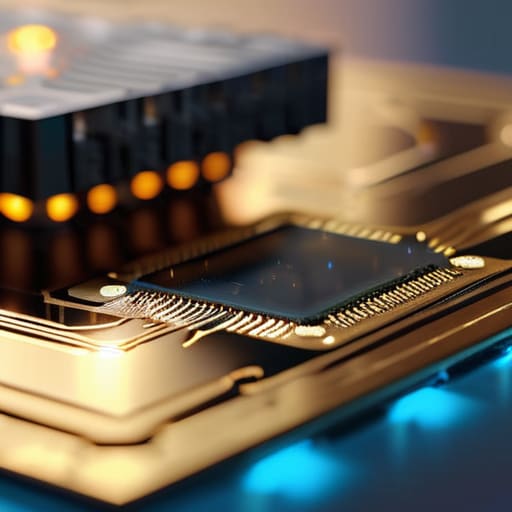
If you crack open a modern controller, you aren’t going to find some magical crystal that reads your mind. You’re looking at tiny silicon chips utilizing MEMS technology in controllers—Micro-Electro-Mechanical Systems. These are microscopic mechanical structures etched directly into the silicon. Think of them like microscopic diving boards; when you tilt the controller, these tiny structures flex, changing their electrical capacitance. That change is what tells the console you’ve just flicked your wrist to aim a bow.
The real heavy lifting, though, happens through sensor fusion in gaming. A single sensor is garbage; it’s prone to drift and noise that’ll make your character spin in circles for no reason. To fix this, the hardware combines data from accelerometers (which track linear movement) and gyroscopes (which track rotation). This process is what provides your actual degrees of freedom. If the math behind this fusion is sloppy, you get massive latency in motion tracking, turning a precision shooter into a frustrating mess of delayed inputs. I’ve seen enough cheap third-party controllers to know that when the sensor fusion is bad, the hardware is basically just a paperweight.
Degrees of Freedom Motion Sensing More Than Just Marketing
When you see a box claiming “unprecedented immersion,” what they’re actually talking about is degrees of freedom motion sensing. In the simplest terms, a 3DOF controller knows you’re rotating it, but it has no clue where you are in the room. If you want to lean into a corner or aim a sniper rifle by actually moving your arm, you need 6DOF. This requires a more complex setup where the hardware tracks both your rotation and your actual position in 3D space.
The magic—and the headache—happens through sensor fusion in gaming. Your controller isn’t just relying on one chip; it’s pulling data from accelerometers and gyroscopes simultaneously to figure out what you’re doing. If the math behind that fusion is sloppy, you get massive latency in motion tracking, which is a death sentence in an esports title. I’ve played through enough laggy boss fights to know that if the sensor can’t keep up with your hand movement, the tech isn’t “revolutionary”—it’s just a gimmick that’s going to make you lose.
Don't Get Scammed: 5 Things to Check Before You Buy Into Motion Tech
- Check the polling rate, not just the “precision.” If the controller is only sending data to the console every 15ms, you’re going to feel the input lag during a parry attempt, no matter how many fancy sensors they claim are inside.
- Look for “drift” in the reviews, not the marketing. MEMS sensors are tiny and sensitive; if a manufacturer used cheap components, that “subtle tilt” will turn into your character walking into a wall for no reason after three weeks of play.
- Ignore the “1:1 immersion” claims. Real-world physics and game engines rarely sync perfectly. If a game requires high-speed, twitchy motion movements (like a VR sword fight), ensure the hardware supports high-frequency sampling or you’ll just be waving a plastic brick at a screen.
- Test the calibration speed. A good motion control setup should let you reset your center point in seconds. If you have to go through a three-minute menu sequence every time you set the controller down on a desk, the tech is more of a chore than a feature.
- Factor in the “frustration tax.” If you’re buying a motion-heavy setup, check if the game actually rewards the movement or if it’s just a gimmick layered over standard button presses. If the motion sensing is just an optional way to trigger a menu, don’t pay a premium for it.
The Bottom Line: Is Motion Control Actually Worth the Hype?
Stop falling for “unprecedented immersion” marketing; if the controller doesn’t have high-fidelity MEMS sensors, you’re just going to deal with frustrating input lag and jittery tracking during precise gameplay.
Degrees of Freedom (DoF) isn’t just a buzzword—the more axes the hardware can actually track, the less you’ll be fighting the sensor to complete a simple mechanic.
Hardware limitations are real, so before you buy into a motion-heavy title, check if the controller’s polling rate and sensor accuracy can actually keep up with your reaction times.
The Gap Between Marketing and Reality
“Don’t let a tech demo fool you into thinking a controller is ‘reading your mind’ just because it has a gyroscope; it’s really just a tiny, high-speed math problem trying to guess where your wrist is before the input lag makes you miss your parry.”
Denny Kowalczyk
The Bottom Line on Motion Tech
Look, at the end of the day, motion control isn’t magic; it’s just a collection of tiny MEMS sensors and accelerometers trying to translate your physical twitch into a digital input. We’ve seen how the degrees of freedom can either make a game feel like a natural extension of your hands or turn a precision platformer into a frustrating mess of input lag and jitter. If the hardware is cheap and the polling rate is garbage, no amount of “unprecedented immersion” marketing is going to save your experience. You need to know that whether it’s a 6-axis gyro or a basic tilt sensor, the actual latency between your movement and the screen is the only metric that truly matters when you’re mid-boss fight.
Don’t let the spec sheets or the flashy trailers do your thinking for you. The tech is getting better, and we’re moving past the era where motion controls felt like a gimmick meant to sell hardware to casuals. When developers actually lean into the hardware—using those sensors to enhance gameplay rather than just adding a layer of clunky abstraction—it works. My advice? Wait for the hardware to mature and the software to catch up. When you find that perfect marriage of responsive sensors and smart design, that’s when you’ll see why we keep building these things in the first place.
Frequently Asked Questions
Why does my controller feel like it's drifting even when I'm not touching it?
It’s likely stick drift, and no, it’s not your imagination. Most modern controllers use potentiometers—basically little wipers that slide across a resistive track to tell the console where your stick is. Over time, dust, skin oils, or just physical wear gunk up those contacts. The sensor starts reading a signal even when the stick is centered. If you’re on a Switch, it’s usually the cheaply made Joy-Con sensors failing; on PS5 or Xbox, it’s often just debris.
Is there a massive difference in latency between Bluetooth and wired motion tracking?
Look, if you’re playing a rhythm game or a high-stakes fighter, the difference is massive. I’ve tested both: wired connections sit around 1-3ms of latency, while even “low-latency” Bluetooth can spike to 15-20ms depending on your controller’s polling rate and interference. That 15ms gap is the difference between a perfect parry and a “You Died” screen. If you want frame-perfect tracking, plug it in. Don’t trust the wireless hype.
Can I actually use high-end motion controls for competitive esports, or is it just for casual stuff?
Look, if you’re thinking about swapping your mouse for a motion controller in a high-stakes FPS, stop. Right now, the latency gap is just too wide. Even with high-end MEMS sensors, you’re dealing with polling rate inconsistencies that a wired peripheral won’t have. It works for some rhythm games or niche VR titles, but for competitive esports? The millisecond delay in tracking your flick will lose you the match every single time.
