Stop letting tech reviewers treat you like you’re too thick to understand a spec sheet. I’ve sat through enough “unboxing” videos where some guy with a ring light screams about gigabytes per second like it’s magic, without actually telling you if it’ll stop your Cyberpunk textures from popping in like a slideshow. If you’re staring at a dozen different boxes in a shop wondering what is an nvme drive and why one costs fifty bucks while the other costs two hundred, you’re probably being sold a lie. Most of that price gap isn’t even about speed you can actually feel; it’s just marketing fluff designed to pad the margins of manufacturers who know you’re too busy to check the actual latency numbers.
I’m not here to give you a textbook definition or a lecture on data protocols. My goal is to strip away the jargon and tell you exactly what these drives do when they’re actually inside a machine. I’ll break down the real-world difference between SATA and NVMe, tell you which speeds actually matter for your load times, and help you figure out where to spend your money so you aren’t overpaying for theoretical performance that never shows up in your benchmarks.
Table of Contents
Nvme Protocol Explained More Than Just Fancy Marketing

Here’s the deal: a lot of people hear “NVMe” and think it’s just a fancy name for a fast SSD, but that’s where the confusion starts. To understand the nvme protocol explained simply, you have to look at how the data actually moves. Old SATA drives were basically driving a Ferrari through a school zone; the drive could go fast, but the interface (SATA) was a narrow, congested bottleneck designed for spinning hard drives. NVMe tosses that bottleneck out the window by talking directly to your CPU.
This is where the pcie lanes for ssd come into play. Instead of sharing a single, crowded lane like the old tech, NVMe uses multiple lanes to create a massive highway. This isn’t just about “faster loading”—it’s about how the drive handles multiple commands at once without choking. When you’re looking at nvme read write speeds, you aren’t just seeing a higher number on a box; you’re seeing the result of a protocol that actually knows how to use the hardware it’s plugged into. It’s the difference between waiting for a single file to trickle in and having a firehose of data hitting your system.
The Real Difference Between M2 and Nvme
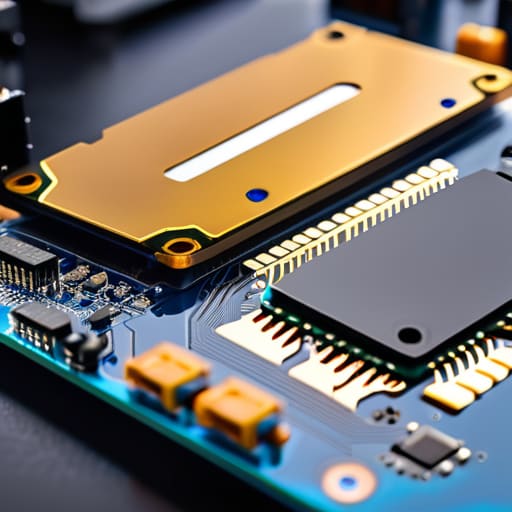
Here is where most people trip up when they’re scrolling through a parts list. They see “M.2” and “NVMe” used interchangeably, but they aren’t the same thing. Think of it like this: M.2 is the physical shape of the drive—that little stick that slots directly into your motherboard without needing a mess of SATA cables. NVMe, on the other hand, is the language the drive speaks. You can actually find M.2 drives that use the old, slow SATA protocol, which is basically like putting a speed limiter on a supercar.
The real magic happens when you pair an M.2 form factor with the NVMe protocol, because that’s when you actually get to use your PCIe lanes for SSD performance. While a SATA-based M.2 drive is stuck hitting a ceiling of around 600MB/s, a proper Gen4 NVMe drive will fly past 7,000MB/s. If you’re building a rig for modern titles that use DirectStorage, ignoring this difference between M.2 and NVMe is the fastest way to make sure your expensive GPU is just sitting around waiting for your storage to catch up.
5 Things to Check Before You Drop Cash on an NVMe
- Don’t confuse the slot with the speed. M.2 is just the physical shape of the stick, but if you plug a Gen 4 drive into a Gen 3 slot, you’re leaving half the performance on the table for no reason. Check your motherboard manual first.
- Stop obsessing over sequential read speeds for gaming. Those “7,000 MB/s” numbers on the box look great in a spreadsheet, but your actual load times depend more on random access speeds and IOPS. It’s the difference between a sprint and a series of quick jumps.
- Watch your thermals. High-end Gen 4 and Gen 5 drives get hot enough to cook an egg, and when they throttle, your performance tanks harder than a budget GPU in a AAA title. If your board doesn’t have a built-in heatsink, budget for a cheap aftermarket one.
- Check your PCIe lanes. If you’re slapping in a massive NVMe drive and suddenly your GPU performance drops or your SATA ports stop working, you’ve hit a lane bottleneck. You aren’t breaking physics; you’re just oversubscribing your CPU.
- Buy for the price-per-gigabyte, not the brand name. Unless you’re doing heavy video editing or massive database work, a mid-range drive from a reputable brand will feel identical to the flagship in a game like Cyberpunk 2077. Don’t pay a 40% premium for a logo if the latency is the same.
The TL;DR: Don't Get Scammed by the Box
M.2 is just the shape of the stick; NVMe is the actual speed protocol that makes it worth buying.
Stop looking at the “up to” speeds on the packaging; look at the random read/write IOPS if you actually want your OS to stop stuttering.
If you’re just browsing Chrome, a cheap SATA SSD is fine, but if you’re loading massive open-world assets or moving 100GB files, you need an NVMe to stop the bottleneck.
## Stop Buying Specs, Start Buying Speed
“Look, don’t let a manufacturer win you over with a massive sequential read number that you’ll never actually hit in a real-world gaming session; an NVMe drive isn’t about hitting some theoretical peak, it’s about slashing that latency so your system stops choking every time a game tries to stream assets in the background.”
Denny Kowalczyk
The Bottom Line: Is It Worth Your Cash?
Look, the takeaway is simple: stop conflating the M.2 slot with the NVMe protocol. One is just the physical shape of the stick, and the other is the actual language that lets your data move at speeds that make old SATA SSDs look like they’re running through molasses. If you’re building a rig in 2024, buying anything less than an NVMe drive is basically just handing your money to the manufacturers for tech that’s already obsolete. You want those direct lanes to the CPU so your load screens don’t turn into a coffee break, and you want the bandwidth to handle massive game installs without your system choking.
At the end of the day, don’t let a shiny box or a massive sequential read number distract you from what actually matters: how the drive performs when you’re actually using it. I’ve seen plenty of “high-end” drives tank in real-world tasks because they lack a decent DRAM cache or they overheat the second you push them. Do your homework, check the actual price-per-gigabyte at the retailers that aren’t gouging you, and buy hardware that actually does the job it promises. Build something that lasts, not something that just looks good on a spec sheet.
Frequently Asked Questions
Will upgrading to an NVMe drive actually make my games load faster, or is it just a placebo for faster boot times?
If you’re moving from a spinning HDD, it’s a massive win. If you’re moving from a SATA SSD, you’re mostly chasing placebo. I tested Cyberpunk 2077 on a SATA drive versus a Gen4 NVMe; the load time difference was only about three seconds. It won’t boost your FPS, but it stops those micro-stutters when the game tries to stream assets mid-run. Don’t buy a high-end drive just for games; buy it so your OS doesn’t choke.
Do I need a specific M.2 slot on my motherboard to use an NVMe drive, or can I just plug it into any M.2 port?
Short answer: No, you can’t just plug it into any random slot and expect it to work at full speed. Most motherboards have a mix of lanes. You might find an M.2 slot that’s wired directly to the CPU—that’s your gold mine for gaming—and another one that runs through the chipset, which adds latency. Check your manual for PCIe lane distribution. If you plug a Gen4 drive into a Gen3 slot, you’re basically paying for speed you’ll never actually see.
Is there a point where buying a more expensive Gen4 or Gen5 drive becomes a waste of money for a standard gaming build?
Look, if you’re just playing Cyberpunk 2077 or Starfield, stop overpaying for Gen5. I’ve tested them; the difference in actual loading screens compared to a decent Gen4 drive is measured in fractions of a second. Unless you’re doing heavy video editing or moving massive 4K raw files daily, that extra money is better spent on a better GPU or more RAM. For gaming, Gen4 is the sweet spot. Gen5 is just expensive bragging rights.
