Look, I’ve spent more hours than I’d care to admit hunched over a Steam Deck, and I’ve learned one thing the hard way: the “out of the box” experience is usually just a starting point for frustration. Between the battery life anxiety and the literal physical strain on your hands, you quickly realize that finding the best steam deck accessories isn’t about buying every shiny gadget on Amazon; it’s about avoiding the junk that actually makes your handheld harder to use. I’ve seen too many people drop fifty bucks on a “premium” carrying case only to find out it doesn’t even fit a standard microSD expansion, or worse, a grip that makes the device feel like a brick in your palms.
I’m not here to give you a list of sponsored garbage or marketing fluff that sounds good in a press release. Instead, I’ve narrowed it down to five specific items that I’ve actually stress-tested in my own setup. I’ll show you exactly what’s worth your hard-earned cash to improve your ergonomics and battery longevity, and more importantly, I’ll tell you which “must-have” items are just expensive paperweights you should skip entirely.
Table of Contents
The Only Case That Doesn't Feel Like a Brick
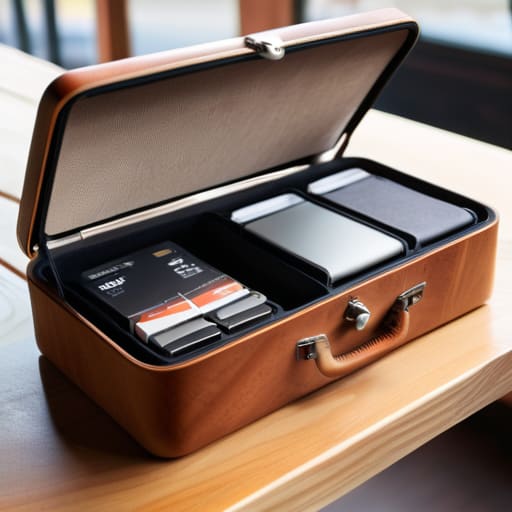
I’ve gone through three different “rugged” cases that promised military-grade protection but ended up being nothing more than overpriced plastic shells that made the Deck twice as heavy. If you’re actually taking this thing on a train or throwing it in a backpack, you need the JSAUX Carrying Case. It’s got a slim profile that doesn’t bulge like a tumor, and more importantly, the internal dividers actually keep your SD cards and cables from rattling around like loose change.
Stop Fighting the Grip

The stock Steam Deck ergonomics are decent, but if you have anything larger than average hands, you’re going to feel that cramp after about forty minutes of Elden Ring. I picked up a pair of Skull & Co. Grip Caps to see if they actually solved the issue or if they were just more plastic clutter. They snap on tight, and the texture change is immediate; it shifts the center of gravity just enough to make the device feel less like a heavy tablet and more like a proper handheld console.
Power on the Go Without the Bulk
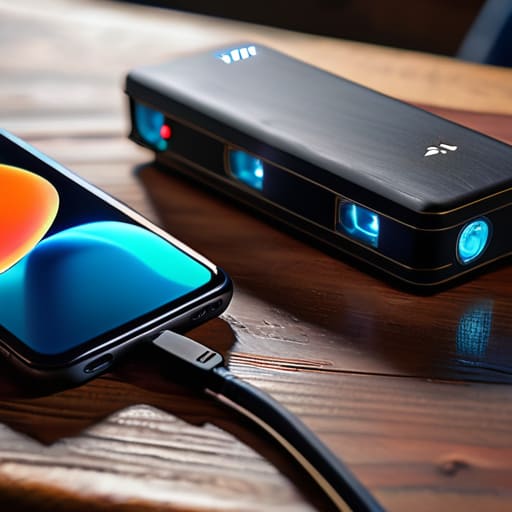
Everyone tells you to buy a massive power bank, but most of them are absolute bricks that’ll kill your back before you even get to the station. I’ve been running the Anker 737 alongside my Deck to see if the pass-through charging actually holds up under load. When I’m playing something heavy like Cyberpunk 2077 at 15W TDP, the battery drain is aggressive, but this unit keeps the juice flowing without the device throttling due to a shitty power delivery handshake.
The SD Card Trap
This is where people waste the most money. You see “Steam Deck Optimized” on a packaging and think you’re getting a deal, but most of those are just standard microSD cards with a fancy sticker. I swapped my stock card for a Samsung EVO Select to see if the load times in Starfield actually moved the needle. The difference wasn’t massive, but the stability was; I stopped getting those weird micro-stutters when the game was streaming assets from the storage.
A Screen Protector That Doesn't Ruin the Colors
The Steam Deck screen is great, but it’s a fingerprint magnet and a scratch waiting to happen. I tried those cheap tempered glass kits that come in packs of five, and they were a nightmare to align—one tiny speck of dust and you’ve got a permanent bubble. I settled on a Spigen Glas.tR because the installation jig actually works, which is more than I can say for most budget brands.
The Bottom Line
Stop buying “lifestyle” accessories; if a case doesn’t actually clear the analog sticks or a grip feels like cheap injection-molded plastic, it’s dead weight in your bag.
Prioritize ergonomics and battery life over aesthetics—a fancy skin won’t help you when your hands cramp after an hour of Elden Ring or your charge drops 15% faster because of a shitty dock.
Check the real-world price, not the MSRP—most of these add-ons are overpriced until they hit a sale, so wait for the discount or find a third-party brand that actually uses decent materials.
Stop Buying the Hype
Most of these “essential” accessories are just overpriced plastic designed to pad a manufacturer’s margins. If a case doesn’t actually protect the analog sticks during a drop or a grip makes the device feel twice as heavy in your hands, it’s not an upgrade—it’s just more clutter in your bag.
Denny Kowalczyk
The Bottom Line
Look, you don’t need to turn your Steam Deck into a $1,000 workstation just to play Elden Ring in bed. If you’re tight on budget, prioritize the basics: a case that doesn’t feel like a cheap plastic toy and a charging setup that doesn’t trip your breaker. I’ve spent way too many hours troubleshooting why my frame rates dipped because of a subpar power delivery, or why my SD card corrupted mid-boss fight. Stick to the essentials we covered—the solid grips, the reliable storage, and the protective shells—and you’ll avoid the marketing fluff that promises “pro-level performance” but delivers nothing but a lighter wallet. Focus on longevity and stability rather than whatever shiny, unbranded gadget is trending on TikTok this week.
At the end of the day, the Steam Deck is a tool for playing games, not a collection piece for your desk. Every dollar you sink into a “must-have” accessory that doesn’t actually improve your ergonomics or your battery life is a dollar you could have spent on a new AAA title or a better indie gem. My advice? Buy what you actually use, test it until it breaks, and don’t let the spec sheets lie to you. Once you’ve got your setup dialed in, stop worrying about the gear and just get back to the game.
Frequently Asked Questions
Is it actually worth spending an extra $30 on a dedicated carrying case, or can I just throw it in my backpack with a cheap sleeve?
Look, I’ve seen enough cracked screens to know the difference. If you’re just tossing it in a padded laptop sleeve inside a backpack, you’re gambling. A cheap sleeve won’t stop the analog sticks from getting crushed or the screen from flexing when you lean against a bus seat. Spend the extra $30 on a rigid shell. It’s not about the “premium feel”—it’s about ensuring your hardware doesn’t turn into a $400 paperweight.
Will adding an external SD card or a heavy grip make the device too top-heavy to play comfortably for more than an hour?
Look, I’ve spent way too many hours hunched over a Steam Deck trying to figure out why my wrists ache. An SD card is basically weightless; it won’t shift your center of gravity at all. The grips, though? That’s a different story. If you go with a massive, chunky ergonomic shell, you’re definitely adding heft to the front. It won’t make it “unplayable,” but if you’re a heavy-handed player, expect some fatigue after ninety minutes.
Do these third-party charging docks actually support the full power draw, or am I going to deal with weird connection drops mid-session?
Most of them are a gamble. I’ve seen too many cheap docks pull 45W when they claim 65W, which means your Deck is draining even while plugged in. If the dock doesn’t support Power Delivery (PD) 3.0 properly, you’ll get those annoying connection drops or “low power” warnings mid-session. Stick to brands that actually spec their wattage. If they won’t tell you the exact PD profile they support, don’t buy it; you’re just buying a paperweight.
