I was elbow-deep in a dusty Dreamcast last Tuesday when it hit me: I haven’t seen a single game install that didn’t make my SSD scream for mercy in months. Every time a “triple-A” title drops, it’s not just a download; it’s a full-scale occupation of your hard drive. Everyone wants to talk about “unprecedented fidelity” or “seamless open worlds,” but they never address the actual headache of why games are so big now when half that extra space is just unoptimized textures and redundant assets. It’s easy to sell a 150GB download as a feature, but if you’re staring at a progress bar for three hours just to play a twenty-minute demo, that isn’t innovation—it’s bloat.
I’m not here to rewrite a marketing press release or tell you that bigger is always better. My goal is to strip away the hype and look at the actual architecture of these massive files to see if they’re actually worth your time and storage. I’ll break down where the space is going, whether it’s delivering actual gameplay or just wasting your hardware, and help you decide if a massive install is a genuine leap forward or just a way to pad the runtime.
Table of Contents
High Fidelity Assets and Storage Paying for Pretty Pictures
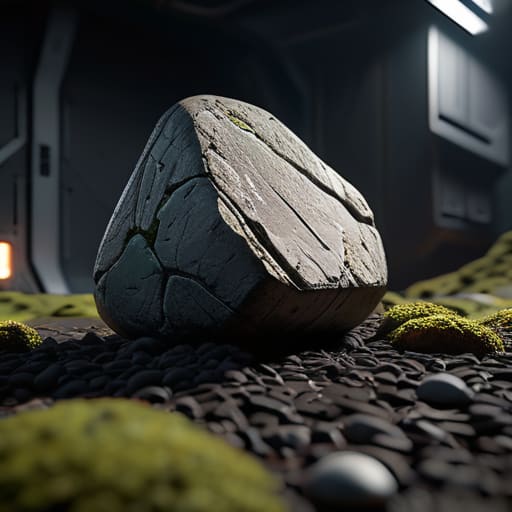
The culprit is usually sitting right in your asset folders. We’re seeing a massive shift in AAA game development trends where “good enough” textures have been replaced by hyper-detailed maps that eat your NVMe drive for breakfast. When a dev team pushes for 4K texture resolution impact, they aren’t just making a single character look better; they are multiplying that data across every rock, crate, and corridor in the level. I’ve seen builds where a single environment kit jumps from 500MB to 4GB just because the developers decided every pebble needed its own unique normal map.
It isn’t just the visuals, either. We’re also dealing with uncompressed audio files in gaming that act as a silent space killer. Instead of efficient compression that might introduce artifacts, studios are opting for massive, high-bitrate files to ensure every footstep sounds “cinematic.” When you combine these high fidelity assets and storage requirements with modern game engine advancements and file size bloat, you end up with a 150GB install that feels more like a data center than a hobby. You aren’t just paying for gameplay; you’re paying for the raw weight of the data.
Game Engine Advancements and File Size the Bloat Factor

It isn’t just about the number of polygons on screen; it’s about how the engine handles the sheer volume of data required to keep them there. We’re seeing a massive shift in AAA game development trends where engines like Unreal Engine 5 are pushing the limits of what a single asset can do. When you move from standard textures to massive, high-fidelity maps, the file size doesn’t just grow linearly—it explodes. You’re looking at a massive 4K texture resolution impact where a single character model might take up more space than an entire indie game from five years ago.
Then there’s the audio. Developers aren’t just clipping small files anymore; they’re shipping with massive, uncompressed audio files in gaming to ensure that a footstep in a cavern sounds exactly right. This creates a huge bottleneck for older hardware. This is why the industry is obsessed with SSD vs HDD gaming performance; if you’re still trying to stream these massive assets from a mechanical drive, you aren’t just looking at long load screens, you’re looking at stuttering and dropped frames. The engine is basically screaming for more bandwidth just to keep up with its own weight.
How to Stop Your SSD from Screaming: Survival Tips for the 150GB Era
- Audit your “Just in Case” library. If you haven’t touched that AAA title since the launch window, delete it. At 120GB per install, hoarding games you aren’t actively playing is just a slow way to kill your drive’s lifespan and your storage budget.
- Stop buying the smallest capacity SSDs. I see people buying 500GB drives thinking they’re being smart, then they realize a single Call of Duty update takes up a third of the drive. Aim for 2TB minimum if you want to actually play games instead of managing file deletions.
- Prioritize NVMe over SATA. With the way modern engines stream assets to prevent stutter, a slow SATA SSD is going to turn a 100GB game into a loading screen simulator. If the game says “SSD Required,” don’t try to be a hero with an old hard drive.
- Use compression tools or specialized storage partitions. If you’re running tight on space, look into external high-speed drives specifically for your “heavy” titles, but keep your OS and your most-played competitive shooters on your fastest internal M.2 slot.
- Check the “Actual” install size, not the store page estimate. Steam and Epic are notorious for listing a “minimum” size that doesn’t account for the massive shader cache or uncompressed audio files that get added during the actual installation process. Check a forum or a subreddit before you commit your bandwidth.
The Bottom Line
Massive file sizes don’t always equal better gameplay; often, you’re just downloading uncompressed textures and high-fidelity assets that your hardware struggles to stream, leading to stuttering even if your GPU is top-tier.
Stop looking at the “suggested” storage requirements and start looking at your actual SSD speed; if a game is 150GB, it’s likely because the engine is poorly optimized for asset streaming, not because the content is actually that deep.
Before you commit to a massive download, check the actual patch notes and compression tech used; if they aren’t using something like Kraken or high-level Oodle compression, you’re essentially paying for the privilege of wasting your bandwidth.
The Illusion of Scale
“We’ve reached a point where developers are trading meaningful mechanics for sheer, unadulterated mass. I’ve sat there watching a 150GB install progress, knowing damn well that half of that is just uncompressed 4K textures for rocks you’ll never even look at, and it makes me wonder if we’re actually building better worlds or just building bigger digital warehouses.”
Denny Kowalczyk
The Bottom Line on the Bloat

Look, the math isn’t changing: we’re trapped in a cycle where 4K textures and uncompressed audio assets are driving file sizes into the triple digits. Between the engine overhead and the sheer scale of these open worlds, you aren’t just downloading a game anymore; you’re downloading a digital ecosystem that demands a massive footprint on your NVMe drive. We’ve moved past the era where a 50GB install was a “big” deal. Now, you have to weigh the actual gameplay density against the reality of your storage limits and your internet speed. If a game takes six hours to download but only gives you three hours of meaningful content before it feels empty, that’s not progress—it’s just inefficient design.
At the end of the day, I don’t care how many terabytes a developer throws at a project if the core loop feels hollow. We need to stop equating “bigger” with “better” and start demanding that our hardware—and our patience—is being used for something that actually matters. Don’t let the marketing hype about “unprecedented scale” trick you into thinking a massive install size equals a masterpiece. Keep your eyes on the actual experience and your wallet ready for what’s worth the space. We deserve games that respect our time and our hardware, not just games that consume everything in their path.
Frequently Asked Questions
If assets are getting bigger, does that actually mean I'm getting better performance, or am I just losing more time to loading screens?
Short answer: No. You’re mostly just losing time to loading screens. Bigger assets mean more data for your drive to chew through, not necessarily more frames on your screen. If you’re running an NVMe SSD, the hit is manageable, but on a standard SATA drive or an old HDD, you’re basically staring at a progress bar for half the session. Bigger textures don’t fix bad optimization; they just make the stuttering more expensive.
Can I actually fix this with better hardware, or is a faster NVMe drive just a band-aid for bad optimization?
Look, I’ve swapped enough drives to know the truth: a faster NVMe is usually just a band-aid. If a dev hasn’t optimized asset streaming, even a Gen5 drive is just waiting on a poorly written CPU thread to tell it what to do next. You might see a slight bump in pop-in reduction, but you aren’t fixing the fundamental bottleneck. Don’t spend $200 on hardware to compensate for a game that’s just poorly built.
Is there any way to compress these installs without losing the visual fidelity the devs are bragging about?
Short answer: not really, and you shouldn’t try to force it. If you use third-party compression tools to shrink an install, you’re just adding CPU overhead every time the engine needs to fetch an asset. I’ve seen it happen—you might save 50GB, but your 1% lows will tank because your processor is too busy decompressing files to actually render the frame. If you’re low on space, just get a cheap NVMe.
