I still remember the first time I tried to play Skyrim on my old college rig. I had a decent GPU, but I was running everything off a spinning 500GB mechanical drive, and the result was a disaster. I wasn’t just waiting for levels to load; I was watching textures pop in like a slideshow and stuttering every time I walked into a new cell. It’s the classic trap of the ssd vs hdd for games debate: you see those massive terabyte numbers on an HDD and think you’re getting a bargain, but you’re actually just buying yourself a headache. You think you’re saving fifty bucks, but you’re really just paying in lost time and broken immersion.
I’m not here to give you a lecture on SATA interfaces or theoretical sequential read speeds that look great on a box but suck in real life. I’ve spent enough nights troubleshooting stuttering builds to know that real-world performance is the only metric that matters. In this guide, I’m breaking down exactly how these drives behave when they’re actually being pushed by modern titles. I’ll show you the math on where an HDD is a smart budget move and where an SSD is a non-negotiable requirement if you actually want to play your games.
Table of Contents
- The HDD: The Budget Bulk King
- The SSD: The Speed Essential
- Mechanical Hard Drive vs Solid State Drive Real World Speed Math
- Stuttering and Asset Streaming Where Your Frames Actually Go to Die
- The Bottom Line: Don't Buy Into the Spec Sheet Lies
- The Loading Bar Tax
- The Bottom Line: Don't Buy Into the Hype
- Frequently Asked Questions
The HDD: The Budget Bulk King
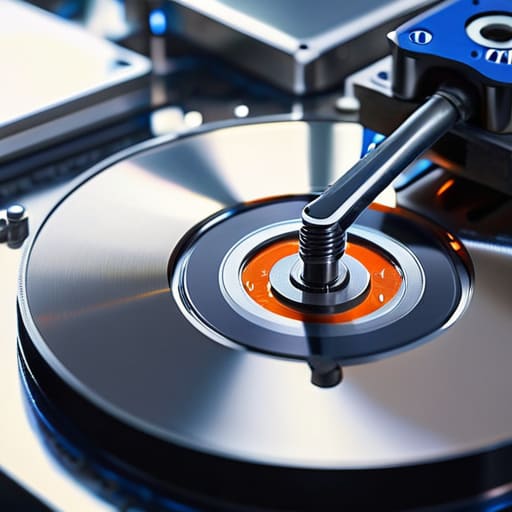
An HDD is a mechanical storage device that uses spinning magnetic platters and a moving actuator arm to read and write data. Its primary objective selling point is raw capacity-per-dollar, making it the cheapest way to store massive amounts of digital information.
I’ve seen too many people try to save fifty bucks by dumping their entire Steam library onto a mechanical drive, and it’s a mistake you’ll feel every time you boot up. You aren’t just losing time; you’re losing immersion. When you’re playing an open-world title and the drive can’t fetch textures fast enough, you’re left staring at a blurry, low-res mess while the physical arm inside the casing frantically tries to catch up. It’s fine for storing your old media or backups, but using an HDD for modern gaming is basically asking to spend your night watching loading bars instead of playing.
The SSD: The Speed Essential
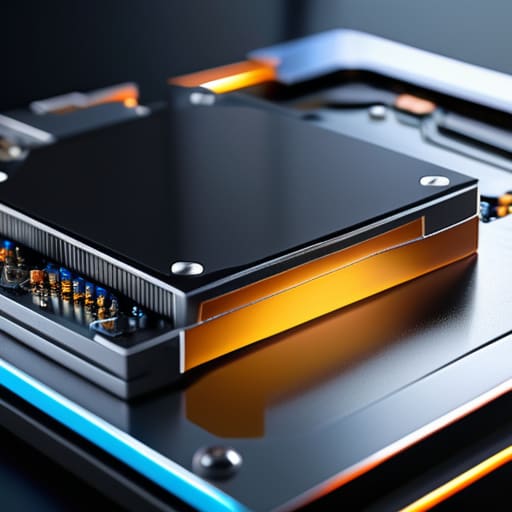
An SSD is a flash-based storage solution that uses NAND memory chips to access data instantly without any moving parts. Because there is no physical mechanism to wait on, the main benefit is near-instantaneous data transfer speeds compared to traditional drives.
In my experience, switching to an SSD isn’t just a “nice to have” upgrade; it’s the baseline for a functional modern rig. When I’m testing builds, the difference is night and day: I’m talking about shaving thirty seconds off a level load or stopping that stuttering that happens when a game tries to stream assets in real-time. If you’re building a machine in 2024, an SSD is the one component where you absolutely cannot afford to compromise. It’s the difference between a seamless experience and a PC that feels like it’s constantly gasping for air every time you change maps.
SSD vs HDD for Gaming
| Feature | SSD | HDD |
|---|---|---|
| Speed/Load Times | Extremely Fast | Slow |
| Price per GB | High | Low |
| Durability | High (No moving parts) | Low (Mechanical parts) |
| Noise Level | Silent | Audible spinning/clicking |
| Best For | OS, Modern AAA Games, Fast Loading | Mass Storage, Older Games, Media |
| Capacity Options | High (but expensive) | Very High (Affordable) |
| Physical Size | Small (M.2/2.5") | Large (3.5") |
Mechanical Hard Drive vs Solid State Drive Real World Speed Math
If you’re looking at spec sheets to decide between an SSD and an HDD, you’re already losing. It’s not about the theoretical peak speeds; it’s about how much time you actually spend staring at a loading screen instead of playing. In modern gaming, latency is the silent killer that turns a seamless open world into a stuttering mess.
When I pull up a heavy title like Cyberpunk 2077, the math gets ugly fast. An HDD might churn out a decent sequential read, but its access times are abysmal because it has to physically move a needle to find data. On my test NVMe SSD, I’m seeing boot times under 15 seconds, whereas the old 7200RPM mechanical drive is still chugging through the initial assets at the 90-second mark.
It’s not just the big loads, either. It’s the micro-stutters when a game tries to stream a new texture or an NPC model while you’re moving. An HDD will struggle to keep up, causing those annoying frame drops, while an SSD handles the background data stream without breaking a sweat. For real-world speed and stability, the SSD wins by a landslide.
Stuttering and Asset Streaming Where Your Frames Actually Go to Die
If you think frame rates are just about your GPU, you haven’t spent enough time playing open-world titles. You can have an RTX 4090, but if your storage can’t feed the beast, you’re just looking at a very expensive slideshow. This isn’t about how fast a level loads; it’s about whether the world actually exists by the time your character turns a corner.
When I test modern titles like Cyberpunk 2077 or Starfield, the HDD is the primary culprit for micro-stuttering. Because an HDD relies on a physical arm moving across a spinning platter, it can’t fetch assets fast enough when you’re sprinting through a dense city. You’ll see your average FPS look fine on paper, but you’ll hit those unplayable 1% lows where the game hitches for a half-second while it struggles to pull a texture from the disk.
An SSD eliminates that bottleneck entirely. Since there’s no mechanical movement, the data is just there the millisecond the engine asks for it. This results in smooth, consistent frame delivery and prevents the “pop-in” effect where buildings or textures suddenly materialize out of thin air.
Winner: SSD
The Bottom Line: Don't Buy Into the Spec Sheet Lies
Stop using HDDs as your primary boot or game drive; unless you’re just storing a massive library of indie titles or emulators you rarely touch, the constant asset streaming lag and stuttering isn’t worth the $20 you saved.
Prioritize NVMe SSDs for modern AAA titles where the “minimum requirements” are increasingly assuming you aren’t running on spinning rust, or you’ll spend more time watching textures pop in than actually playing.
Do the math on price-per-gigabyte versus price-per-second; an HDD is a cheap warehouse for data, but an SSD is the only way to actually access that data without your CPU sitting idle waiting for a mechanical arm to find a file.
The Loading Bar Tax
“I don’t care if a 4TB HDD saves you a hundred bucks on paper; if you’re playing a modern open-world title and your assets are still chugging through a spinning platter, you aren’t saving money—you’re just paying a tax in wasted time and micro-stutters every single time you fast-travel.”
Denny Kowalczyk
The Bottom Line: Don't Buy Into the Hype
Look, the math doesn’t lie. If you’re building a machine in 2024 and you’re still trying to run modern AAA titles off a spinning mechanical platter, you’re basically paying for a high-end GPU just to watch it sit idle while your HDD struggles to fetch textures. We’ve seen it a dozen times: the specs look fine on paper, but the stuttering and frame-time spikes during asset streaming make the game unplayable. An HDD is fine for your massive backlog of indie titles or storing your media library, but for your active library? An NVMe or even a basic SATA SSD is the non-negotiable baseline for a smooth experience. Don’t let a cheap drive turn your expensive rig into a glorified loading screen simulator.
At the end of the day, your hardware should serve your gaming, not the other way around. I’ve spent way too many nights troubleshooting “random” stutters only to realize a slow drive was the culprit, and I don’t want that for you either. Spend the extra fifty bucks now to get the SSD; it’s the difference between actually playing the game and staring at a progress bar. Build your rig with the intent to play, not just to collect parts. Get the speed you need, stop fighting your hardware, and get back into the game.
Frequently Asked Questions
If I’m on a tight budget, can I run my OS on an SSD and just use a massive HDD for my game library, or is that going to cause issues?
That’s actually the smartest way to spend a limited budget. Run your OS on a cheap, even small, SATA SSD—it’ll keep Windows snappy and stop those annoying background update stutters. Then, dump your massive library onto a high-capacity HDD. You’ll face longer loading screens in open-world titles, sure, but your system won’t feel like it’s dying. Just don’t try to install a modern AAA title on that mechanical drive if you value your sanity.
Does installing a game on an NVMe drive actually change my FPS, or am I just paying for faster loading screens?
The short answer? No, an NVMe won’t turn your 60 FPS into 120 FPS. If you’re looking for raw frame rate gains, you’re looking at the wrong component; that’s a GPU and CPU job. But don’t call it “just” faster loading. In modern titles like Cyberpunk 2077 or Ratchet & Clank, an NVMe prevents those micro-stutters caused by asset streaming. You’re paying for stability and speed, not a higher ceiling.
How much of a difference does an SSD make for open-world titles like Starfield or Cyberpunk compared to older, more linear games?
If you’re playing something linear like Call of Duty or an older title, an HDD is just a slow elevator—it takes a while to get you to the next floor, but once you’re there, it’s fine. But in Starfield or Cyberpunk 2077, the game is constantly pulling assets from the drive as you move. On an HDD, that’s a recipe for massive stutter and pop-in. On an NVMe SSD, those assets stream seamlessly. For open worlds, the SSD isn’t a luxury; it’s the baseline.
